EasyManua.ls Logo

Midea MAD50PS1AWBL - User Manual

Midea MAD50PS1AWBL
28 pages
Print Icon
To Next Page IconTo Next Page
Loading...
MAD
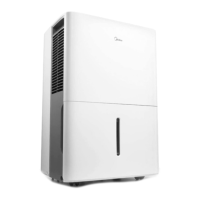
Dehumidifier
MAD22S1AWWT
MAD35S1AWWT
MAD50PS1AWBL
USER MANUAL
Warning notices: Before using this product, please read this manual carefully and keep it for future reference.
The design and specifications are subject to change without prior notice for product improvement.
Consult with your dealer or manufacturer for details.
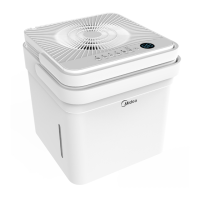
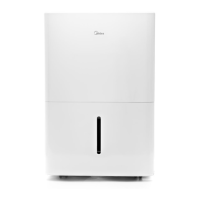
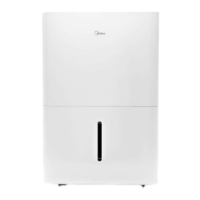
The diagram above is just for reference. Please take the appearance of the actual product as the standard.
Download the app
& activate product

Questions and Answers

  • J
    Joel PetersAug 10, 2025
    What to do if my Midea Dehumidifier won't start?
    • P
      Patrick HutchinsonAug 10, 2025
      If your Midea Dehumidifier isn't starting, first ensure the plug is fully inserted into the outlet. Then, check your house's fuse or circuit breaker box. Also, the dehumidifier might have reached its preset level, or the bucket could be full. Another possibility is that the side access tank isn't correctly positioned.
  • U
    umartinAug 15, 2025
    What to do if water is leaking from my Midea MAD50PS1AWBL?
    • A
      andersoncassieAug 15, 2025
      If water is leaking from your Midea Dehumidifier onto the floor, check if the hose connection is loose. Another reason may be that you intended to use the bucket to collect water, but the back drain plug was removed.
  • M
    Michelle BishopAug 22, 2025
    What to do if the pump operation light is blinking on my Midea MAD50PS1AWBL?
    • M
      Mallory JosephAug 22, 2025
      If the pump operation light on your Midea Dehumidifier is blinking, try cleaning the pump's filter. Also, check the pump hose for blockages or leaks. Finally, ensure the side access tank is empty.
  • S
    Sarah VelezAug 28, 2025
    Why is my Midea MAD50PS1AWBL not drying the air properly?
    • R
      Robert SchneiderAug 28, 2025
      Your Midea Dehumidifier might not be drying the air effectively due to several reasons. Ensure enough time has passed for it to remove moisture. Check that curtains, blinds, or furniture aren't blocking the front or back of the unit. The humidity control setting may be too high. Verify that all doors, windows, and openings are securely closed. Also, the room temperature might be too low (below 5°C or 41°F), or there could be a source of water vapor, like a kerosene heater, in the room.
  • M
    mdavisSep 2, 2025
    Why is my Midea MAD50PS1AWBL Dehumidifier making a loud noise?
    • G
      Gregory WilliamsSep 2, 2025
      A loud noise from your Midea Dehumidifier could be due to a dirty air filter; cleaning it might help. The unit might also be tilted instead of upright, or the floor surface may not be level.

Summary

Safety Instructions

General Warnings

Covers installation, operation, and general usage hazards including warnings and cautions.

Specific Safety Precautions

Details specific safety precautions for electrical work, servicing, and handling R32 refrigerant.

Product Installation

Unit Positioning

Details safe distance requirements for unit placement to ensure proper airflow and performance.

Get to Know Your Features

Operation Functions

Explains how to use power, timer, modes, fan speed, pump function, and auto features.

Removing Collected Water

Bucket Drainage

Step-by-step guide to emptying the water bucket manually.

App Instructions

Cleaning and Maintenance

Troubleshooting Tips

Malfunction Diagnosis

Diagnoses common malfunctions and provides checks to resolve them.

Midea MAD50PS1AWBL Specifications

General IconGeneral
BrandMidea
ModelMAD50PS1AWBL
CategoryDehumidifier
LanguageEnglish

Related product manuals