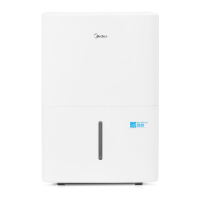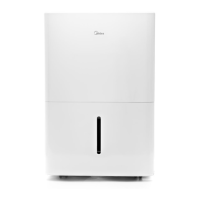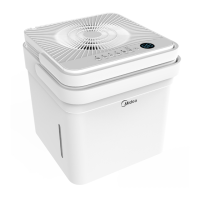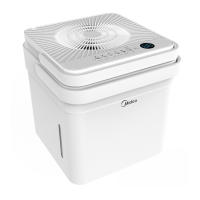
EasyManua.ls Logo

Midea MAD20S1QWT - User Manual

Midea MAD20S1QWT
25 pages
Print Icon
To Next Page IconTo Next Page
Loading...
Cube Dehumidifier
version A - 12 - 2020
MAD20S1QWT
MAD35S1QWT
MAD50S1QWT
MAD50PS1QWT
MAD50PS1QGR
www.midea.com
USER MANUAL
en
MAD
Warning notices: Before using
this product, please read this
manual carefully and keep it
for future reference.
The design and specifications
are subject to change without
prior notice for product
improvement.
Rated voltage: 115V
Frequency: 60Hz
version E - 09 - 2022

Questions and Answers

Summary

Midea Dehumidifier Safety Precautions

General Safety Warnings and Symbols

Highlights key warnings, cautions, and notices, along with explanations of safety symbols used in the manual.

Electrical Safety and Usage Precautions

Details essential grounding, cord safety, wet hand operation, and proper receptacle use to prevent electric shock and fire.

Operational and Environmental Safety

Covers thunderstorm safety, cord placement, airflow restrictions, lifting, and storage safety. Includes flammable refrigerant warnings.

Dehumidifier Unit Specifications and Features

Product Overview Diagrams

Illustrates the front and rear views of the dehumidifier, labeling key components and features.

Included Accessories

Lists and shows images of accessories provided with the dehumidifier, such as drain hoses and casters.

Dehumidifier Setup Instructions

Nesting and Separation

Guides on separating the dehumidifier from its nested shipping position and preparing for initial use.

Proper Unit Alignment

Instructions on correctly aligning the dehumidifier with the bucket, ensuring interface buttons and window match.

Initial Power-Up

Details on plugging in the unit and pressing the power button to start operation in normal bucket mode.

Dehumidifier Installation

Positioning the Unit

Recommends ideal placement for dehumidification, airflow, temperature, and proximity to heat sources.

Optional Caster Installation

Step-by-step guide on how to attach the optional caster wheels to the bottom of the water bucket.

Caster Removal

Provides instructions on how to safely remove the caster wheels from the water bucket using a flathead screwdriver.

Additional Setup Resources

Directs users to scan a QR code for helpful videos on setup and usage of the Cube Dehumidifier.

Dehumidifier Operating Instructions

Key Pad Features Overview

Explains the function of each button and indicator on the dehumidifier's control panel.

Power, Fan, and Connect Functions

Details how to turn the unit on/off, adjust fan speed, and initiate network connection.

Setting Humidity and Timer

Guides on adjusting humidity setpoints using Up/Down buttons and setting the timer function.

Operating Modes Explained

Describes Set, Max, and Continuous modes, and notes on setpoint adjustments.

Fill Level and Bucketless Mode

Explains setting fill levels for the bucket and activating bucketless mode for continuous draining.

Error Codes and Protection Codes

Lists common error codes (EH60, EH61, EHOb) and protection codes (P2, Eb) with troubleshooting.

Other Operational Features

Covers auto defrost, compressor delay protection, auto-restart, and detailed timer function usage.

Dehumidifier Water Removal Methods

Emptying the Bucket Manually

Step-by-step instructions for safely lifting and emptying the water bucket, including notices.

Continuous Draining Setup

Guides on installing and using the continuous drain hose for automatic water removal into a sink.

Pump Draining Operation

Instructions for using the pump feature, including hose attachment, mode activation, and pump noise.

Pump Operation Notices

Provides notices regarding pump failure, filter cleaning, hose checks, and outdoor drain hose usage.

Dehumidifier Care and Cleaning

Cleaning Unit Surfaces

Instructions for cleaning the grill, case, and bucket using mild detergent and water.

Air Filter Maintenance

Details on removing, washing, drying, and re-installing air filters, plus resetting the indicator.

Long-Term Storage Preparation

Guides on preparing the unit for storage, including drying, cleaning, nesting, and covering.

Dehumidifier Nesting and Storage

Preparing for Nesting

Steps to power off, unplug, and empty the bucket before nesting the dehumidifier.

Nesting the Dehumidifier

Instructions for pressing bucket tabs, rotating the dehumidifier, and inserting it into the bucket for storage.

Carrying Nested Unit Safely

Cautionary advice on using the bucket handle to carry the nested unit securely.

Dehumidifier Troubleshooting Guide

Unit Not Starting

Checks for power connection, fuse/breaker, preset level, and bucket position when the unit fails to start.

Poor Dehumidification

Troubleshooting steps for insufficient moisture removal, including airflow, humidity control, and room conditions.

Noise and Frost Issues

Addresses loud operating noises, dirty air filters, unit tilt, and normal frost appearance.

Water Leaks and Error Codes

Solutions for water on the floor, loose connections, and error/protection codes displayed on the unit.

Pump Operation and Bucketless Mode

Troubleshooting for pump light blinking, blocked hoses, and water collection in bucketless mode.

Smart Dehumidifier App Instructions

App Compliance and Specifications

Covers declaration of conformity, wireless module specs, usage precautions, and product/app discrepancies.

App Download and Installation

Guides on system requirements, scanning QR code, and searching app stores for MSmartHome.

User Account Creation

Step-by-step guide for creating a user account, including email verification and network setup.

Additional App Features

Instructs users to scan a QR code for more information on app features and smart home skill capabilities.

FCC Compliance and Interference

Details FCC compliance, interference measures, liability disclaimers, and illustration notes.

Dehumidifier Limited Warranty

Warranty Service and Responsibilities

Details the one-year limited warranty, Midea's and consumer's responsibilities, and exclusions.

Exclusions from Warranty Coverage

Lists conditions that void the warranty, such as misuse, improper installation, or unauthorized service.

Obtaining Warranty Service

Provides steps for contacting Midea Consumer Services and retaining proof of purchase for warranty claims.

Overview

This document is a user manual for the Midea Cube Dehumidifier (MAD series).

Function Description

The Midea Cube Dehumidifier is designed to remove moisture from the air in indoor residential applications. It can operate in various modes including Set mode (runs until a set humidity is reached), Max mode (continuous operation on high fan), and Continuous run mode (continuous operation with adjustable fan speed). The unit can collect water in a removable bucket or drain continuously via an attached hose. Some models also feature a pump draining option for vertical drainage. The dehumidifier is equipped with an Auto Defrost function to prevent frost buildup on coils and an Auto-Restart function to resume operation with previous settings after a power interruption. It also offers smart control capabilities via a mobile app.

Important Technical Specifications

  • Rated Voltage: 115V
  • Frequency: 60Hz
  • Models Covered: MAD20S1QWT, MAD35S1QWT, MAD50S1QWT, MAD50PS1QWT, MAD50PS1QGR
  • Refrigerant: Flammable refrigerant R32
  • Operating Environment Temperature: 5°C/41°F to 35°C/95°F
  • Bucket Fill Levels (Approximate Weights):
    • MAD20S1QWT:
      • Level 1: 1.5 gallons (17 lb)
      • Level 2: 2 gallons (21 lb)
      • Level 3: 2.75 gallons (27.5 lb)
      • Level 4: 3 gallons (29.5 lb)
    • MAD35S1QWT, MAD35PS1QGR, MAD50S1QWT, MAD50PS1QWT, MAD50PS1QGR:
      • Level 1: 2.25 gallons (24 lb)
      • Level 2: 3 gallons (30 lb)
      • Level 3: 3.75 gallons (36.5 lb)
      • Level 4: 4.23 gallons (40.5 lb)
  • Pump Draining (some models): Max pump height: 14 ft.
  • Wireless Module (for smart control):
    • Unit Model: MAD50PS1QWT
    • WIFI Module Model: US-SK105
    • Standard: IEEE 802.11b/g/n
    • Antenna Type: Printed PCB Antenna
    • Frequency Band: 2400-2483.5MHz
    • Operation Temperature: 0°C~45°C/32°F~113°F
    • Operation Humidity: 10%~85%
    • Power Input: DC 5V/300mA
    • Maximum TX Power: <20dBm
  • Safety Certifications: FCC ID:2ADQOMDNA21, IC:12575A-MDNA21 (complies with Part 15 of FCC Rules and Innovation, Science and Economic Development Canada's licence-exempt RSS(s)).

Usage Features

  • Control Panel: Features a Power Button (connect), Fill Level Button and Indicators, Filter Indicator, Network Connection Indicator, Timer Button and Indicator, Bucketless LED Display Indicator, Fan Button and Indicators (reset filter), Up/Down Buttons, Mode Button and Indicators, and Pump Indicator (some models).
  • Modes: Set mode (humidity setpoint), Max mode (continuous high fan), Continuous run mode (continuous with adjustable fan speed).
  • Fill Level Selection: Allows users to choose desired water level before the bucket-full switch activates, with four options corresponding to different approximate volumes.
  • Bucketless Mode: Enables operation without the bucket, requiring a drain hose to be attached and sloped for continuous drainage. Activated by pressing and holding the up and fill level buttons for 3 seconds.
  • Continuous Draining: Water can be automatically emptied into a sink or drain using the included hose.
  • Pump Draining (some models): Allows water to be pumped vertically into a sink or drain using a dedicated pump hose. Activated by holding up and down arrows for three seconds.
  • Timer Function: Sets a time for the unit to turn on or off, adjustable in 0.5-hour increments up to 10 hours, then 1-hour increments up to 24 hours.
  • Caster Installation: Optional casters can be installed on the bucket for easier mobility.
  • Smart Control: The unit can be controlled via the MSmartHome app on smartphones (iOS 10+ or Android 5+). Requires a 2.4 GHz wireless router and WPA-PSK/WPA2-PSK encryption. The app allows for remote operation and monitoring.
  • Nesting and Storing: The dehumidifier unit can be nested inside the bucket for compact storage.

Maintenance Features

  • Cleaning the Grill and Case: Use water and a mild detergent; avoid bleach or abrasives. Do not splash water directly on the unit. Clean air intake and outlet with a vacuum cleaner or brush.
  • Cleaning the Bucket: Clean thoroughly every few weeks with clean water and mild detergent. Do not use a dishwasher.
  • Cleaning the Air Filters: Filters can be pulled out, washed with clean water, dried, and re-installed. A filter indicator light reminds users to clean the filter after 250 hours of operation. The unit should not be operated without filters.
  • Long-Term Storage: Before storing, allow the unit to rest for a full day to dry naturally. Clean the unit, water bucket, and air filters. Ensure the power cord is tucked into its storage channel. Nest the unit inside the bucket, cover it with a plastic bag, and store upright in a dry, well-ventilated area.
  • Pump Filter Cleaning: If the pump operation light blinks, check and clean the pump filter, ensure the drain hose is clear, and verify hose connections.
  • Troubleshooting Tips: The manual provides a list of common problems and solutions, including issues with starting, drying performance, noise, frost, water on the floor, and error codes (EH60, EH61, EHOb, P2, Eb).
  • Service: For support or issues, contact the Service Center at 1-866-646-4332. The unit should only be serviced by a Midea authorized servicer.

Midea MAD20S1QWT Specifications

General IconGeneral
BrandMidea
ModelMAD20S1QWT
CategoryDehumidifier
LanguageEnglish

Related product manuals