EasyManua.ls Logo

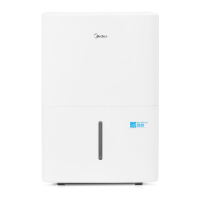
Midea MAD50PS1QGR - User Manual

Midea MAD50PS1QGR
25 pages
Print Icon
To Next Page IconTo Next Page
Loading...
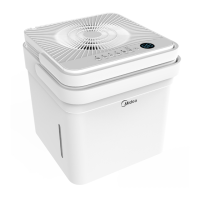
Cube Dehumidifier
version A - 12 - 2020
MAD20S1QWT
MAD35S1QWT
MAD50S1QWT
MAD50PS1QWT
MAD50PS1QGR
www.midea.com
USER MANUAL
en
MAD
Warning notices: Before using
this product, please read this
manual carefully and keep it
for future reference.
The design and specifications
are subject to change without
prior notice for product
improvement.
Rated voltage: 115V
Frequency: 60Hz
version E - 09 - 2022

Questions and Answers

  • A
    austinpenaAug 16, 2025
    Why is my Midea Dehumidifier not drying the air properly?
    • E
      Eduardo JacksonAug 16, 2025
      Several factors can prevent your Midea Dehumidifier from effectively drying the air: * Insufficient time: Allow enough time for the dehumidifier to remove moisture. * Obstructions: Ensure curtains, blinds, or furniture aren't blocking the front or back of the unit. * Humidity setting: Lower the humidity control setting. * Openings: Verify all doors, windows, and other openings are securely closed. * Low temperature: Room temperature may be too low (below 5°C or 41°F). * Vapor source: Identify and eliminate any water vapor sources in the room.
  • R
    rmcdonaldAug 19, 2025
    How to troubleshoot Midea MAD50PS1QGR that does not start?
    • E
      elizabeth92Aug 19, 2025
      There are several reasons why your Midea Dehumidifier might not be starting: * Check the power connection: Ensure the dehumidifier's plug is firmly connected to the wall outlet. * Inspect the fuse/breaker: Check your house's fuse or circuit breaker box. * Check settings: The dehumidifier may have reached its preset humidity level, or the bucket might be full. * Bucket position: Make sure the water bucket is correctly positioned.
  • H
    hmillerAug 22, 2025
    What to do if water collects around the bottom of Midea MAD50PS1QGR Dehumidifier in bucketless mode?
    • D
      delacruzmichaelAug 22, 2025
      If water is collecting around the bottom of your Midea Dehumidifier when operating in bucketless mode: * Ensure the unit is level and the surface is free of debris. * Check the drain hose connection to ensure it is properly seated in the outlet.
  • M
    Michelle RileyAug 25, 2025
    Why does frost appear on the coils of my Midea MAD50PS1QGR?
    • J
      johnhumphreyAug 26, 2025
      The appearance of frost on the coils of your Midea Dehumidifier is normal. The unit has an auto-defrost feature.
  • W
    William AllenAug 27, 2025
    What to do if my Midea Dehumidifier does not start?
    • D
      Donald CruzAug 27, 2025
      If your Midea Dehumidifier doesn't start, try the following: * Ensure the dehumidifier's plug is firmly connected to the wall outlet. * Check the house fuse/circuit breaker box. * Verify the dehumidifier hasn't reached its preset level or that the bucket isn't full. * Make sure the water bucket is correctly positioned.
  • L
    Lauren HoustonAug 30, 2025
    What to do if water is on the floor around my Midea Dehumidifier?
    • A
      Alan Chavez IVAug 30, 2025
      If you find water on the floor around your Midea Dehumidifier, check if the hose to connector or the hose connection may be loose. Also, if you intend to use the bucket to collect water, ensure that the back drain plug is properly in place.
  • K
    Katherine NelsonSep 2, 2025
    What to do if the pump operation light blinks on my Midea MAD50PS1QGR?
    • J
      Jacob WilliamsSep 2, 2025
      If the pump operation light is blinking at 1 Hz on your Midea Dehumidifier: * Clean the pump filter. * Check the pump hose for blockages or leaks. * Empty the water bucket.
  • A
    April JohnsonSep 4, 2025
    Why is there water on the floor near my Midea MAD50PS1QGR?
    • T
      tracy56Sep 4, 2025
      If you find water on the floor near your Midea Dehumidifier, check the following: * Ensure the hose connection is secure: The hose to connector or the hose connection may be loose. * Verify the drain plug: If you intend to use the bucket, ensure the back drain plug is installed.
  • J
    Jacob CampbellSep 7, 2025
    What to do if water collects around the bottom of my Midea MAD50PS1QGR when operating in bucketless mode?
    • M
      Michael SmithSep 7, 2025
      If water collects around the bottom of your Midea Dehumidifier when in bucketless mode: * Check to ensure the unit is level and that there is no debris on the surface. * Check the drain hose connection and ensure it is properly seated in the outlet.
  • S
    Scott BrownSep 10, 2025
    Why is my Midea MAD50PS1QGR making a loud noise?
    • G
      gmoralesSep 10, 2025
      A loud noise during operation of your Midea Dehumidifier can be caused by: * Dirty air filter: Clean the filter, referring to the Care and Cleaning section. * Incorrect positioning: Ensure the unit is upright and not tilted. * Uneven surface: Place the unit on a level floor surface.

Summary

Safety Precautions

Warning Symbols and General Safety

Explains risk symbols and lists initial warnings for safe operation and handling.

Electrical and Grounding Safety

Details essential grounding, power cord safety, and handling damaged cords.

Set Up Instructions

Installation Instructions

Operating Instructions

Basic Operation Modes

Describes Set, Max, and Continuous modes for dehumidifier operation.

Fill Level and Bucketless Mode

Details fill level settings and how to operate the unit without a bucket.

Water Removal Methods

Outlines procedures for emptying the bucket and continuous draining.

Care and Cleaning

Troubleshooting Tips

Unit Not Starting

Checks for power connection, bucket position, and reset level issues.

Poor Dehumidification Performance

Addresses potential causes like obstructions, temperature, and room conditions.

App Instructions

Downloading and Installing the App

Instructions on how to scan a QR code or search for the MSmart Home app.

Account Creation and Verification

Guides users through creating an account and verifying it via email.

Midea MAD50PS1QGR Specifications

General IconGeneral
ModelMAD50PS1QGR
TypeDehumidifier
Dehumidifying Capacity50 pints per day
Energy Star RatedYes
Water Tank Capacity1.6 Gallons
FilterWashable Air Filter
ColorWhite
Operating Temperature41°F to 95°F
Noise Level51 dB
Voltage115 V
Frequency60 Hz
DrainageContinuous drainage option
Coverage Area3000 sq. ft.

Related product manuals