EasyManua.ls Logo

Midea MAD50S1QWT - User Manual

Midea MAD50S1QWT
25 pages
Print Icon
To Next Page IconTo Next Page
Loading...
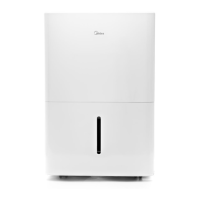
Cube Dehumidifier
version A - 12 - 2020
MAD20S1QWT
MAD35S1QWT
MAD50S1QWT
MAD50PS1QWT
MAD50PS1QGR
www.midea.com
USER MANUAL
en
MAD
Warning notices: Before using
this product, please read this
manual carefully and keep it
for future reference.
The design and specifications
are subject to change without
prior notice for product
improvement.
Rated voltage: 115V
Frequency: 60Hz
version E - 09 - 2022

Questions and Answers

  • M
    Michaela RiddleAug 17, 2025
    Why is my Midea MAD50S1QWT Dehumidifier not drying the air properly?
    • D
      Daniel RodriguezAug 17, 2025
      Several factors can prevent your Midea Dehumidifier from effectively drying the air: * Insufficient time: Allow enough time for the dehumidifier to remove moisture. * Obstructions: Ensure curtains, blinds, or furniture aren't blocking the front or back of the unit. * Humidity setting: Lower the humidity control setting. * Openings: Verify all doors, windows, and other openings are securely closed. * Low temperature: Room temperature may be too low (below 5°C or 41°F). * Vapor source: Identify and eliminate any water vapor sources in the room.
  • J
    jenkinsjeffreyAug 19, 2025
    How to troubleshoot Midea Dehumidifier that does not start?
    • S
      Sarah TannerAug 19, 2025
      There are several reasons why your Midea Dehumidifier might not be starting: * Check the power connection: Ensure the dehumidifier's plug is firmly connected to the wall outlet. * Inspect the fuse/breaker: Check your house's fuse or circuit breaker box. * Check settings: The dehumidifier may have reached its preset humidity level, or the bucket might be full. * Bucket position: Make sure the water bucket is correctly positioned.
  • B
    Blake ClarkeAug 22, 2025
    What to do if water collects around the bottom of Midea MAD50S1QWT in bucketless mode?
    • S
      Stephanie PhelpsAug 22, 2025
      If water is collecting around the bottom of your Midea Dehumidifier when operating in bucketless mode: * Ensure the unit is level and the surface is free of debris. * Check the drain hose connection to ensure it is properly seated in the outlet.
  • S
    Sara BishopAug 25, 2025
    Why does frost appear on the coils of my Midea Dehumidifier?
    • V
      Vanessa MooreAug 26, 2025
      The appearance of frost on the coils of your Midea Dehumidifier is normal. The unit has an auto-defrost feature.
  • J
    John HancockAug 27, 2025
    What to do if my Midea Dehumidifier does not start?
    • J
      John PittsAug 27, 2025
      If your Midea Dehumidifier doesn't start, try the following: * Ensure the dehumidifier's plug is firmly connected to the wall outlet. * Check the house fuse/circuit breaker box. * Verify the dehumidifier hasn't reached its preset level or that the bucket isn't full. * Make sure the water bucket is correctly positioned.
  • C
    Carlos CaldwellAug 30, 2025
    What to do if water is on the floor around my Midea Dehumidifier?
    • C
      Christine MontgomeryAug 30, 2025
      If you find water on the floor around your Midea Dehumidifier, check if the hose to connector or the hose connection may be loose. Also, if you intend to use the bucket to collect water, ensure that the back drain plug is properly in place.
  • L
    Larry GibsonSep 2, 2025
    What to do if the pump operation light blinks on my Midea MAD50S1QWT?
    • N
      Nicole RaySep 2, 2025
      If the pump operation light is blinking at 1 Hz on your Midea Dehumidifier: * Clean the pump filter. * Check the pump hose for blockages or leaks. * Empty the water bucket.
  • D
    Dominique TorresSep 5, 2025
    Why is there water on the floor near my Midea MAD50S1QWT Dehumidifier?
    • M
      Michael BrownSep 5, 2025
      If you find water on the floor near your Midea Dehumidifier, check the following: * Ensure the hose connection is secure: The hose to connector or the hose connection may be loose. * Verify the drain plug: If you intend to use the bucket, ensure the back drain plug is installed.
  • N
    Nicholas NguyenSep 7, 2025
    What to do if water collects around the bottom of my Midea Dehumidifier when operating in bucketless mode?
    • T
      Timothy ComptonSep 7, 2025
      If water collects around the bottom of your Midea Dehumidifier when in bucketless mode: * Check to ensure the unit is level and that there is no debris on the surface. * Check the drain hose connection and ensure it is properly seated in the outlet.
  • G
    Gregory MartinezSep 12, 2025
    Why is my Midea Dehumidifier making a loud noise?
    • M
      michael41Sep 12, 2025
      A loud noise during operation of your Midea Dehumidifier can be caused by: * Dirty air filter: Clean the filter, referring to the Care and Cleaning section. * Incorrect positioning: Ensure the unit is upright and not tilted. * Uneven surface: Place the unit on a level floor surface.

Summary

Safety Precautions

Warning Statements

Provides critical safety warnings regarding electrical hazards, misuse, and fire risks.

Grounding and Electrical Safety

Details requirements for proper grounding and electrical connections to prevent shock.

Cautionary Statements

Highlights safety advice to prevent minor injuries, damage, or malfunction.

Environmental and Refrigerant Safety

Covers safe operation in various environmental conditions and refrigerant handling.

Set Up Instructions

Step-by-Step Setup Guide

Guides users through separating, aligning, and connecting the dehumidifier and bucket.

Installation Instructions

Operating Instructions

Bucketless Mode Operation

Details how to operate the dehumidifier without using the water bucket.

Error and Protection Codes

Lists common error codes and protection codes with troubleshooting steps.

Removing Collected Water

Pump Draining Operation

Details the process for using the pump feature to drain water via a hose.

Care and Cleaning

Nesting and Storing Instructions

Step-by-Step Nesting Guide

Details the procedure for nesting the dehumidifier unit into its bucket for storage.

Troubleshooting Tips

Common Problems and Solutions

Lists common issues and checks to resolve them before contacting service.

Warranty Information

Limited Warranty Terms

Outlines the one-year limited warranty period and Midea's service responsibilities.

How to Obtain Service

Provides instructions and contact information for warranty service requests.

Midea MAD50S1QWT Specifications

General IconGeneral
BrandMidea
ModelMAD50S1QWT
CategoryDehumidifier
LanguageEnglish

Related product manuals