Before using for the first time
26
When you connect the machine to the
mains power, the following message
will appear in the display: Miele -
Willkommen.
When you switch the coffee machine on
for the first time, you will be prompted
to set the following:
– Language and country
– Date
– Time of day
– Time of day display
– Automatic descaling
– Water hardness
Touch the On/Off sensor.
Setting the language
Select the language and touchOK.
Select the country and touchOK.
The setting is now saved.
Setting the date
Enter the current date and touchOK.
The setting is now saved.
Setting the time of day
Enter the current time of day and
touchOK.
The setting is now saved.
Time of day display setting
You can choose one of the following
options:
– On: The time and date are always
visible in the display when the
appliance is switched off.
– Off: The display is dark when the
appliance is switched off.
– Night dimming: The time and date are
displayed from 5:00 to 23:00.
Select the time of day display and
touch OK.
Depending on which option you
select, the machine may use more
energy. A message appears in the
display to inform you of this.
Fitting the descaling cartridge
Some information about automatic
descaling will appear in the display.
Further information and instructions can
be found in “Automatic descaling” in
these operating instructions.
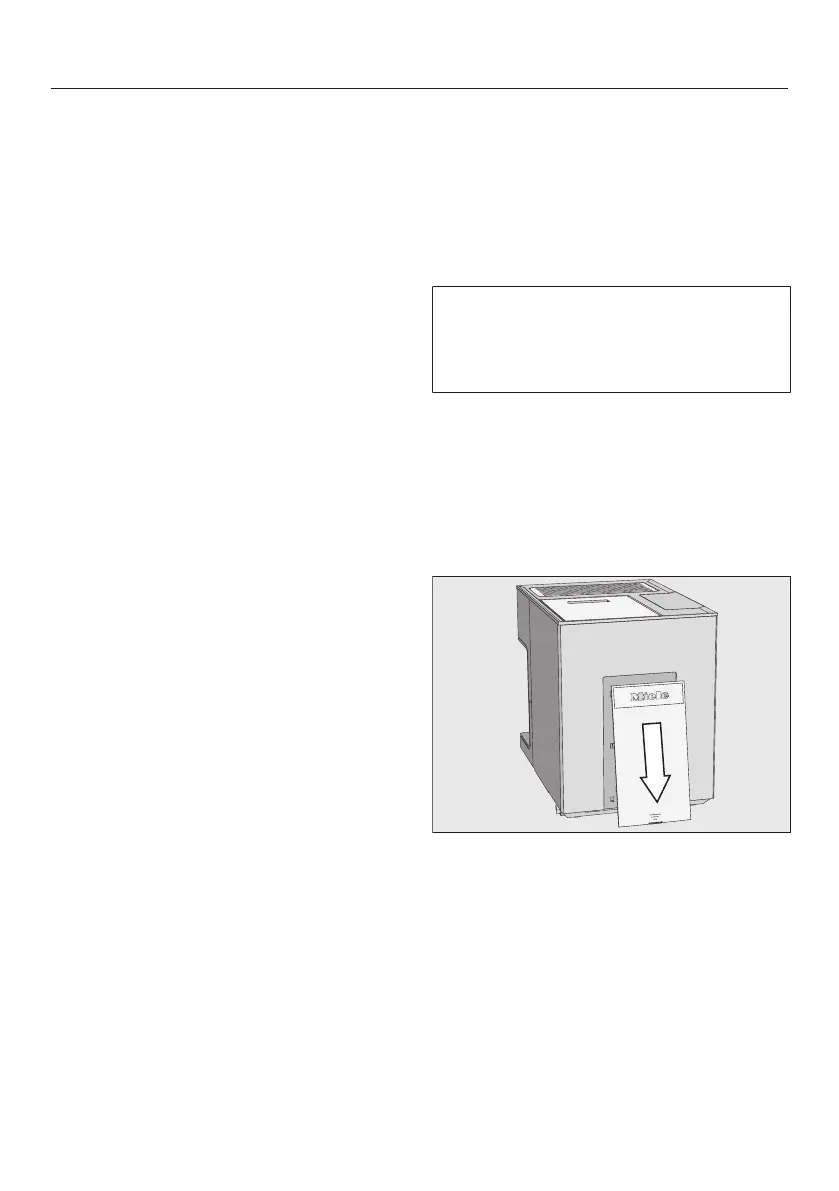
Remove the cover at the back of the
coffee machine.



 To Next Page