Making coffee
38
DoubleShot
Select the DoubleShot function if you
would like a particularly strong and
aromatic coffee. In this case, more
coffee beans will be ground and brewed
halfway through brewing.
DoubleShot will appear while drinks are
being made. This function is available
for all drinks except “Ristretto” and
“Long black”.
Making a DoubleShot of coffee
The Drinks menu is shown in the display.
Place a cup or glass under the central
spout.
Select the type of coffee you want.
Dispensing will start and the following
will appear underneath:
Touch DoubleShot.
Double the quantity of coffee beans will
be ground and brewed.
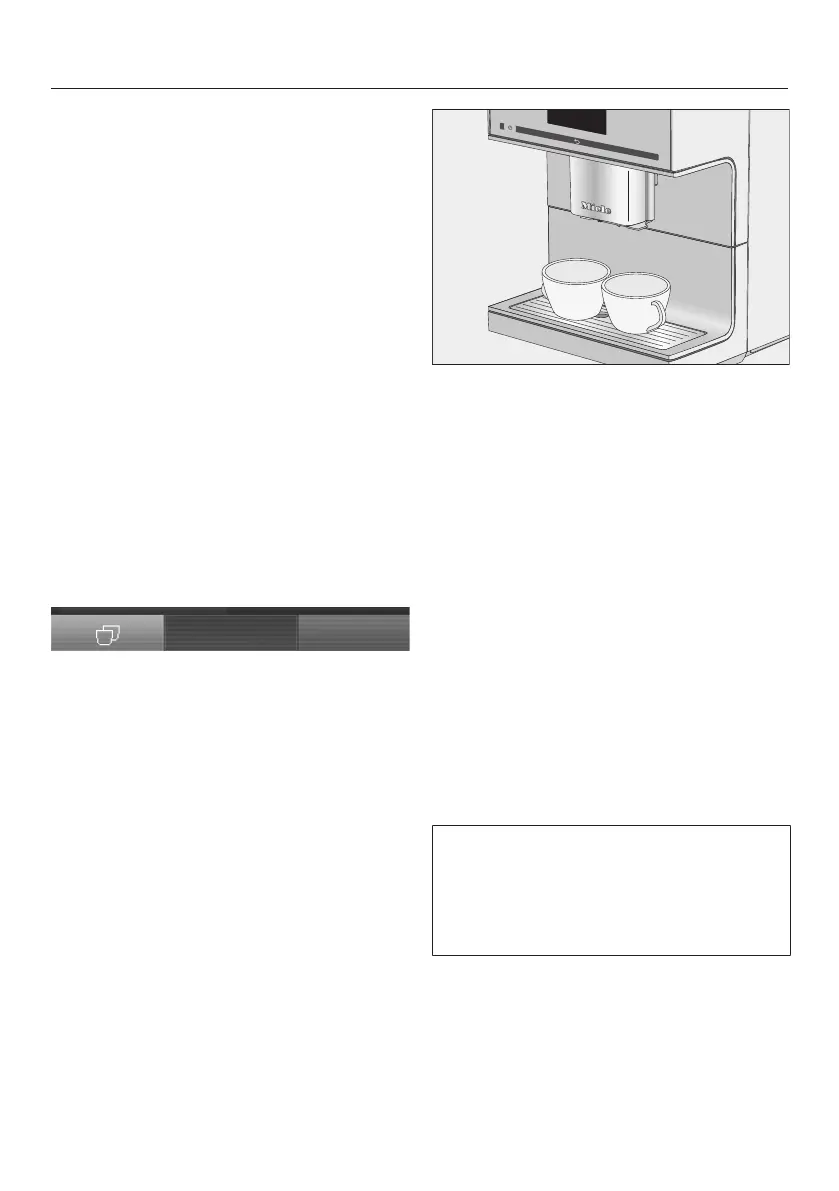
Making two portions
With “Two portions” you can
dispense two portions of a drink at the
same time.
Place one cup under each of the
coffee spouts.
Touch .
Select a drink.
Two portions of the drink will be
dispensed.
Coffee pot: making several
cups of coffee one after the
other
You can make several cups of coffee
one after the other automatically with
the Coffee pot function (max. 1 litre), e.g.
to fill a coffee pot. Up to eight cups can
be made in this way.
The Drinks menu is shown in the display.
You can use the Coffee pot function
twice in a row. After this, the coffee
machine needs to cool down for one
hour in order to avoid it being
damaged.
Place a sufficiently large container
under the central spout.
Select Coffee pot.
Select the number of cups you want
(3 to 8).



 To Next Page