Bean system
31
Changing bean system
settings (Type of beans)
The Drinks menu is shown in the display.
Touch .
TouchSettings and then Type of
beans.
Select a bean type.
You can now change the name or
allocation.
Useful tip: If you want to allocate
another type of bean to a coffee drink,
you can also do this under Change
parameters (see “Parameters - Bean
type”).
Renaming type of beans
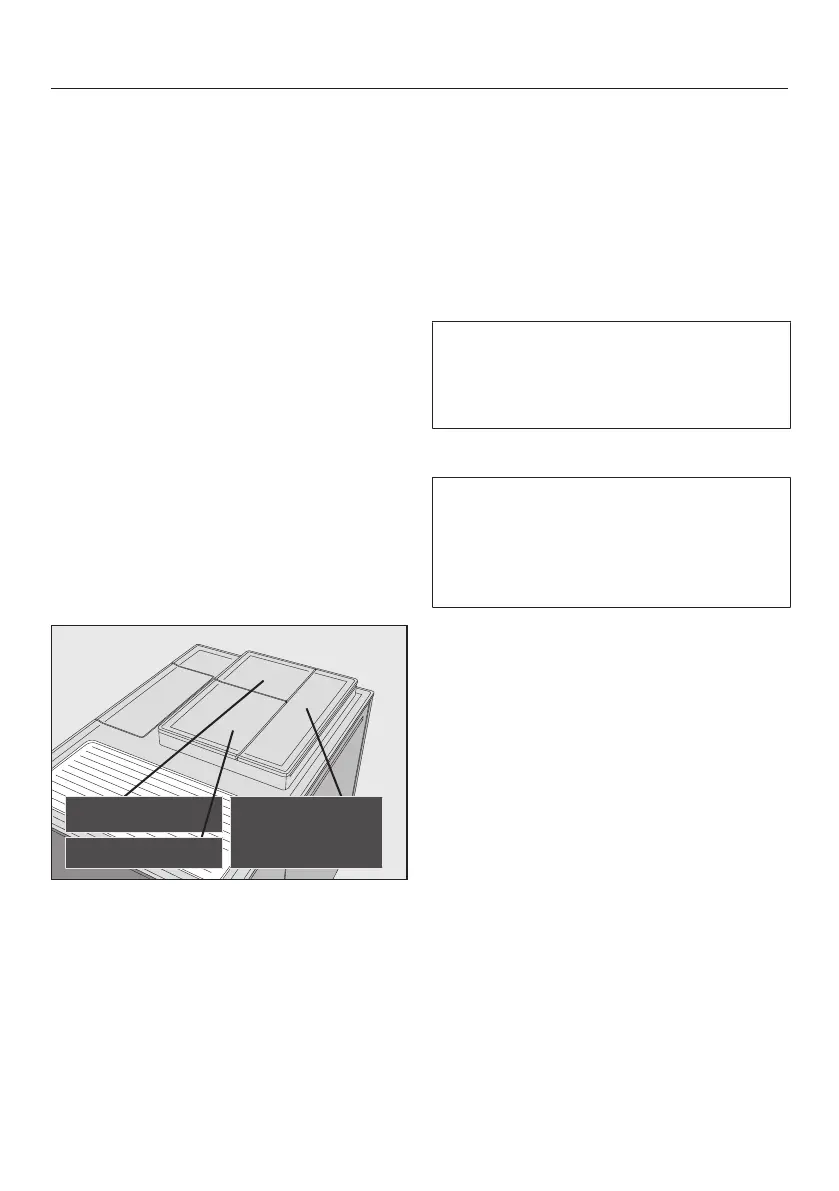
The 3 bean containers are shown in the
display as follows and are pre-named.
If you rename the bean containers,
please note the following:
– Choose concise names (max. 8
characters).
– If you are using the same type of
beans in two or three bean
containers at the same time (for
instance, because you only use one
type of bean), make sure you name
them in the same way exactly.
Touch Change name.
The editor will open in the display.
Enter the name you want and then
touchSave.
If you give identically named types of
beans different names, you will then
need to allocate coffee drinks to the
newly named beans.
Changing bean type allocation
If you have created additional Profiles
with coffee drinks to the Miele
standard profile, the bean types can
be individually allocated to individual
drinks in each Profile.
Touch Change allocation.
If you have set up one or more profiles
and at least one coffee drink, first select
the profile.
Select the profile for which you want
to allocate the type of beans.
All coffee drinks will be listed. The
already allocated drinks will be
indicated by a .
Change the allocation as required
and then OK.
Useful tip: If you touch All, you will
have highlighted all coffee drinks and
you can deselect the ones you do not
want.



 To Next Page