^
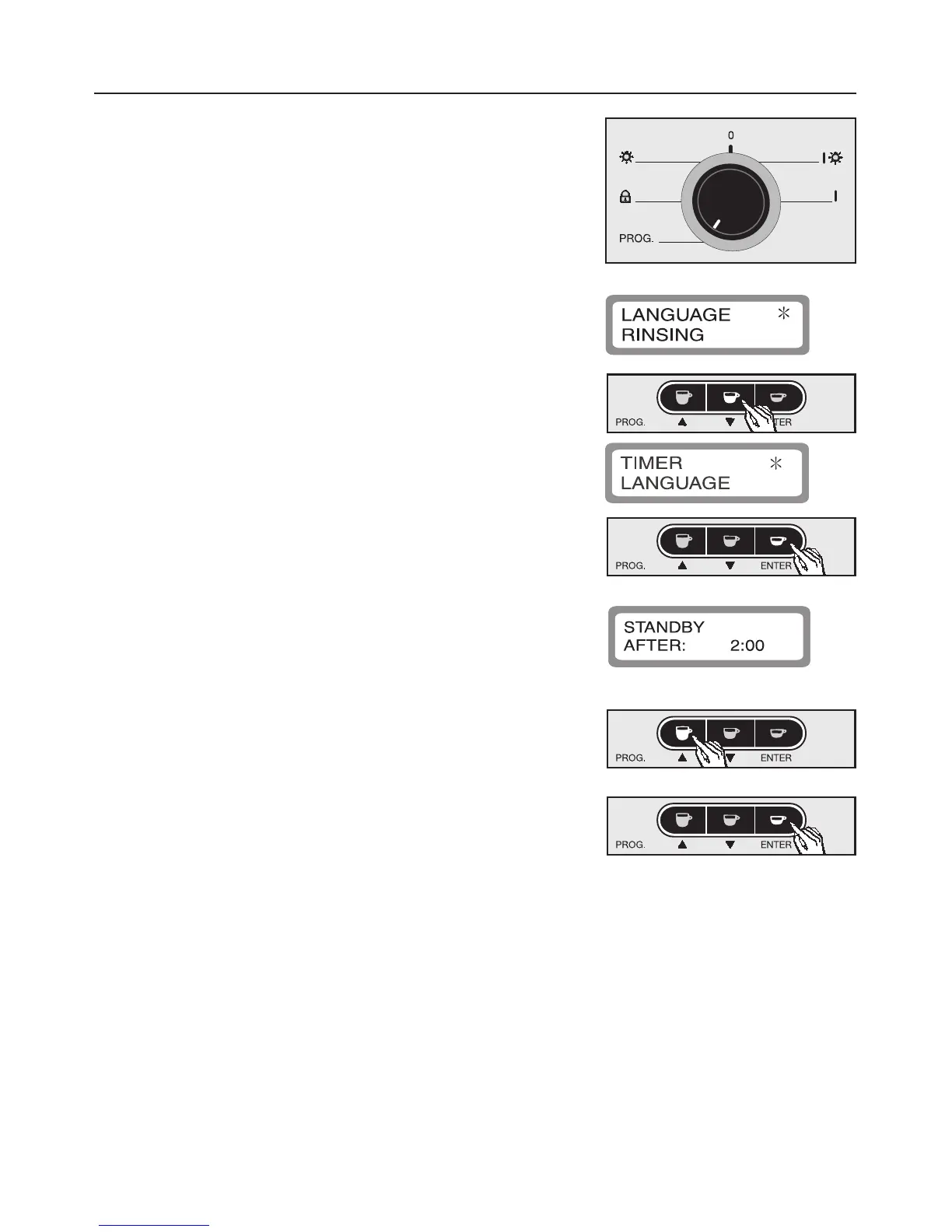
Turn the selector anti-clockwise to the
programming position.
The machine is now in programming mode and
will respond according to the symbols shown
under the buttons.
The following will appear in the display:
^
Press the e button to highlight programming
option "Timer" with an asterisk.
^ Press ENTER to confirm this option.
The sub-menu will appear in the display as
follows:
^ Press the e or - button to select the required
length of time (e counts down, - counts up). The
time can be set in 15 minute stages.
^
Press ENTER to save this setting, or
turn the selector to "0" to undo the alterations if a
mistake has been made.
This will bring you back from the sub-menu.
If rinsing is set to "On" and a drink has already
been prepared the machine will automatically
carry out a brief rinse before it goes into Standby
mode.
Programming the machine
25



 To Next Page