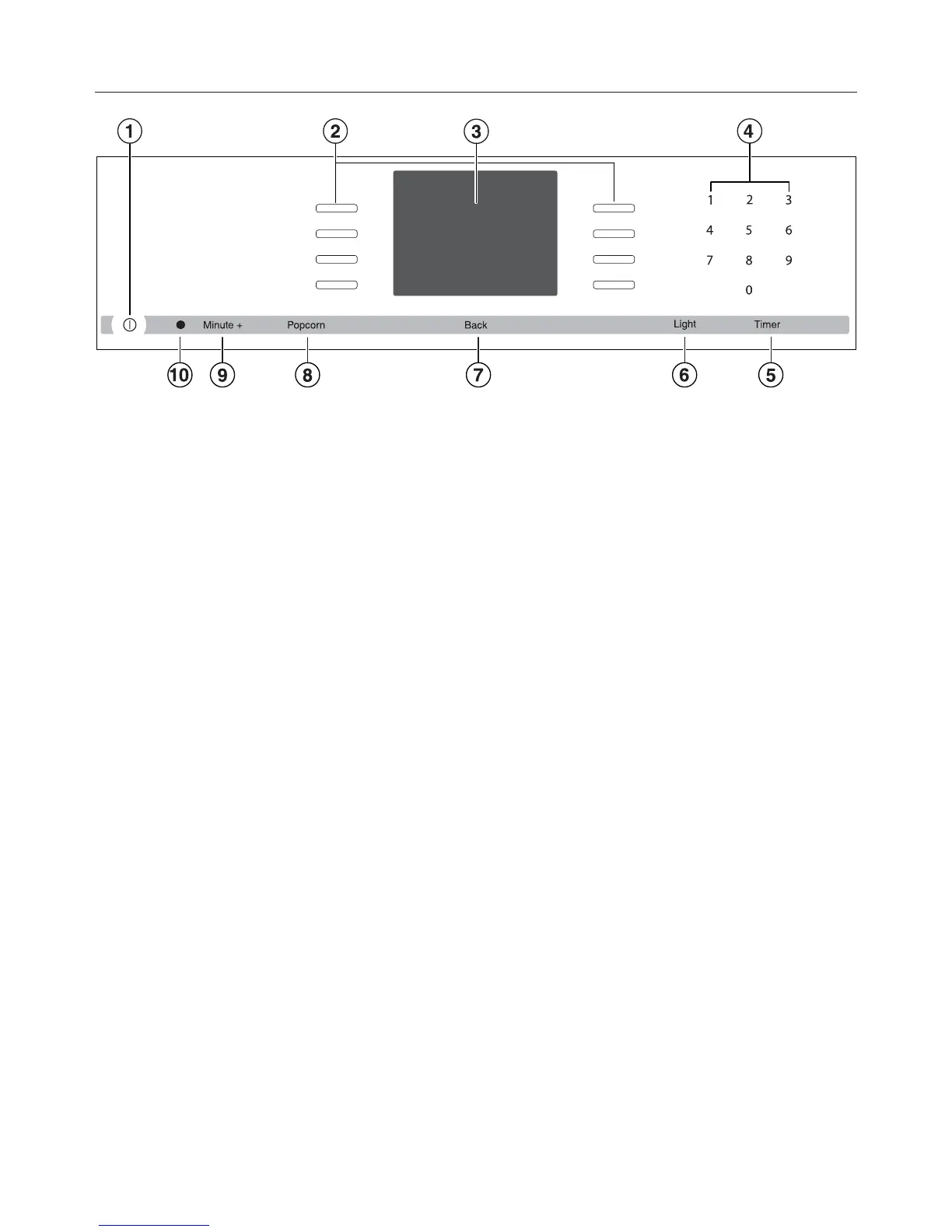
Control panel
20
a
Recessed On / Off button
Turns the oven on and off
b
Sensor buttons
To select operating modes, settings and menu items
c
Display
To display time of day and information for operation
d
Sensor buttons 0-9
Numeric keypad to enter values
e
"Timer" sensor button
To set the timer
f
"Light" sensor button
To turn the oven cavity lighting on and off
g
"Back" sensor button
To go back one step at a time
h
"Popcorn" sensor button
To start the "Popcorn" function
i
"Minute +" sensor button
To start the "Minute +" function
j
Optical interface
(for service technician use only)



 To Next Page