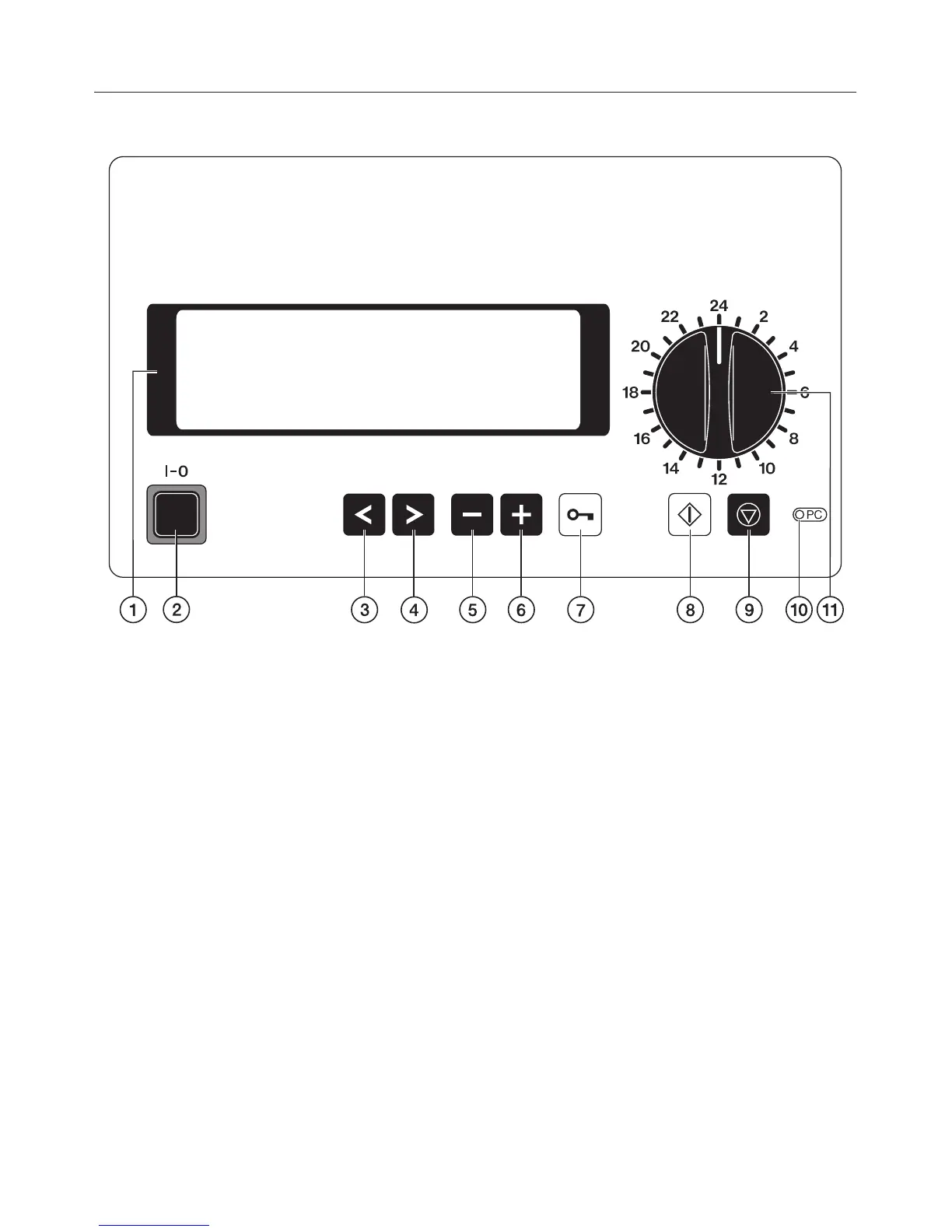
Electronic controls
a Display
with screen saver;
i.e. background lighting switches off
automatically after 15 mins.
Press any button to switch the
display back on again.
b On/Off button (I-0)
c Cursor button: left 1
Moves the cursor to the left:
- to the previous menu point
- to the previous parameter
- to the previous input position
d Cursor button: right 2
Moves the cursor to the right:
- to the next menu point
- to the next parameter
- to the next input position
e Minus button 3
– Selects programmes from position
24 upwards
– Scrolls back page by page in
menus
– Is used for entering numbers and
letters
– Alters pre-settings e.g. service
parameters
f Plus button 4
– Selects programmes from position
24 upwards
– Scrolls forward page by page in
menus
– Is used for entering numbers and
letters
– Alters pre-settings e.g. service
parameters
g Door switch 5
Guide to the machine
7


 To Next Page