Washing by card operation
29
Card operation
Cards with at least one program are intended for a particular model
of machine. Blank cards can be used in any machine.
Switch on the machine with theI“Power on”button.
The welcome screen will appear in the display.
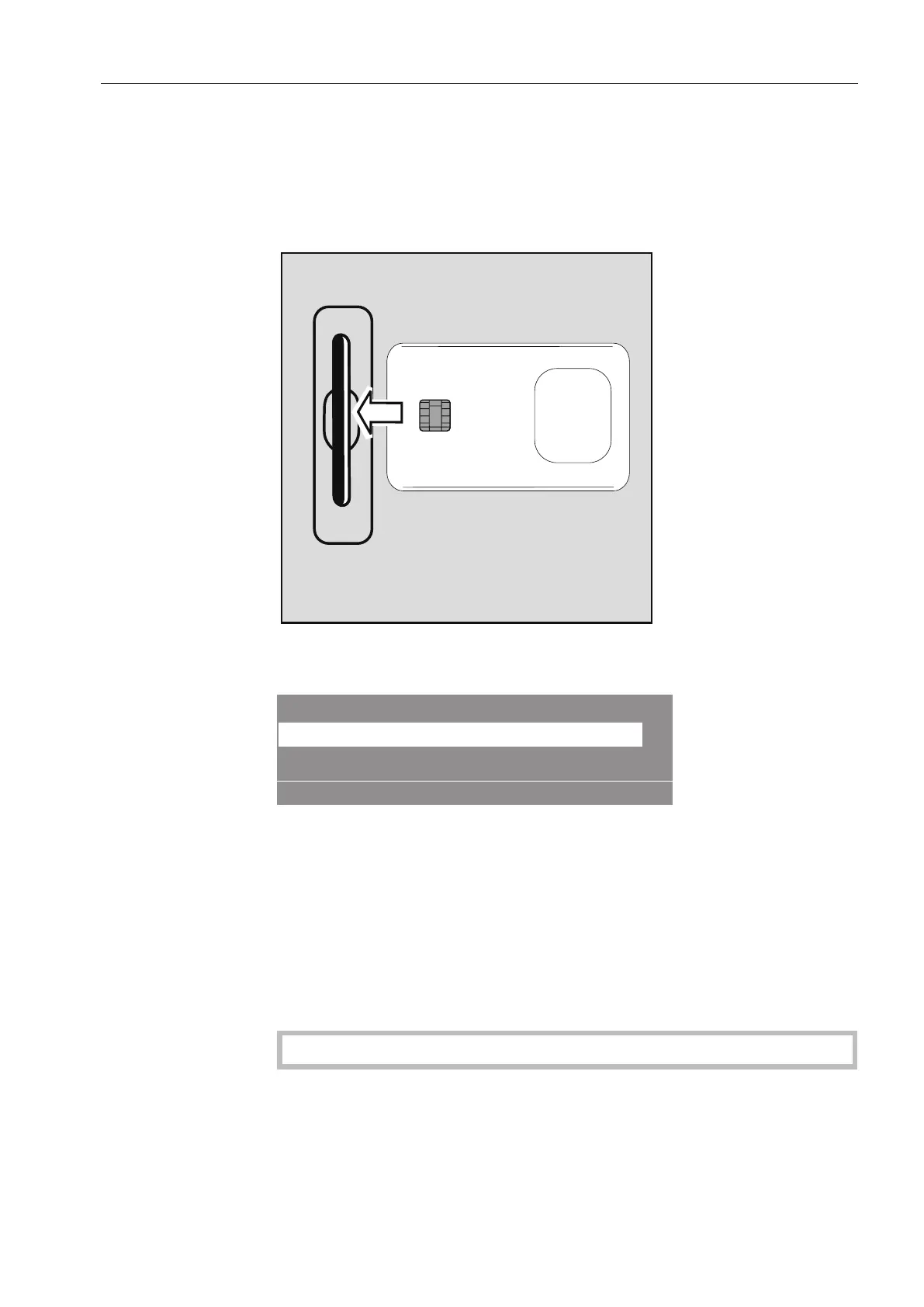
Insert the card.
The programs on the card will appear in the display.
Card operation
Masks
Minimum iron
°F
6018
17
45
°F
Select a program by rotating the selector dial. Press the selector
dial to select the program.
Press the selector dial to select the highlighted program.
Press the “START”button.
The program will start running.
Once the “START”button has been pressed, the card can be re-
moved from the card reader. The program will be deleted at the end
of the program.
Do not insert any objects other than the card into the card slot.
If the card is inserted into the slot the wrong way, the following mes-
sage will appear in the display:



 To Next Page