Technical Information
38
T1500 Series Clothes Dryers
5.14 Residual Moisture Sensor - Removal
1. Open the Front Service Panel (5.2 or 5.3).
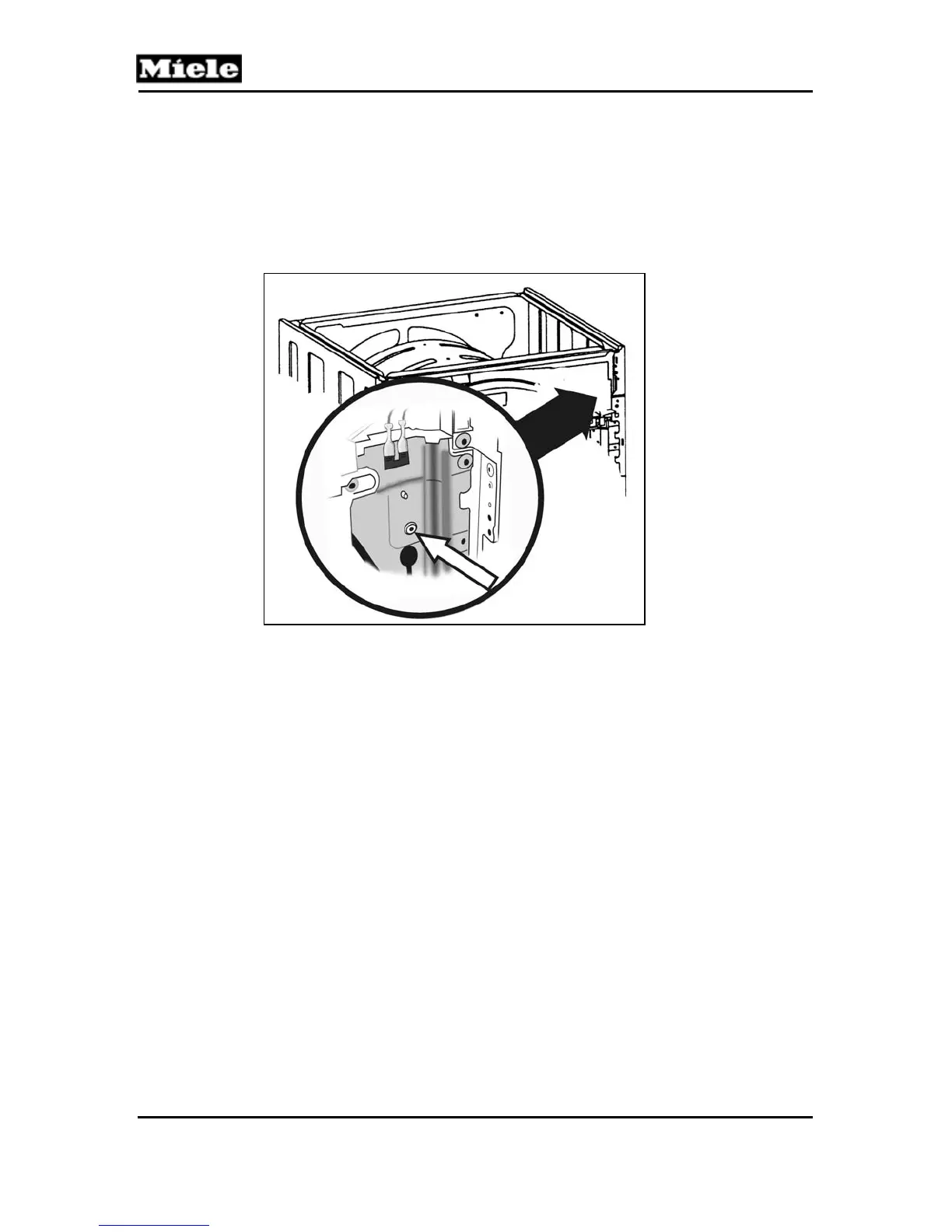
2. Locate the Residual Moisture Sensor (Figure 14)
3. Remove the single retaining screw.
Figure 5-14: The Residual Moisture Sensor is attached to
the frame near the 2 o’clock position with a single retaining
screw.
4. Lift the Sensor Assembly (with the bracket) from the
appliance.
5. Note / mark wire positions for re-assembly.
6. Disconnect the electrical connections.



 To Next Page