2. Selecting a programme
26
Switching on the washing
machine
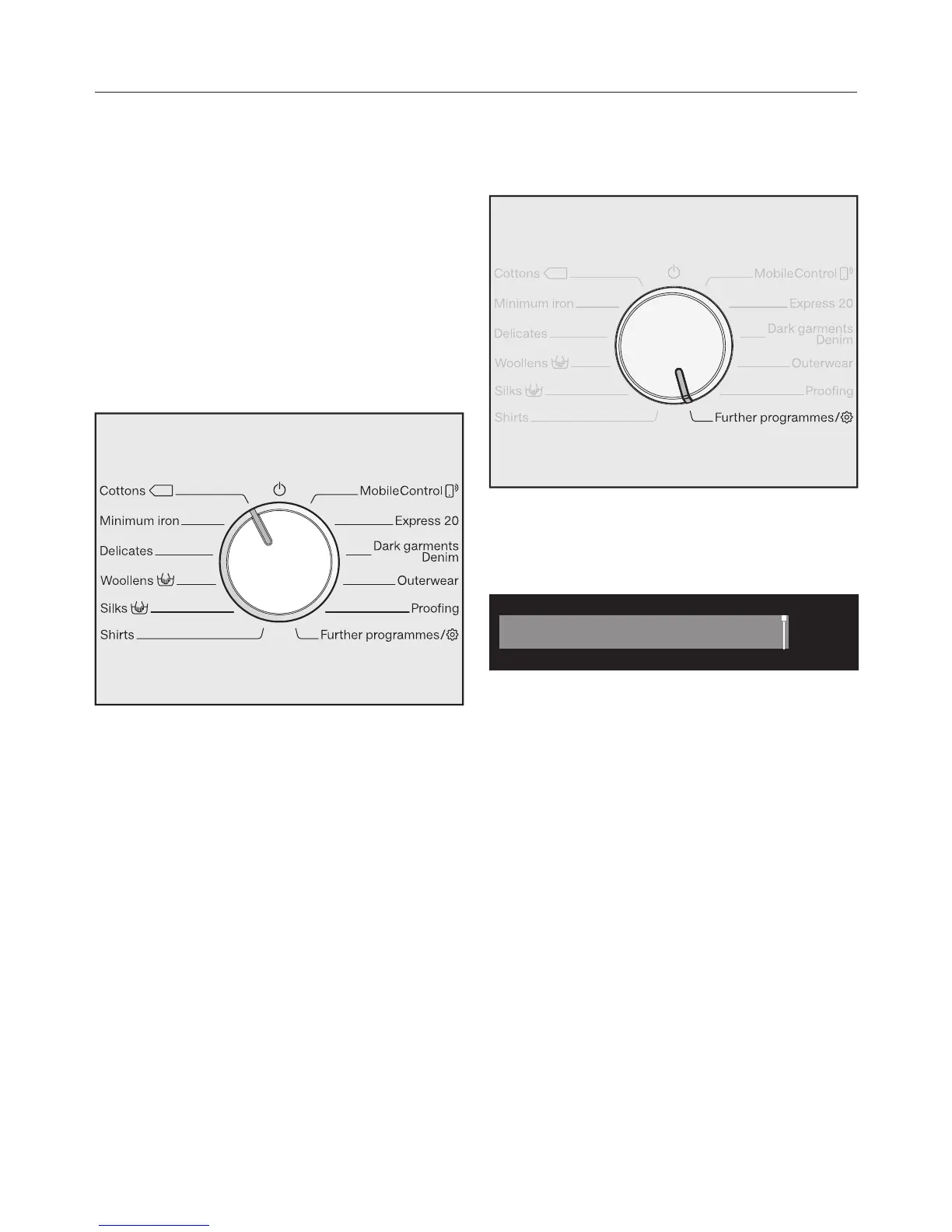
Turn the programme selector to a
programme.
Programme selection
There are three possible ways to select
a programme:
1. Selecting standard programmes
via the programme selector
Turn the programme selector to the
required programme.
The selected programme will appear in
the display. This will then be replaced
by the standard display.
2. Selecting further programmes via
the “Further programmes/”
position and the display:
Turn the programme selector to the
Further programmes/ position.
The following appears in the display:
Touch the sensors until the
programme you want appears in the
display.
Confirm the programme with the OK
sensor.
Preset programme parameters will be
displayed, depending on the
programme selected.




 To Next Page