16
Basic transmitter operation
How to turn the VBar Control on and off
■ Turn on your VBar Control by pressing down the Easy
Dialog System Dial (EDS Dial), at the same time, rotate
90° clockwise.
■ Turn off your VBar Control by pressing down the EDS
Dial, at the same time rotate 90° anti clockwise. Choose
OK from the Shutdown menu by rotating the EDS again,
then click OK.
■ Mind that you cannot turn off your VBar Control as long
as a VBar Control Receiver is connected, so always turn
off your model rst.
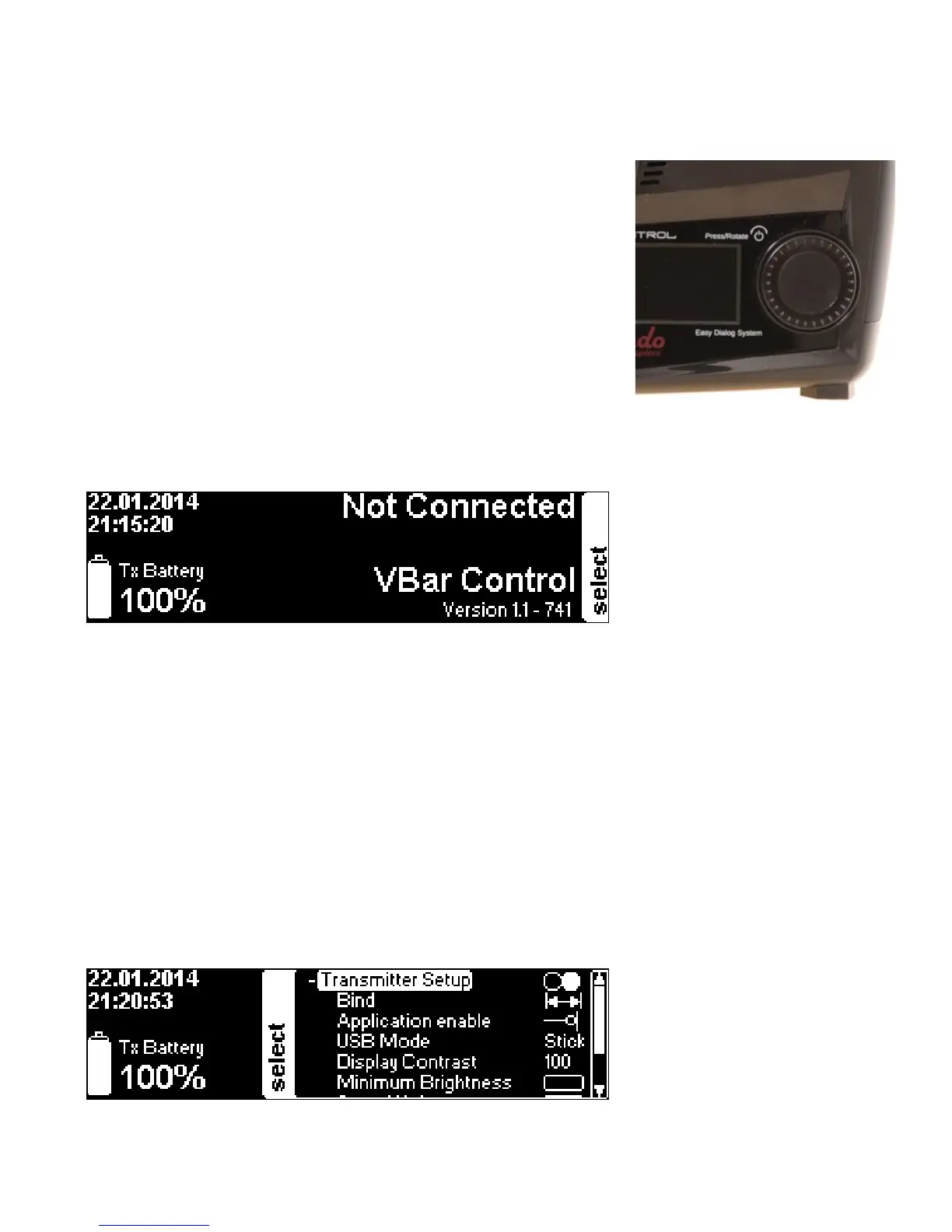
The main screen and the Easy Dialog System
■ On power on, the main screen shows the current date and time in the upper left corner.
■ The transmitter battery status is displayed in the lower left corner with an icon and the
percentage.
■ The current version number is displayed in the lower right corner.
■ To the right, next to the EDS Dial, you see the closed setup menu labelled (select).
■ The EDS Dial is both navigator (turn right or left) and selector (press down).
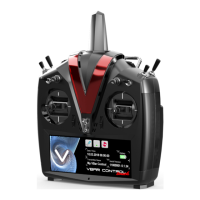
Basic VBar Control Setup
■ Rotate or press the EDS Dial to access the menu. If you do not continue, it will close
again after a few seconds to free the display.
■ Without a VBar Control Receiver connected, you can only access the transmitter setup
functions.


 To Next Page