24
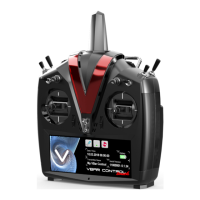
How to use VBar Control as a USB game controller
■ Select USB mode ‘Simulator’ from the Transmitter Setup.
■ Connect the USB lead to your computer.
■ There is no driver needed on Windows PCs as well as on Macs. The operating system
will detect VBar Control automatically as a game controller.
■ In your preferred simulator software, select VControl as a controller and set up/calibrate
as needed.
■ Attention use the Simulator’s menus to adjust the Simulator to the VBar Control transmit-
ter. Do not change settings (e. g. switches) in your VBar Control transmitter; this will af-
fect use of your real-life models, too.
Binding a VBar Control Receiver
■ Option 1
» Turn on VBar Control transmitter
» Make sure motor/throttle controls are in off position
» Select ‘Bind’ from the Transmitter Setup menu
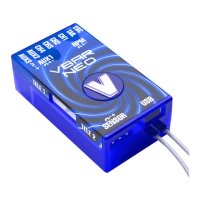
» Turn on the VBar with the VBar Control Receiver connected
» Wait a few seconds for the VBar Control to scan for available devices
» Select the VBar Control Receiver from the list
» VBar Control will conrm with the message ‘Connected’
■ Option 2
» Turn on the VBar with the VBar Control Receiver connected
» Wait for 10 seconds for the receiver to go into bind mode
» Turn on VBar Control transmitter
» Make sure motor/throttle controls are in off position
» Select ‘Bind’ from the Transmitter Setup menu
» Wait a few seconds for the VBar Control to scan for available devices
» Select the VBar Control Receiver from the list
» VBar Control will conrm with the message ‘Connected’
☝ Attention In case the re-binding procedure is no completed, a previously bound VBar Control
Receiver remains bound to the last VBar Control transmitter it was bound to. The binding informa-
tion is not automatically deleted by mistakenly powering up the model. Just turn the model off, turn
on your VBar Control transmitter, then turn on the model again: it will re-connect at once.


 To Next Page