4.6.2 Backup
AM103/AM103L supports configuration backup for easy and quick device configuration in bulk.
Backup is allowed only for devices with the same model and LoRaWAN
®
frequency band.
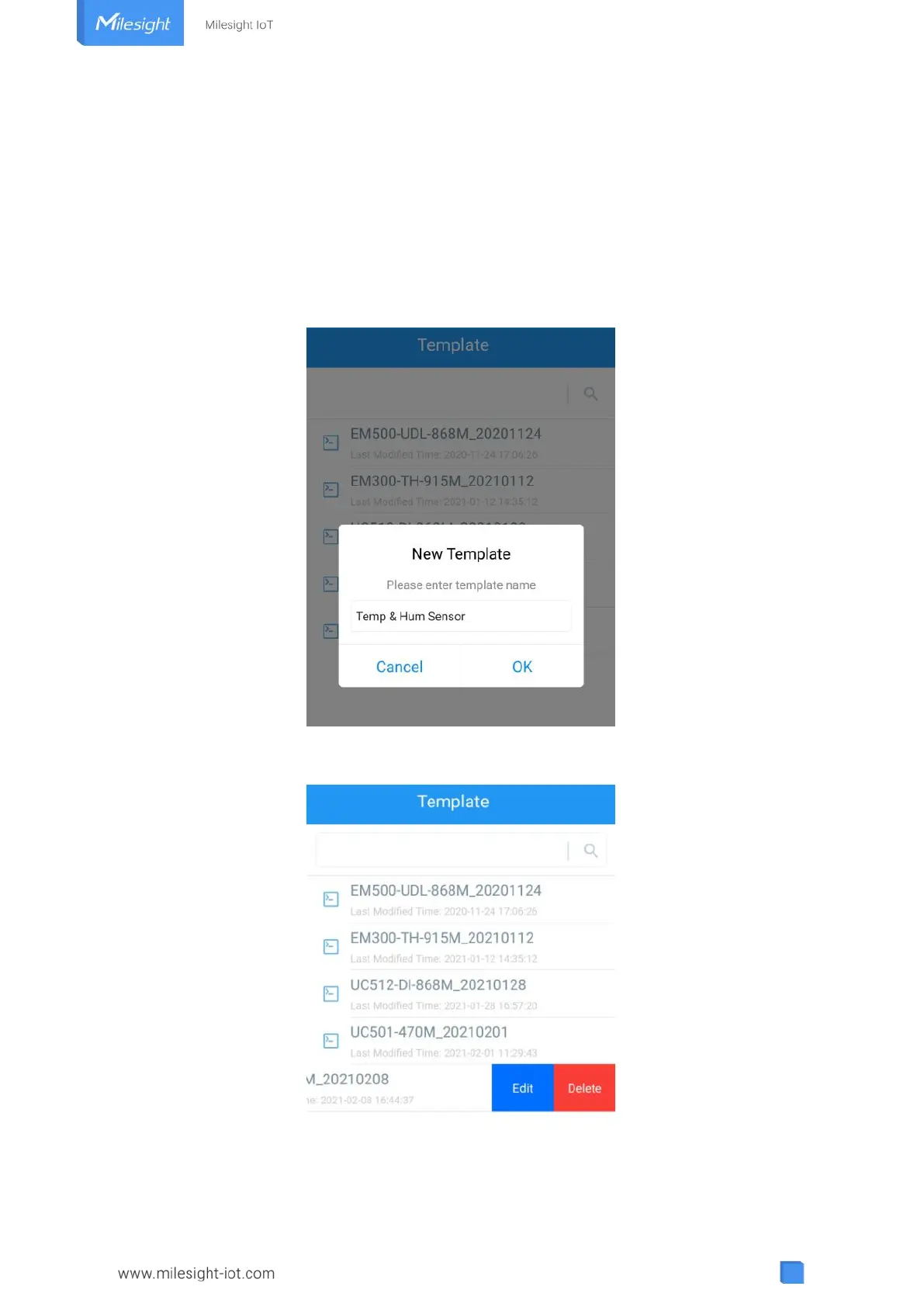
1. Go to “Template” page on the App and save current settings as a template. You can also edit
the template file.
2. Select one template file that saved in the smartphone and click “Write”, then attach it to
another device to write configuration.
Note: Slide the template item to the left to edit or delete it. Click the template to edit the
configurations.



 To Next Page