When the CO
2
concentration exceeds the Polluted threshold
When the CO
2
concentration exceeds the Bad threshold
Note:
AM103 will update data on the screen every 2 minutes if Screen Smart Mode is disabled;
AM103 will do a full-screen refresh after 30 times update in order to remove ghosting.
When AM103 detects the temperature beyond the range from 0°C to 40°C, the screen will
close automatically.
Please refer section 4.5.2 for Excellent/Polluted/Bad threshold settings.
2.4 Button and Traffic Light
Press and hold the power button for more
than 3 seconds
Press and hold the power button for more
than 10 seconds
Quickly press the power button
Light Off: Device is off.
When the CO
2
concentration exceeds the
threshold
Note: If the traffic light is disabled, it will not show air quality level indication.
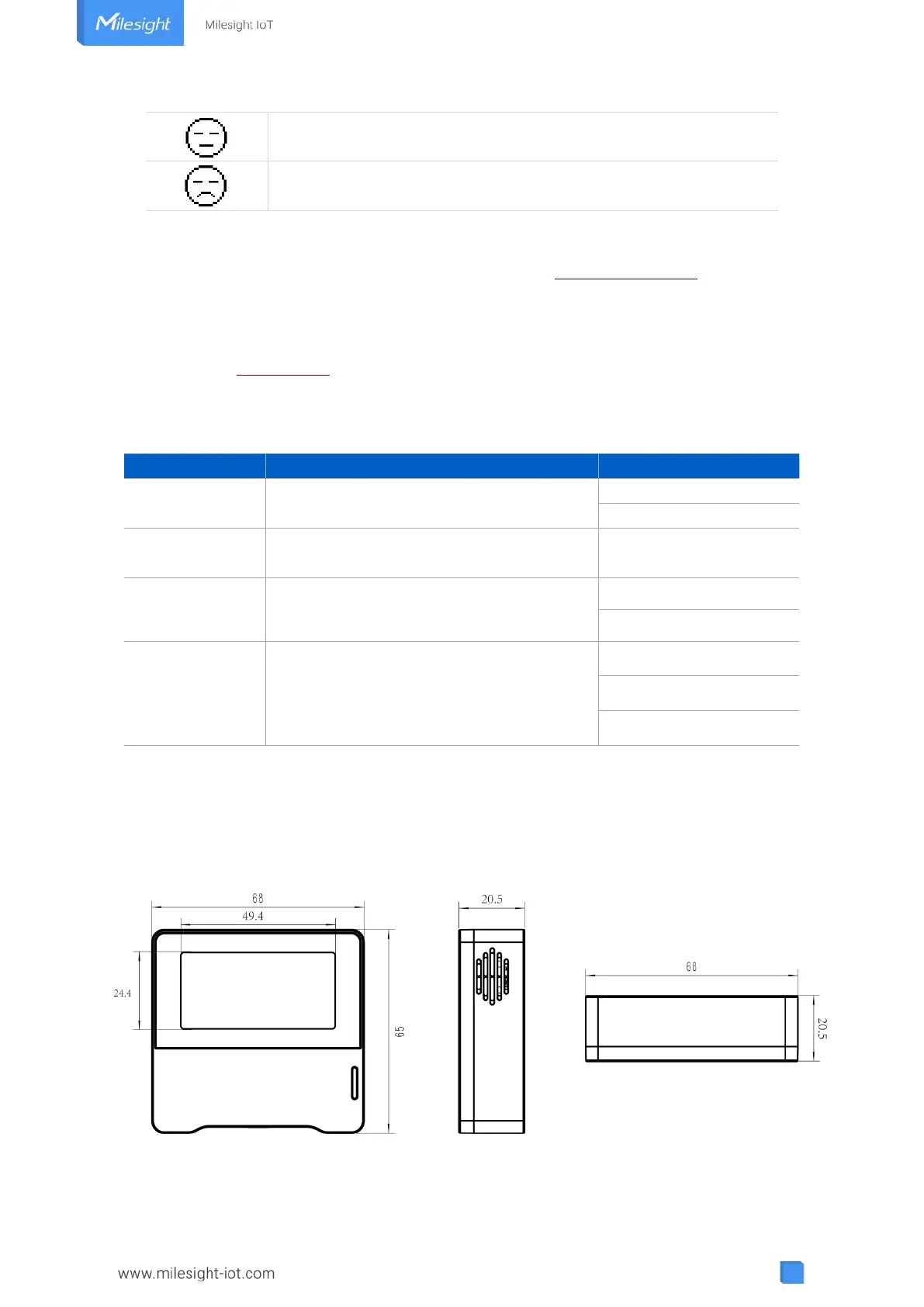
2.5 Dimensions (mm)



 To Next Page