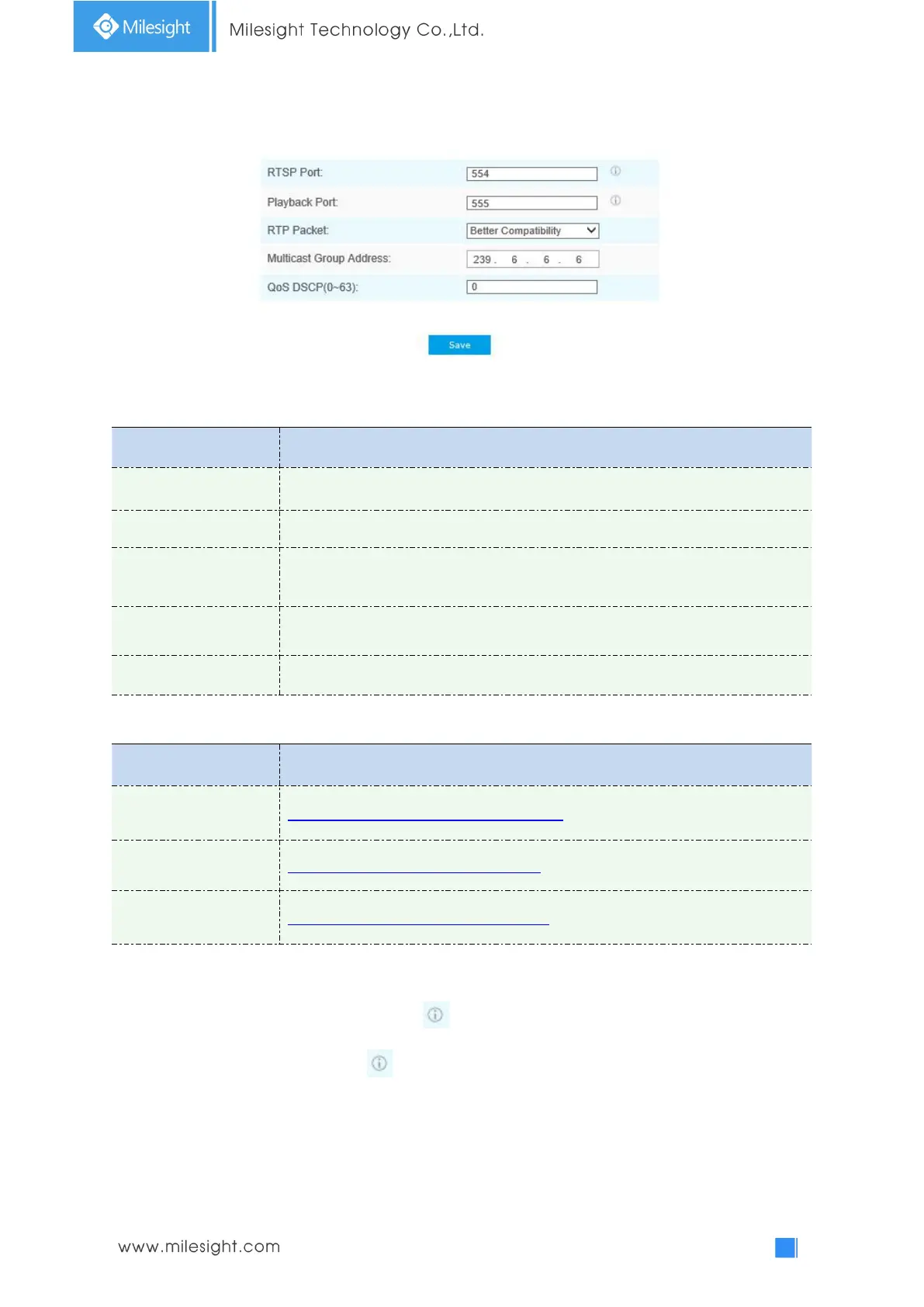
RTSP
Table 4-4-11 Description of the buttons
The port of RTSP, the default is 554
The port of playback, the default is 555
There are Better Compatibility and Better Performance two options, if your
camera’s image mess up, please switch this option
Support multicast function
The valid value range of the DSCP is 0-63.
RTSP URL are as below:
rtsp://username:password@IP:port/main
rtsp://username:password@IP:port/sub
rtsp://username:password@IP:port/third
Note:
1) Get the format of RTSP URL by clicking “ ”on the right side of RTSP Port.
2) Get the playback tip by clicking “ ”on the right side of Playback Port.
3) DSCP refers to the Differentiated Service Code Point; and the DSCP value is used in the IP
header to indicate the priority of the data.
4) A reboot is required for the settings to take effect.
5) The tertiary stream is only equipped on camera whose model with “-A” or “-B”.











 To Next Page