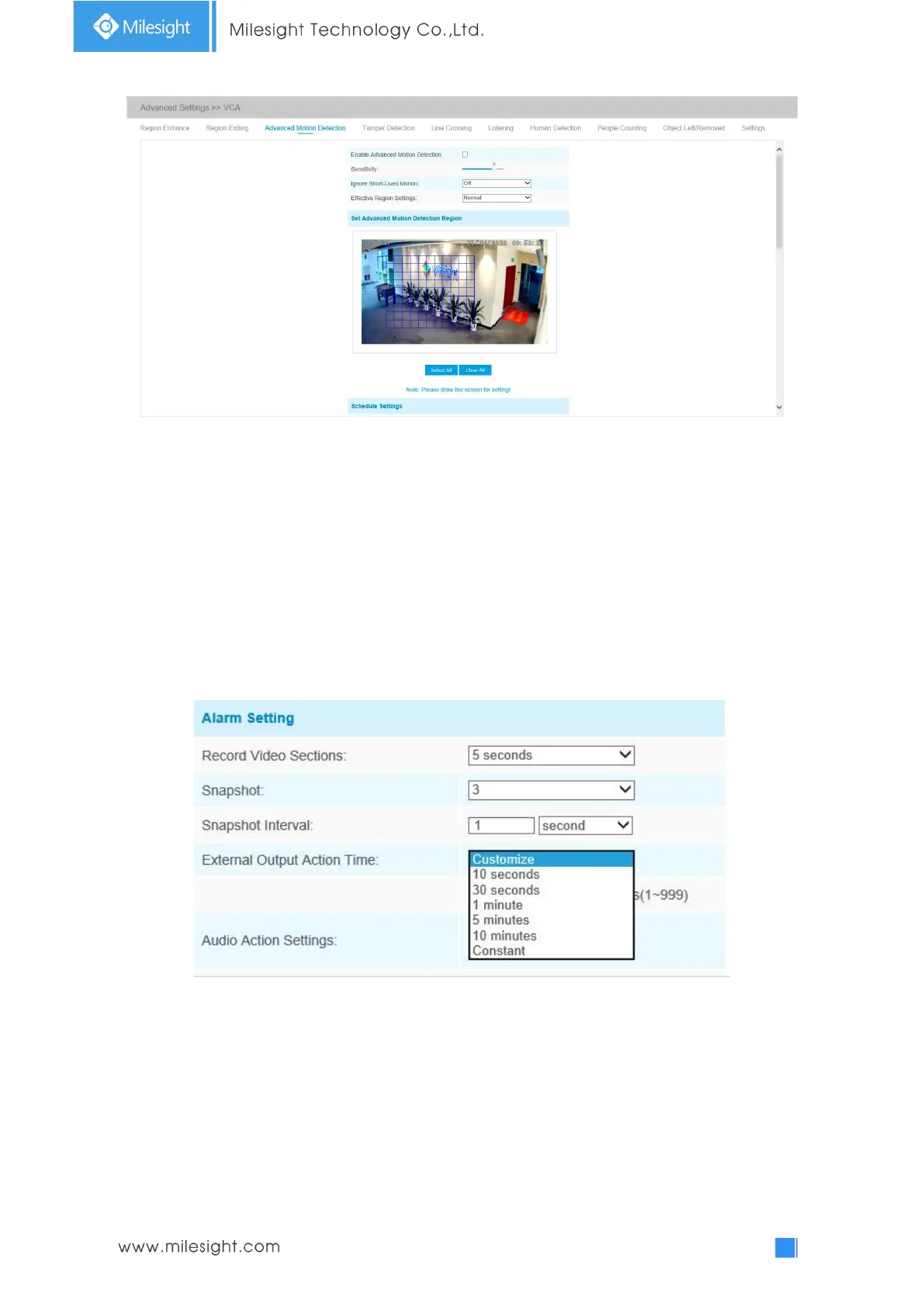
Step1: Set detecting sensitivity;
Step2: Set Ignore Short-Lived Motion time. If you set the time, when the moving duration of an
object is within the setting time, it will not trigger alarm;
Step3: Set advanced motion detection region;
Step4: Set detection schedule;
Step5: Set alarm action;
Step6: Set alarm settings. If you enable External Output and choose Constant External Output
Action Time, when object motion time is longer than the Ignore Short-Lived Motion time which
you set in the selected regions, External Output Action alarm time will be always constant till the
alarm is released.
Note:
1) The sensitivity can be configured to detect various movement according to different
requirements. When the level of sensitivity is low, slight movement won’t trigger the alarm.
2) Ignore Short-Lived Motion time is to avoid false alarm caused by instant object movement
within time setting.
Tamper Detection
Tamper Detection is used to detect possible tampering like the camera being unfocused,
obstructed or moved. This functionality alerts security staff immediately when any











 To Next Page