OM-626 Page 14
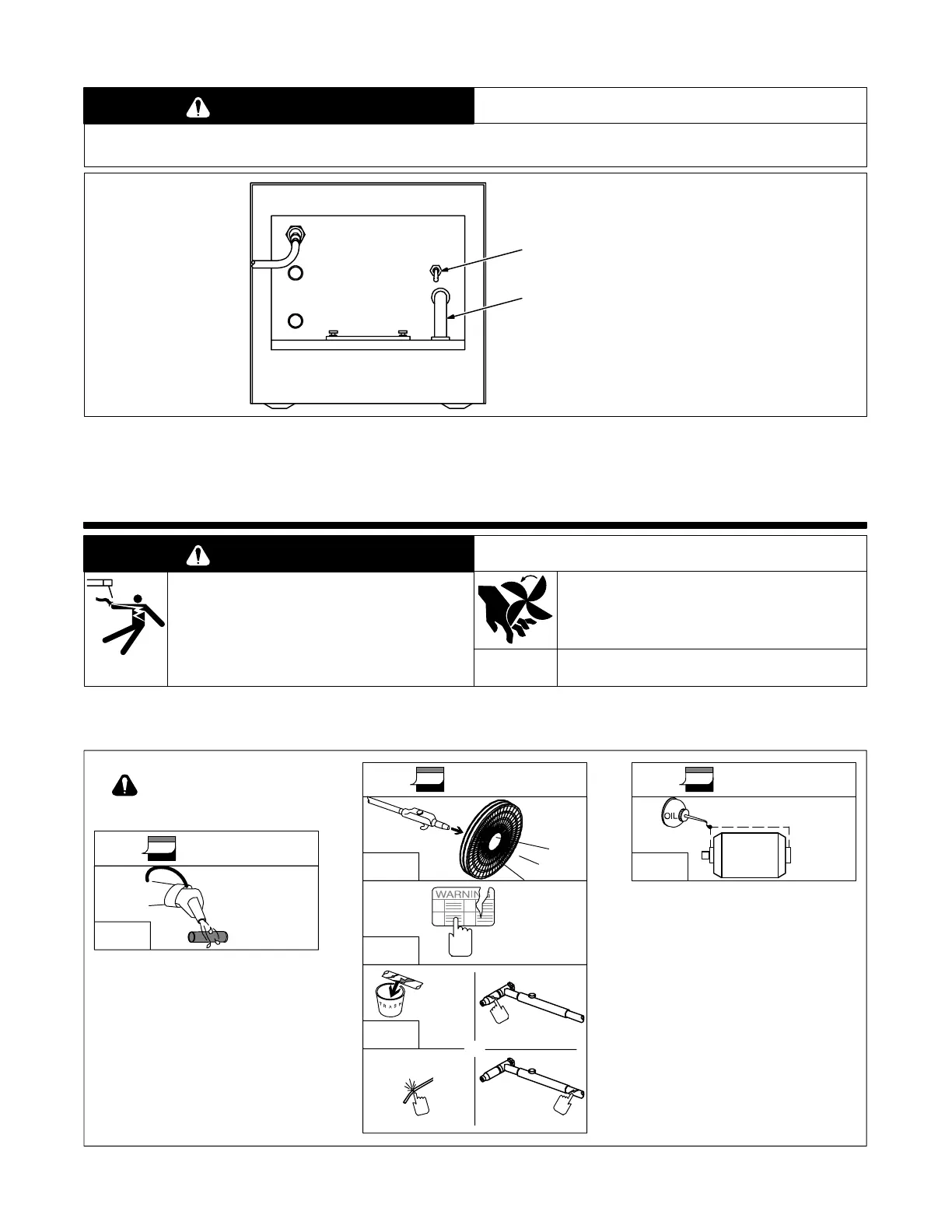
4-6. Operating Coolant System
PLUGGED OR CLOGGED LINES OR HOSES can cause cooling system damage.
• Do not operate coolant system with plugged or clogged lines or hoses.
CAUTION
Ref. ST-137 226-C
1 Power Switch
Use switch to turn unit On and Off.
2 Flow Indicator
Use indicator to check coolant
pump operation. Coolant should
flow through indicator when Power
switch is On.
If hoses are clogged, turn Off unit to
prevent damage to coolant system.
Do not operate unit until hoses are
cleared (see Sections 5-2 and 5-4).
1
2
Figure 4-7. Operating Coolant System
SECTION 5 – MAINTENANCE & TROUBLESHOOTING
WARNING
ELECTRIC SHOCK can kill.
• Do not touch live electrical parts.
• Turn Off unit and disconnect input power plug from
receptacle before inspecting, maintaining, or
servicing.
MOVING PARTS can cause injury.
• Keep away from moving parts.
Maintenance to be performed only by qualified persons.
5-1. Routine Maintenance
1 Month
Clean
Coolant
Strainer
5-2
Turn Off all power before
maintaining.
6 Months 12 Months
Blow
Out
Fins
– –
Replace
Unreadable
Labels
6
Gun/Torch Body
Water/Gas Hose Gun/Torch Cable
– –
Replace
Cracked
Parts
Oil
Motor
5-3
Figure 5-1. Maintenance Schedule


 To Next Page