EasyManua.ls Logo

Miller XMT 304 - User Manual

Miller XMT 304
40 pages
Print Icon
To Next Page IconTo Next Page
Loading...
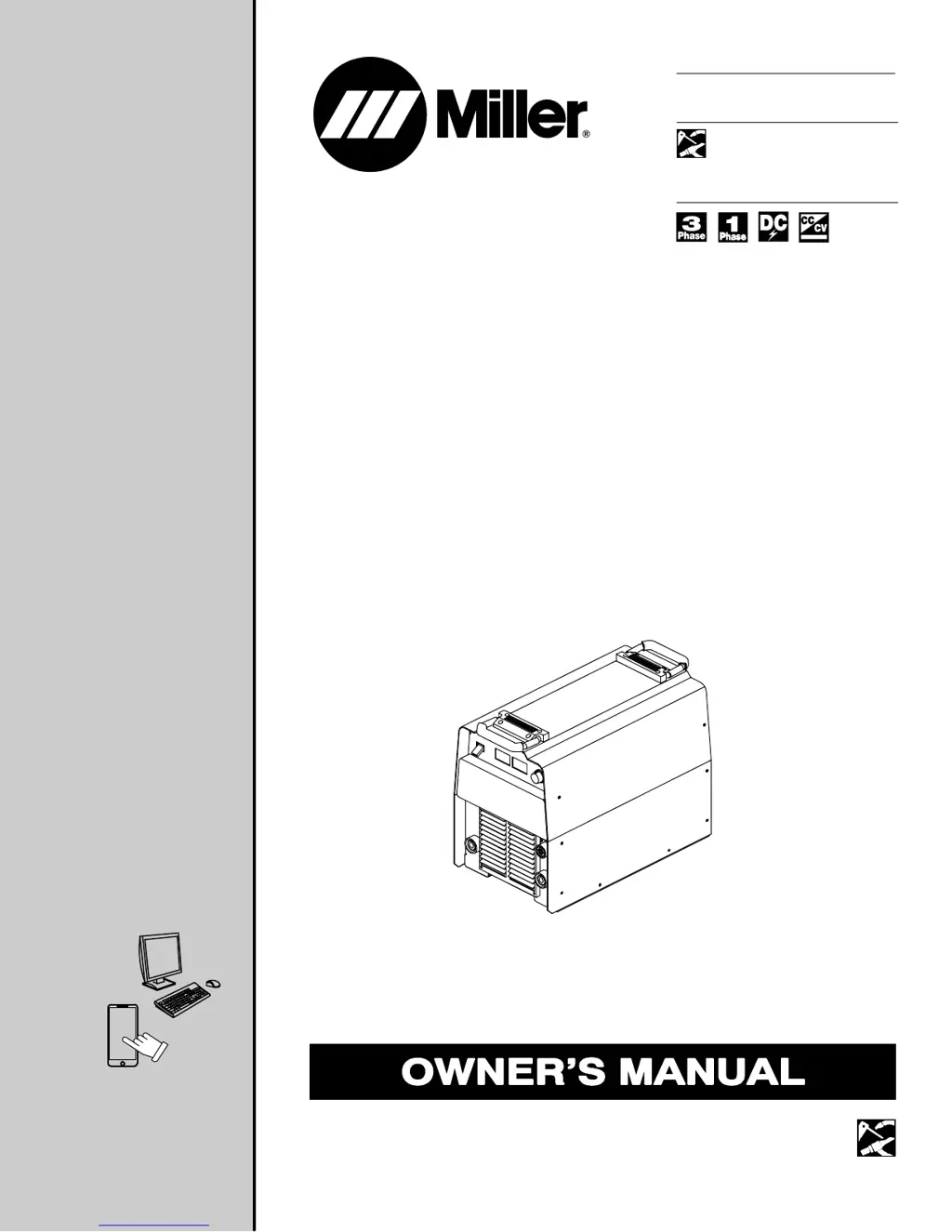
XMT 304
(230/460 Volt Model)
R
Processes
Description
Multiprocess Welding
Arc Welding Power Source
OM-2208 175493AY
201802
File: MULTIPROCESS
For product information,
Owner’s Manual translations,
and more, visit
www.MillerWelds.com

Other manuals for Miller XMT 304

Questions and Answers

  • K
    Kimberly VillaAug 14, 2025
    What to do if there's no 115 volts AC output at the receptacle on my Miller Welding System?
    • S
      Steven WilsonAug 15, 2025
      If there is no 115 volts AC output at the Remote 14 receptacle RC1 or the optional duplex receptacle on your Miller Welding System, reset circuit breaker CB1 if necessary. Check the wiring and connections of the receptacle(s).
  • D
    David WatersAug 18, 2025
    How to troubleshoot no 24 volts AC output at Remote 14 receptacle RC1 on Miller XMT 304 Welding System?
    • K
      Kimberly MccallAug 18, 2025
      If there is no 24 volts AC output at the Remote 14 receptacle RC1 on your Miller Welding System, reset circuit breaker CB2 if necessary. Check the wiring and connections of the Remote 14 receptacle RC1.
  • M
    Miranda LaneAug 25, 2025
    How to fix a Miller XMT 304 with no weld output and completely inoperative?
    • J
      Jeffrey HernandezAug 25, 2025
      If your Miller Welding System is completely inoperative with no weld output, start by ensuring the line disconnect switch is in the On position. Then, check and replace any blown line fuses, or reset the circuit breaker. Verify that the input power connections are properly connected. Check the continuity of the Power switch S1 and replace it if necessary. Inspect the filter board PC6 for proper connections, and check its input and output voltages, replacing PC6 if needed. Finally, examine the control transformer T2 for winding failure signs, check continuity across windings, ensure proper connections, and check secondary voltages, replacing T2 if necessary.
  • V
    Victoria MooreAug 28, 2025
    Why is my Miller XMT 304 stuck at maximum weld output with no control?
    • A
      Andrea ParkerAug 28, 2025
      If your Miller Welding System is giving maximum weld output with no control, check the resistance and connections of the hall device HD1; HD1 should measure 1800 ohms ±10% between pins 1 and 3 of plug PLG9, and verify its input and output voltages, replacing it if necessary. Inspect the control board PC1 and display board PC3, checking their connections and replacing them if necessary. Verify the volt sense lead connections from the weld output studs to PC1. Check the incoming power for the correct voltage and replace the line fuse if it's open. Ensure proper input and output connections. If using remote amperage/voltage control, check the position of the Amperage/Voltage control R2.
  • S
    Shannon HebertAug 31, 2025
    What causes erratic weld output in a Miller XMT 304?
    • H
      Hannah RobinsonAug 31, 2025
      If your Miller Welding System is producing erratic or improper weld output, ensure you are using the proper size and type of weld cable. Clean and tighten all weld connections. Check that all input and output connections are correctly made. Replace the electrode. Check the resistance and connections of the remote amperage control potentiometer, and replace it if necessary. Check the resistance and connections of hall device HD1; HD1 is 1800 ohms ±10% between pins 1 and 3 of plug PLG9. Check input and output voltages, and replace HD1 if necessary. Check control board PC1 and connections, and replace if necessary.
  • B
    Beth JohnsonSep 4, 2025
    How to troubleshoot low weld output with no control on a Miller XMT 304 Welding System?
    • O
      Oscar HudsonSep 4, 2025
      If your Miller Welding System has low weld output with no control, check the position of the Voltage/Amperage Control switch S2. Check the resistance and connections of hall device HD1; HD1 should measure 1800 ohms ±10% between pins 1 and 3 of plug PLG9, and verify its input and output voltages, replacing it if necessary. Inspect the control board PC1 and display board PC3, checking their connections and replacing them if necessary.
  • T
    Tiffany ThompsonSep 6, 2025
    Why is the tungsten electrode oxidizing after welding with my Miller XMT 304?
    • S
      sarah00Sep 7, 2025
      If the tungsten electrode is oxidizing and not remaining bright after welding with your Miller Welding System, shield the weld zone from drafts. Increase the postflow time. Check and tighten all gas fittings. Also, check for water in the torch.
  • J
    Jennifer BruceSep 10, 2025
    How to fix wandering arc and poor control of arc direction on Miller XMT 304 Welding System?
    • S
      seanjacksonSep 10, 2025
      If you're experiencing a wandering arc or poor control of arc direction with your Miller Welding System, use the proper size tungsten, ensure the tungsten is properly prepared, and reduce the gas flow rate.
  • D
    Derrick BergNov 20, 2025
    What to do if my Miller XMT 304 has no weld output but the meter display is on?
    • A
      Anne CollinsNov 20, 2025
      If the meter display is on but there's no weld output on your Miller Welding System, several issues could be the cause. If you're using a remote control, ensure the Voltage/Amperage Control switch S2 (CC/CV models) or Amperage Control switch S2 (CC models) is in the Remote position. If the unit overheated and displays a HELP 3 or HELP 5 screen, allow it to cool with the fan on. Also, check, repair, or replace the remote control if necessary. Check the resistance and connections of hall device HD1; HD1 should measure 1800 ohms ±10% between pins 1 and 3 of plug PLG9, and verify its input and output voltages, replacing it if needed. Inspect output diodes D1 through D2, the input integrated rectifier SR1, and IGBT modules PM1 and PM2, replacing any if necessary. Finally, check the control boar...

Summary

SECTION 1 - SAFETY PRECAUTIONS - READ BEFORE USING

1-1. Symbol Usage

Explains the meaning of various warning symbols used throughout the manual for safety.

1-2. Arc Welding Hazards

Covers general hazards associated with arc welding, including electric shock, fumes, and sparks.

1-3. Installation, Operation, and Maintenance Safety

Details safety precautions specific to installing, operating, and maintaining the welding equipment.

1-4. California Proposition 65 Warnings

Provides information on chemical exposure risks mandated by California law.

1-5. Principal Safety Standards

Lists key industry standards relevant to welding safety and practices.

1-6. EMF Information

Explains electromagnetic field effects on medical implants and precautions for welders.

SECTION 3 - DEFINITIONS

3-1. Additional Safety Symbols And Definitions

Explains symbols specific to CE products and general warnings.

3-2. Miscellaneous Symbols And Definitions

Defines various symbols related to welding processes, electrical parameters, and equipment operation.

SECTION 4 - SPECIFICATIONS

4-1. Serial Number And Rating Label Location

Specifies the location of the serial number and rating label on the unit.

4-2. Unit Specifications

Lists key technical specifications including voltage, amperage, KVA, and KW ratings.

4-3. Dimensions And Weight

Provides the physical dimensions and weight of the welding unit.

4-4. Environmental Specifications

Details the IP rating and operating/storage temperature ranges for the equipment.

4-5. Duty Cycle And Overheating

Explains duty cycle percentages and the unit's response to overheating.

4-6. Volt-Ampere Curves

Presents graphical representations of the unit's output capabilities in CC and CV modes.

SECTION 5 - INSTALLATION

5-1. Selecting A Location

Guides on choosing a suitable location, considering movement and airflow requirements.

5-2. Selecting Cable Sizes

Provides a chart for selecting appropriate weld cable sizes based on current and length.

5-3. Weld Output Terminals

Identifies the location of the positive and negative weld output terminals.

5-4. Remote 14 Receptacle Information

Details the pinout and functions of the remote control receptacle.

5-5. Electrical Service Guide

Outlines electrical service requirements, fuse ratings, and conductor sizes.

5-6. Connecting 1-Phase Input Power

Instructions and diagrams for connecting single-phase input power to the unit.

5-7. Connecting 3-Phase Input Power

Instructions and diagrams for connecting three-phase input power to the unit.

SECTION 6 - OPERATION

6-1. Front Panel Controls

Describes the function of each control, switch, and meter on the front panel.

6-2. Meter Functions

Explains the meter readings displayed during idle and welding for various modes.

6-3. Mode Switch Settings

Details the process and output control settings for different welding modes.

6-4. Lift-Arc TIG Procedure

Provides a step-by-step guide for initiating an arc using the Lift-Arc TIG process.

SECTION 7 - MAINTENANCE & TROUBLESHOOTING

7-1. Routine Maintenance

Outlines the schedule and tasks for regular maintenance of the equipment.

7-2. Blowing Out Inside Of Unit

Instructions for cleaning the internal components of the unit by blowing out dust.

7-3. Help Displays

Explains the meaning of various error codes displayed by the unit and recommended actions.

7-4. Troubleshooting

Provides a guide to common problems, their causes, and solutions for the welding unit.

SECTION 8 - ELECTRICAL DIAGRAMS

SECTION 9 - PARTS LIST

TRUE BLUE WARRANTY

Owners Record

For Service

Provides information on how to contact a distributor or service agency for assistance.

Miller XMT 304 Specifications

General IconGeneral
Input Voltage208/230/460 V
Input Frequency50/60 Hz
Rated Output300 A at 32 VDC, 60% Duty Cycle
Amperage Range5-300 A
Output Current Range5-300 A
Weight84 lb (38.1 kg)
Efficiency85%
Power Factor0.95
Input Phase1/3
ProcessesStick (SMAW), TIG (GTAW), MIG (GMAW), Flux Cored (FCAW)

Related product manuals