
 Need help?
Do you have a question about the Millipore Sigma Scepter 3.0 and is the answer not in the manual?
Important safety warnings and hazard information for using the instrument.
Specific safety guidelines and warnings related to the instrument's battery.
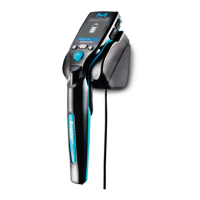
Details on the display screen, eject button, sensor port, and disposable sensor.
Explanation of the instrument's control buttons, screen icons, and indicators.
Guide to setting the date and time on the Scepter 3.0 instrument.
Steps for pairing the instrument with a Bluetooth-enabled printer.
Instructions for formatting a USB drive for Wi-Fi configuration files.
Steps to create a configuration file for connecting to a Wi-Fi network.
Procedure for connecting the Scepter 3.0 to a Wi-Fi network.
Using the automatic gate setting based on histogram profile.
Maintaining previously set gating parameters for analysis.
Explanation of the microfluidic sensor technology and Coulter Principle.
Step-by-step guide for correctly attaching the Scepter 3.0 sensor.
Guidelines for sample dilution and recommended diluting solutions.
Instructions for using Scepter 3.0 Test Beads for system verification.
Navigating and viewing saved histograms from the counting process.
Adjusting low and high gates for histogram analysis.
Changing the histogram X-axis display between volume and diameter.
Adjusting the Y-axis scale for count representation on the histogram.
Steps to export histogram data to a USB thumb drive.
Downloading test data wirelessly to a computer via Wi-Fi.
Procedure for removing histograms from the instrument's memory.
Accessing built-in help topics and tutorials for instrument usage.
Retrieving network details like IP address for data upload.
Information on how to update the Scepter 3.0 instrument firmware.
Recommended environmental conditions for storing the instrument.
Guidelines for cleaning and sanitizing the instrument and its components.
Information on where to find office locations for assistance.
Guidance on how to obtain technical support for the instrument.
Information regarding the product's warranty terms and conditions.
 General
| Brand | Millipore Sigma |
|---|---|
| Model | Scepter 3.0 |
| Category | Laboratory Equipment |
| Language | English |

 To Next Page