Chapter 2. Normal Machine Operation
PELLERIN MILNOR CORPORATION
2.1.3. How do I Load a Non-tilting Machine?
Display or Action Explanation
d+l
Open the outer door.
Open the inner door of the first pocket to load.
0
7
Select the formula (07, for example). Details about selecting a
formula are described in Section 2.1.4 “How do I Select a
Formula?”.
k
Toggle column for formula selection if necessary.
&/^
Move to the next or previous displayed formula in the current
column.
u
Confirm the selected formula.
D+l
Close the door.
2.1.4. How do I Select a Formula?
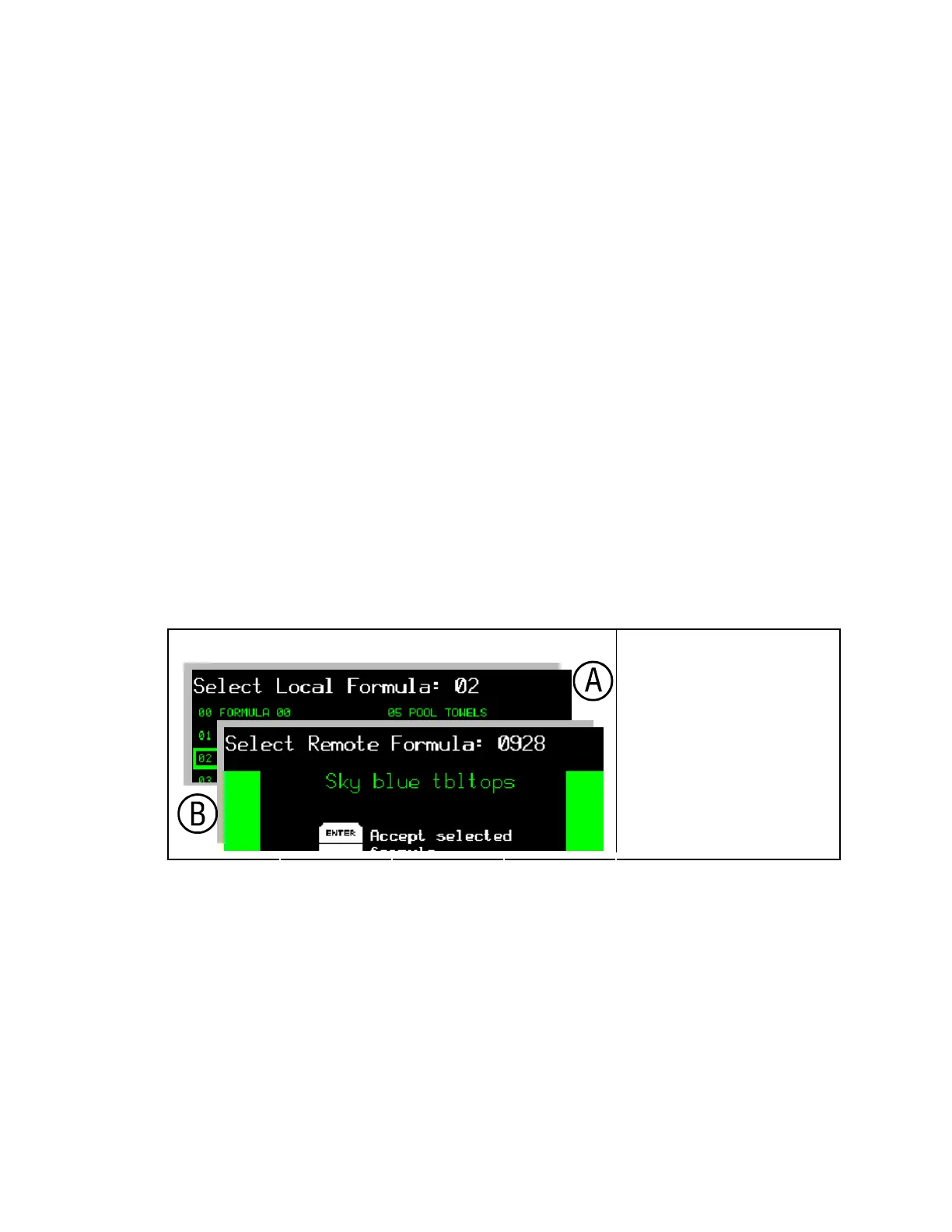
The Mark VI controller can operate in either local or Mildata mode. In local mode, the machine
does not communicate with any other devices and runs formulas contained in local controller
memory. In Mildata mode the machine downloads and runs formulas from the Mildata computer,
and frequently updates the display on the Mildata computer.
Figure 9: Selecting a Local or Remote Formula
Select Program Displays Legend
.
A. Local (Mildata not present
or enabled)
B. Remote (Mildata enabled)
2.1.4.1. Selecting a Local Formula—If the machine is not part of a Mildata network, or if the
Mildata network is not available, you can choose from any of the wash formulas stored in local
memory on the machine. Use the Select Local Formula screen (Figure 10) to choose the correct
formula for the goods in the machine.
14



 To Next Page