Chapter 2. Normal Machine Operation
PELLERIN MILNOR CORPORATION
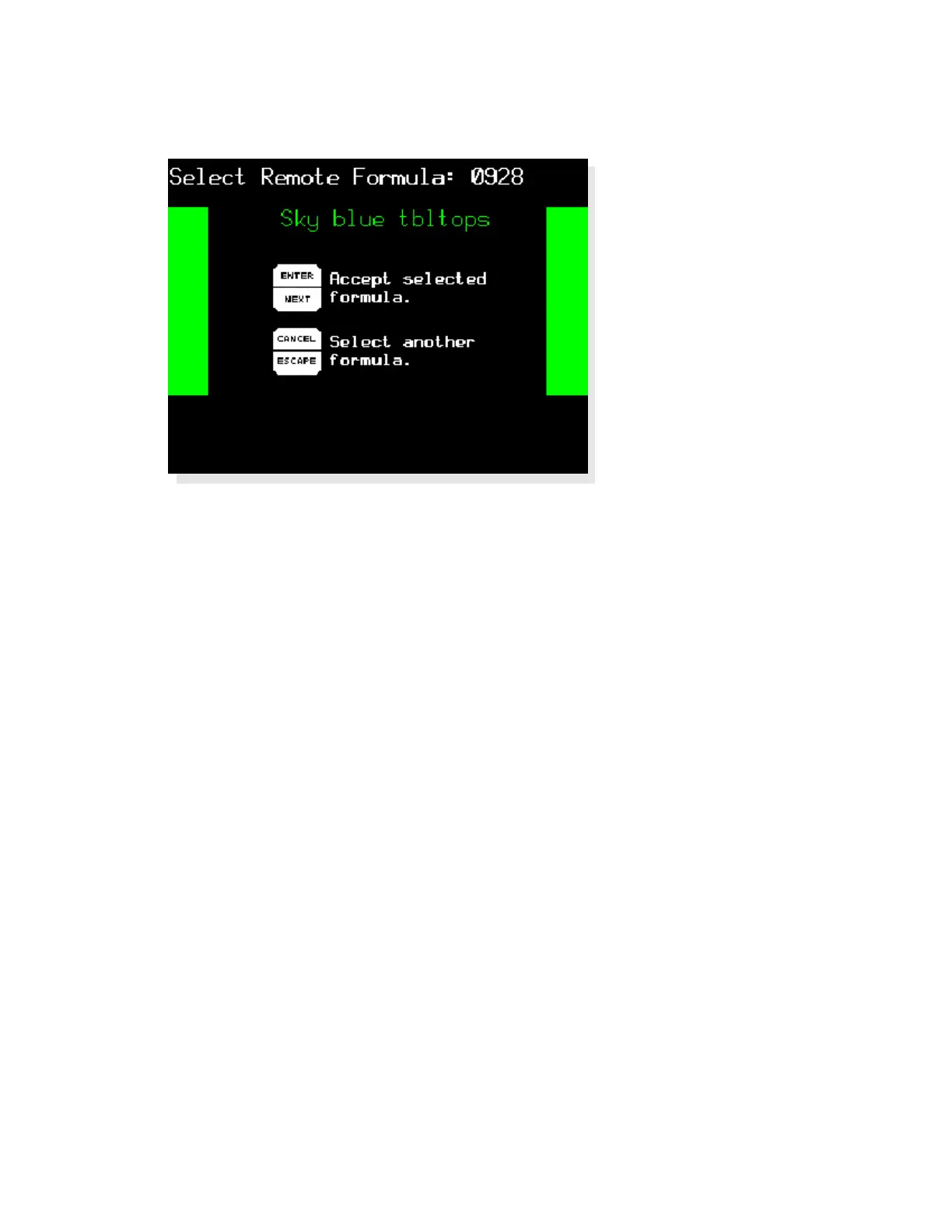
Figure 12: Select Remote Formula Screen
Display or Action Explanation
0928
Select formula 928 (example) stored on the Mildata computer.
The Mark VI controller requests the formula from the Mildata
computer and displays the formula name, as shown in Figure 12.
u
Confirm that the displayed formula name is the formula you
want to run. If the displayed formula isn't the right one for the
loaded goods, press
c
to clear the formula number, then enter
another number.
After you've retrieved and verified the formula, the Mark VI controller prompts for any
configured batch data.
2.1.4.3. Entering Mildata Batch Codes—The Mark VI controller uses a screen similar Figure 13
to prompt you for the batch data fields selected in machine configuration (see the related section
in document BICWCC01). The data you enter is sent to the Mildata computer for accounting and
report generation.
17



 To Next Page