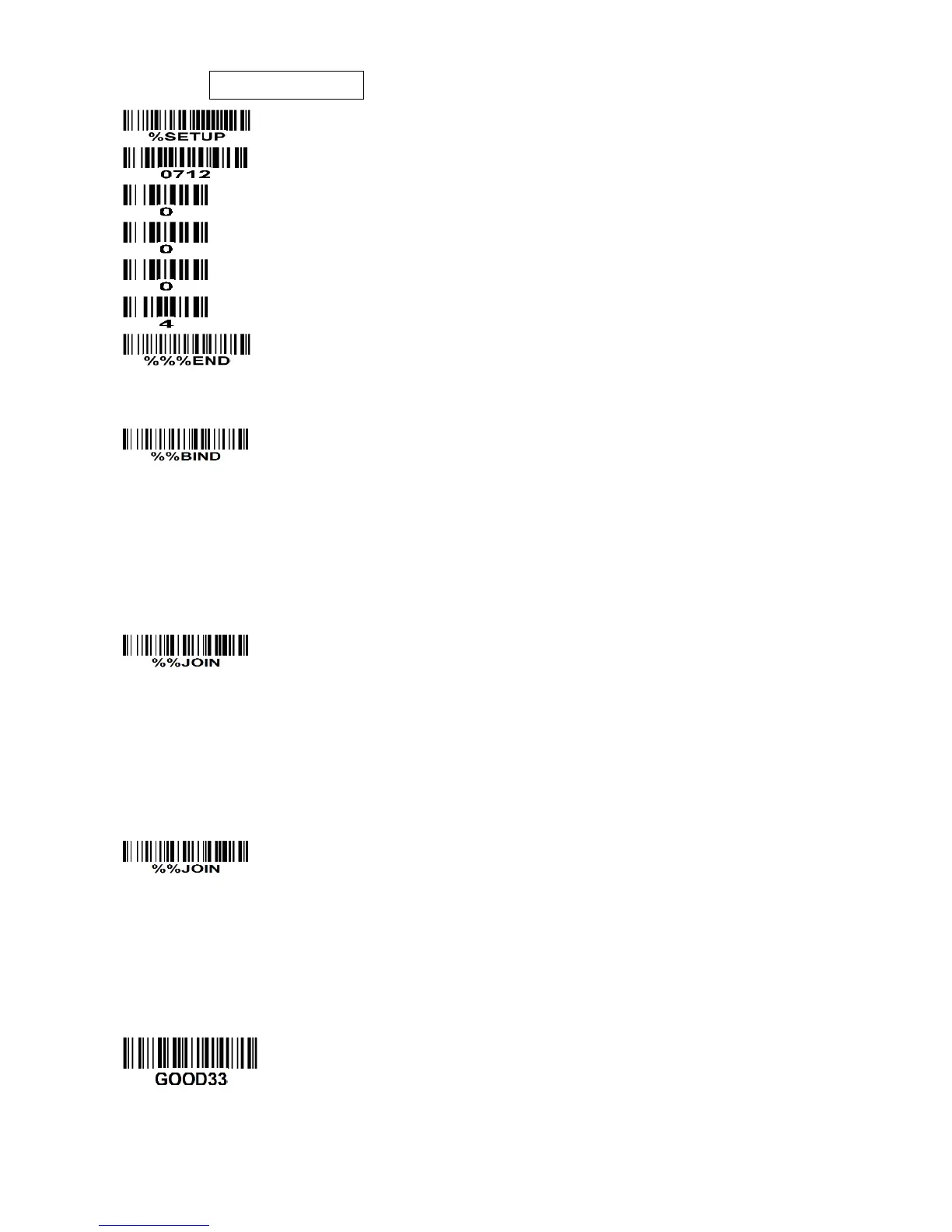
Step 5): Make the first handheld unit scan the following barcode to bind the handheld unit with the
cradle.
Firmly position the handheld unit onto the cradle. Within 10 seconds, two beeps will be emitted to
signal that the cradle has been paired to the handheld unit, and the blue LED on the handheld unit will
go off. If three beeps are emitted, it indicates unsuccessful pairing between the cradle and the
handheld unit; then repeat step 5).
Step 6): Make the second huandhend unit scan %%JOIN barcode to pair the second handheld unit
with the cradle.
Firmly position the handheld unit onto the cradle. Within 10 seconds, two beeps will be emitted to
signal that the cradle has been paired to the handheld unit, and the blue LED on the handheld unit will
go off. If three beeps are emitted, it indicates unsuccessful pairing between the cradle and the
handheld unit; then repeat step 6).
Step 7): Make the third huandhend unit scan %%JOIN barcode to pair the third handheld unit with the
cradle.
Firmly position the handheld unit onto the cradle. Within 10 seconds, two beeps will be emitted to
signal that the cradle has been paired to the handheld unit, and the blue LED on the handheld unit will
go off. If three beeps are emitted, it indicates unsuccessful pairing between the cradle and the
handheld unit; then repeat step 7).
Test barcode:


 To Next Page