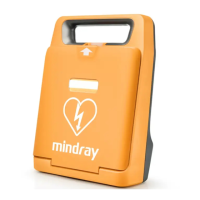
The BeneHeart R3 is a portable electrocardiograph (ECG) device designed for acquiring, analyzing, and reporting 12-lead ECGs. It is intended for use in clinical settings to assist in the diagnosis and treatment of patients by providing accurate and complete patient information alongside ECG analysis.
Function Description
The primary function of the BeneHeart R3 is to perform ECG measurements. It supports both auto measurement and manual measurement modes. In auto measurement mode, the device automatically acquires 10 seconds of 12-lead ECG data, initiates analysis upon completion, and then prints an ECG report according to the system's setup. This mode is designed for efficiency and consistency in routine ECG acquisition. For specific diagnostic needs, a rhythm measurement mode is also available, where the device acquires 60 seconds of data and prints the waveforms of the rhythm lead. It's important to note that in both manual and rhythm measurement modes, the device does not perform analysis of the waveforms; these modes are primarily for continuous recording or extended rhythm strip acquisition.
The device features an intuitive operating panel and a display screen that shows waveforms and text. It is equipped with a recorder for printing reports, and a patient cable connection port for attaching the lead wires. For data transfer, USB ports are available, and a network port allows for connectivity. The BeneHeart R3 is powered by a rechargeable lithium-ion battery, which provides significant run time, supporting hundreds of auto measurement reports or several hours of continuous recording. The battery status is clearly indicated on the display, with visual cues for charge level and warnings for low or depleted battery. The device can be charged by connecting it to an AC power source, even when switched off.
Usage Features
Setting up the BeneHeart R3 for use involves several key steps to ensure optimal performance and accurate results. Before any ECG acquisition, proper patient preparation is crucial. This includes laying the patient comfortably with arms and legs relaxed, exposing the chest and limb electrode sites, and preparing the skin by shaving hair, degreasing with alcohol, and abrading slightly with dry gauze to remove dead skin cells. The skin must be completely dry before electrode placement.
Electrode positioning is critical for high-quality ECG signals. The manual provides detailed diagrams and tables for correct placement of limb and chest electrodes, adhering to both IEC and AHA lead notations. For pediatric patients, an alternative V4R (C4R) placement is recommended, and the device allows for this specific lead-wire labeling to be configured in the patient information setup. Disposable electrodes should be in date and properly stored to maintain the conductivity of the gel. Lead wires should be routed to avoid twisting, and all connections, from the patient cable to the electrodes, must be secure. The device includes a "Lead Off" detection system that prompts the user if electrodes are detached or poorly connected, ensuring signal integrity.
Patient information entry is streamlined, allowing quick input of ID, age, and gender using dedicated keys on the operating panel. The on-screen keyboard facilitates typing of letters for names and other details. The device can be configured to prompt for a Patient ID when an ECG is initiated, ensuring all recordings are properly labeled. The system also supports detailed patient information, including date of birth and specific lead placements like V3.
The main menu provides comprehensive control over device settings. Users can configure waveform display parameters such as speed and gain, and adjust the muscle artifact filter frequency. These settings can be quickly adjusted using dedicated function keys on the operating panel. However, changes made via the main menu are saved as user defaults, persisting even after the device is switched off, whereas quick key adjustments reset to default upon shutdown. The report setup allows customization of ECG report format and content, including options like "Extend Record" for automatic rhythm reports if critical values are detected, and "Preview" to review ECGs before printing, preventing paper waste.
File management features enable users to store, search, review, export, delete, and print historical ECG reports. The internal memory can store a substantial number of reports, and the directory can be accessed to view previous recordings in chronological order. Reports can be searched by date or patient ID, facilitating easy retrieval of specific patient data.
Maintenance Features
Maintaining the BeneHeart R3 ensures its longevity and consistent performance. Regular cleaning and disinfection are essential. The manual provides clear guidelines on cleaning agents, emphasizing the use of diluted solutions and avoiding abrasive materials or immersing any part of the equipment in liquid. The display screen should be cleaned with a soft, damp cloth and glass cleaner, while the exterior surface can be wiped with a soft cloth dampened with a cleaning agent. Patient cables and lead wires should also be cleaned gently with ethanol, avoiding metal connectors, and then dried in a ventilated area.
A critical maintenance task is cleaning the thermal print head, which should be done monthly or as needed to prevent printing quality issues. This involves turning off the device, opening the recorder door, removing the paper, and gently wiping the print head with cotton swabs dampened with ethanol to remove dust and foreign particles. After ensuring the print head is completely air-dried, the paper can be reloaded, and the recorder door closed. Light printing on reports often indicates a dirty print head.
While disinfection is generally not recommended for the device itself unless specified by hospital servicing schedules, cleaning is always advised before disinfection. The manual lists recommended disinfectants like ethanol and isopropanol. Sterilization of the equipment is not advised unless explicitly stated for specific accessories.
Troubleshooting guidance is provided to address common issues such as the device not powering up, unacceptable ECG data noise, or the recorder not working. Solutions range from checking power connections and battery charge to ensuring proper skin preparation, electrode application, and filter settings. For issues like paper jams or unclear printouts, instructions are given on using approved paper, correctly loading it, and cleaning the print head. The device also has features like "Auto Standby" and "Auto Shutdown" to conserve battery, with clear instructions on how to exit standby mode or address automatic shutdowns. For more complex issues or servicing, users are directed to consult authorized personnel or the comprehensive Operator's Manual.



 To Next Page
 General