EasyManua.ls Logo

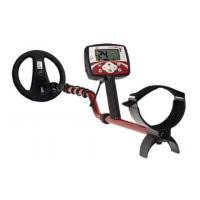
Minelab F3 - User Manual

Minelab F3
56 pages
Print Icon
To Next Page IconTo Next Page
Loading...

     
  


Other manuals for Minelab F3

Questions and Answers

  • B
    Barry HamptonSep 12, 2025
    Why is the threshold tone intermittent on my Minelab Metal Detector?
    • K
      Kaylee BurtonSep 12, 2025
      If the threshold tone is intermittent on your Minelab Metal Detector, including the LEDs for F3L models, consider replacing the wiring loom.
  • D
    Denise Mitchell MDSep 10, 2025
    Why do the start up tones keep repeating on my Minelab F3?
    • P
      Perry HarrisSep 10, 2025
      If the start-up tones keep repeating on your Minelab Metal Detector, insert new batteries. If the problem continues, consider replacing the electronics pack or the wiring loom.
  • N
    nicholasmaySep 9, 2025
    Why does my Minelab F3 make a loud noise after working in hot conditions?
    • R
      rwilsonSep 9, 2025
      If your Minelab Metal Detector makes a loud noise after working in hot conditions, conduct an Audio Reset. If the issue persists, consider replacing the coil, the electronics pack, or the wiring loom.
  • J
    Jason WrightSep 8, 2025
    Why does my Minelab F3 make a 'Coil Fault' tone on switch on?
    • E
      emonroeSep 8, 2025
      If the 'Coil Fault' tone occurs when you switch on your Minelab Metal Detector, check that the coil plug is firmly secured to the electronics pack. Inspect the coil cable for damage; if there's no damage, replace the electronics pack. If the coil cable is damaged, replace it with a new coil.
  • J
    Jonathan MorganAug 23, 2025
    What to do if the ground balance does not work on my Minelab F3 Metal Detector?
    • J
      Jonathan SmithAug 23, 2025
      If the ground balance does not work on your Minelab Metal Detector, consider replacing the speaker pod, the wiring loom, the coil, or the electronics pack.
  • W
    wrodriguezSep 6, 2025
    Why is the threshold tone too loud on my Minelab F3 Metal Detector?
    • A
      Amy PetersonSep 6, 2025
      If the threshold tone on your Minelab Metal Detector is too loud, first ensure the area is free from local electromagnetic interference. If the issue continues, conduct an Audio Reset and then a Noise Cancel. If these steps don't resolve the problem, consider replacing the coil, the electronics pack, or the wiring loom.
  • R
    Rebecca JacksonSep 4, 2025
    What to do if I cannot hear the test piece on my Minelab F3?
    • M
      Mr. Mark Harris DDSSep 5, 2025
      If you cannot hear the test piece on your Minelab Metal Detector, ensure the detector has been switched on for 30 seconds before conducting the test. Try conducting an Audio Reset and fitting and using an earset. If using an F3L, make sure the volume level is set to default. Also, conduct a Noise Cancel and ensure the coil plug is securely fitted to the electronics pack. If the problem continues, consider replacing the electronics pack or the coil.
  • T
    Tom RussellSep 3, 2025
    Why does my Minelab Metal Detector F3 make no sound?
    • K
      Kevin LoveSep 4, 2025
      If your Minelab Metal Detector F3 is not producing any sound, check the tone through the earset. If there is a tone through the earset, replace the speaker from the speaker pod. If there is no tone through the earset, replace the wiring loom or the electronics pack.
  • M
    mjordanSep 2, 2025
    What to do if I cannot hear the test piece with the red sensitivity end cap on my Minelab F3 Metal Detector?
    • C
      Carolyn WoodSep 2, 2025
      If you cannot hear the Test Piece with the Red Sensitivity End Cap on your Minelab Metal Detector, repeat the Test Piece test, ensuring that the metal in the Test Piece is pointed toward the coil surface.
  • B
    bsandersSep 1, 2025
    Why does the threshold tone vary on my Minelab Metal Detector?
    • K
      Kevin LopezSep 1, 2025
      If, after switching on your Minelab Metal Detector, the Threshold Tone varies in pitch and volume even when the coil is stationary, conduct a Noise Cancel.

Summary

General Description and Preparation

Preparing the F3 Detector for Use

Step-by-step guide for preparing the F3 detector for operation.

Sensitivity Endcap Handling and Replacement

Procedure for fitting and exchanging Sensitivity Endcaps, including warnings.

Functional Description of the F3 Detector

F3 Detector Controls and Start-up

Overview of F3 handle controls: On/Off, Ground Balance, Noise Cancel, and start-up.

Ground Balance, Audio Reset, and Noise Cancel

Using Ground Balance, Audio Reset, and Noise Cancel for optimal performance.

Operating Procedures for the F3 Detector

Standard and Optional F3 Operation Steps

Standard procedure (Switch ON, GB, Test) and optional Noise Cancel/Audio Reset.

Care and Trouble Shooting for F3 Detector

F3 Detector Troubleshooting Guide

Common problems and their recommended solutions for the F3 detector.

F3 Detector Specifications

Minelab F3 Specifications

General IconGeneral
BrandMinelab
ModelF3
CategoryMetal Detector
LanguageEnglish

Related product manuals