- 15 -
MINGDA TECHNOLOGY CO.,LTD
www.md-3d.com
4. After printing is completed, clean all the accumulated materials and stains on the printing platform, the
guide screw and the inside of the machine.
5. Filament that are not used for a long time should be sealed and stored. Excessive absorption of moisture
from the air can make the filament brittle.
500 Hours Maintenance
About every 500 hours you should
clean up the printer.
1.Clean the door and do not use ammonia-containing cleaners to avoid damaging the window. An ethanol
cleaner can be used.
2. To clean the guide rails, first wipe the sides of the guide rails with anti-rust paint and re-add lubricant.
3. Check the screws, check if the mounting screws such as the synchronous wheel, optical axis and motor are
loose. If it is loose, it should be tightened in time.
1000 Hours Maintenance
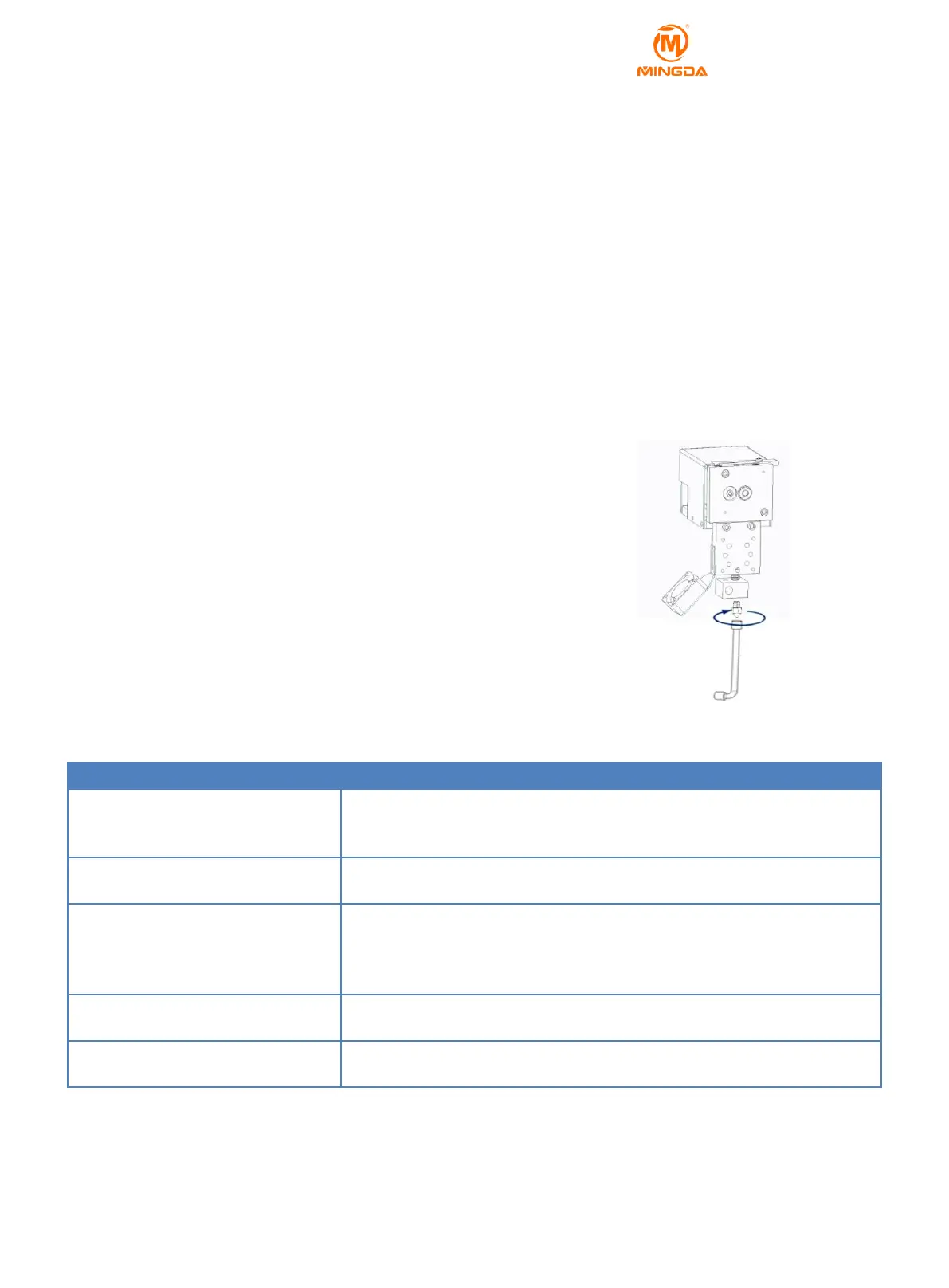
After more than 1000 hours of running, the nozzle may become clogged or
worn, which may have a negative impact on the surface smoothness and detail of
the model. A new screw tube and print nozzle need to be replaced at this time.
You can contact MINGDA for related videos.
1. Cut off the printer power completely.
2. Use sleeve to twist down the nozzle.
3. Take out the new nozzle from kit and then install in original position.
4. Use sleeve tights up the printing nozzle.
8 Trouble Removal
1. Verify whether the power cord is firmly inserted.
2. Turn on the power switch, whether the power switch is on or not.
3. Verify whether the AC wall socket is provided or not.
Filament may be stuck in the nozzle, please refer to 《 1000 hours
maintenance》
Please check the lubricating condition, wipe oil on the optical axis and evenly
lubricate again.
Another possibly reason is rack affected by external force during transport
( At the moment you need to contact MINGDA after sales service)
SD card damaged; SD card slot damaged; SD card inserted deep
insufficient; the slots line is loose.
Can't show temperature or heat
The temperature sensor the heater is in poor contact or damaged; the main
board is faulty.



 To Next Page