Test Solutions - User Guide Page 15
RCM Series Compact Modular Test Systems 4-Oct-17 (A3)
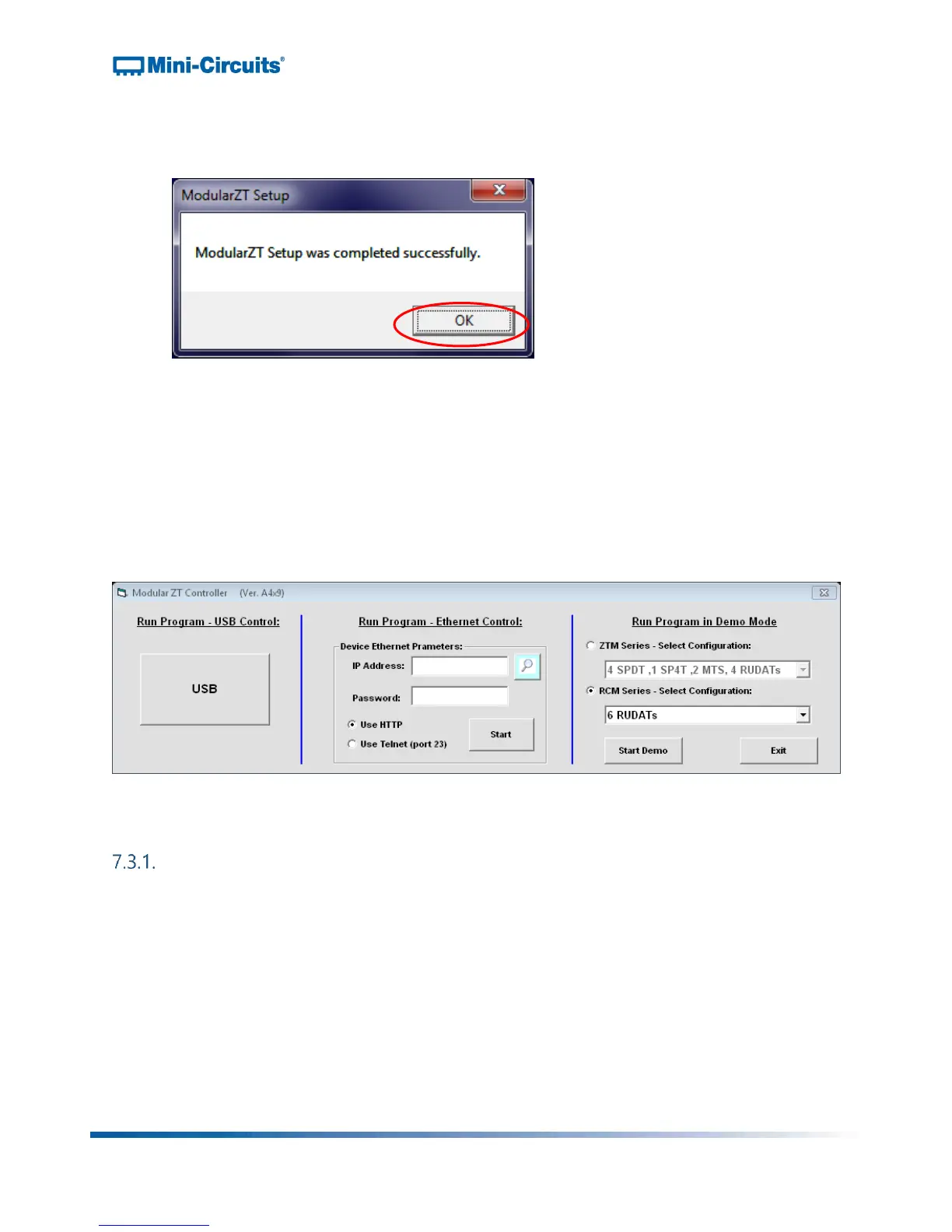
8) An “Installation Complete” message will appear once the software is successfully
installed. Click “OK” to close the installer.
Figure 9: Installation complete
7.3. Connecting to the Hardware
When starting up the GUI software, a window will pop up prompting you to choose how the
computer will connect to your RCM Series unit. You have the option to connect via USB,
Ethernet-TCP/IP, or to run the program in Demo Mode. Each of these options is discussed
below.
Figure 10: Connection menu
Connecting via USB
If connecting to the hardware via USB, click “USB” on the left side of the connection
menu, and the GUI main control will open.



 To Next Page