Test Solutions - User Guide Page 16
RCM Series Compact Modular Test Systems 4-Oct-17 (A3)
Connecting via Ethernet
1) Enter the device IP address into the “IP Address” field (shown above) in the connection
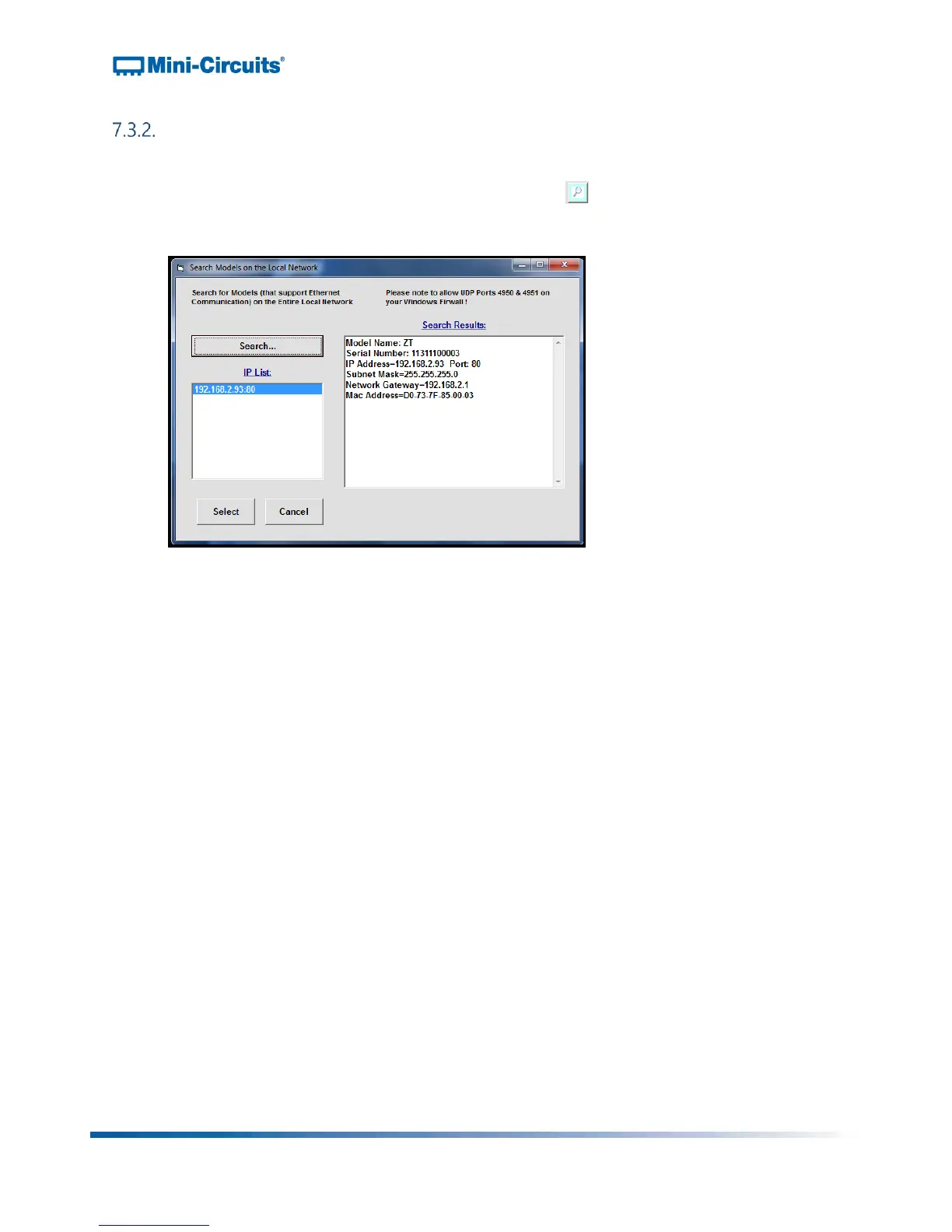
menu. If you don’t know the IP address, click on the button, and the following
window will pop up:
Figure 11: IP search window
►The IP search window displays the following information and controls:
IP List:
o This field displays the IP address of the hardware when properly
connected via Ethernet.
Search Results:
o This field displays information about the device selected including serial
number and IP parameters. You may use this field to identify the RCM
Series unit if multiple Mini-Circuits devices are connected at once.
Search:
o This button searches the network for connected devices. You may need
to click it multiple times to refresh results before the IP address of your
hardware appears in the IP List field.
Select:
o Once you’ve selected the IP address of your RCM Series hardware, click
the “Select” button. The IP search window will close, and the selected IP
address will now appear in the Connection window.
Cancel:
o Clicking “Cancel” closes the IP search window.



 To Next Page