miniDSP Ltd – Hong Kong / www.minidsp.com / Features and specifications subject to change without prior notice 11
3.1.3 Install the miniDSP software
3.1.3.1 Possible Windows installation issues
The miniDSP software requires that a number of other frameworks be installed for it to work. These packages
should be installed automatically, but you can manually install them if you receive an error message that
required software is missing.
• Microsoft .NET framework (version 3.5 or later)
• Latest version of Adobe Air
• Microsoft Visual C++ 2010 Redistributable Package: for x86 (32-bit Windows) or x64 (64-bit Windows).
3.1.3.2 Install the plugin
1. Navigate to the Windows folder of the software download.
2. Double-click on the plugin installer to run it. It will be named DDRC_22.exe. We recommend that you
accept the default installation settings.
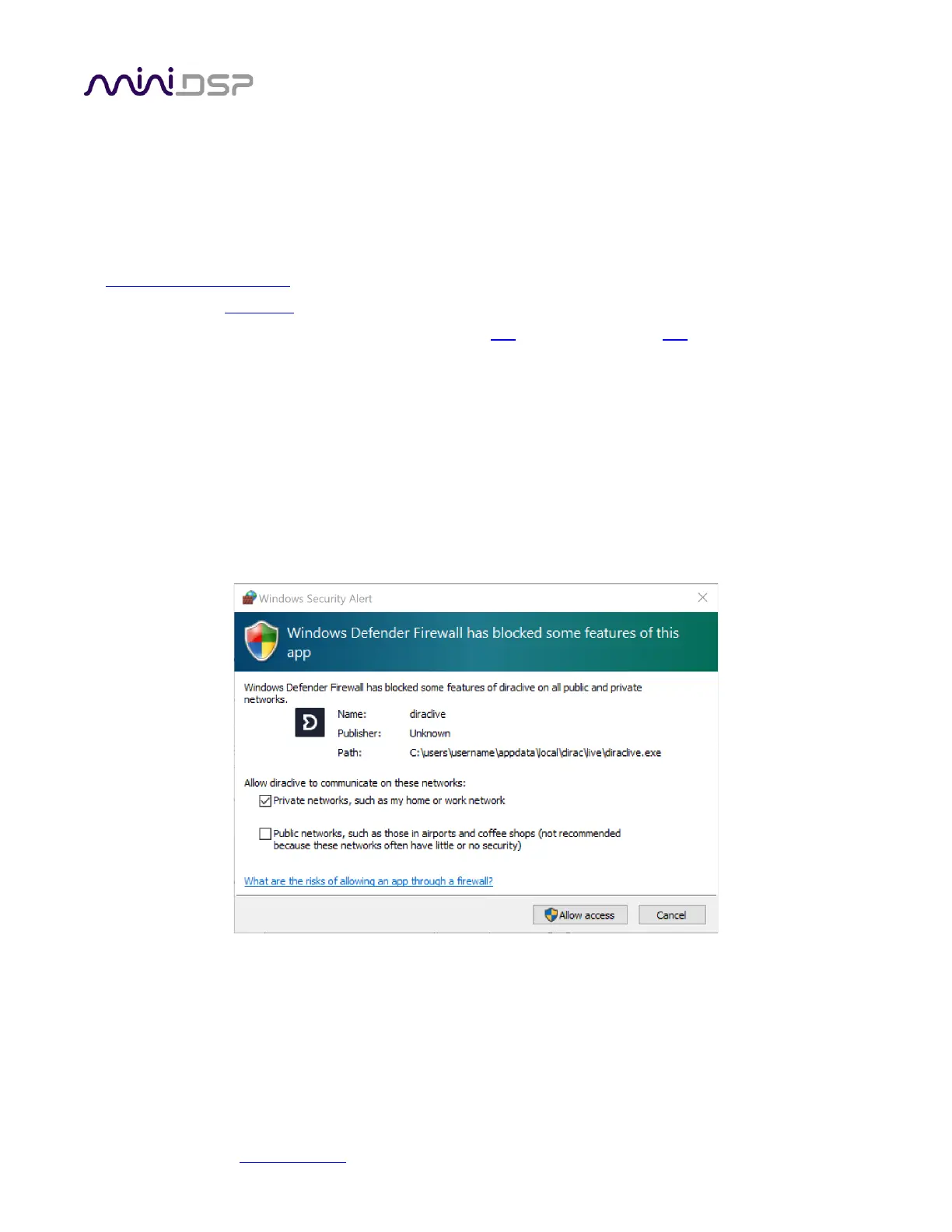
Note: the first time you run the DDRC-22 plugin and the DiracLive application, you may see a Windows Firewall
warning such as the one below. Ensure that “Private networks...” is checked and “Public networks...” is not
checked. Then click on “Allow access.” This warning dialog may appear more than once.



 To Next Page