miniDSP Ltd – Hong Kong / www.minidsp.com / Features and specifications subject to change without prior notice 9
2.2 DC POWER
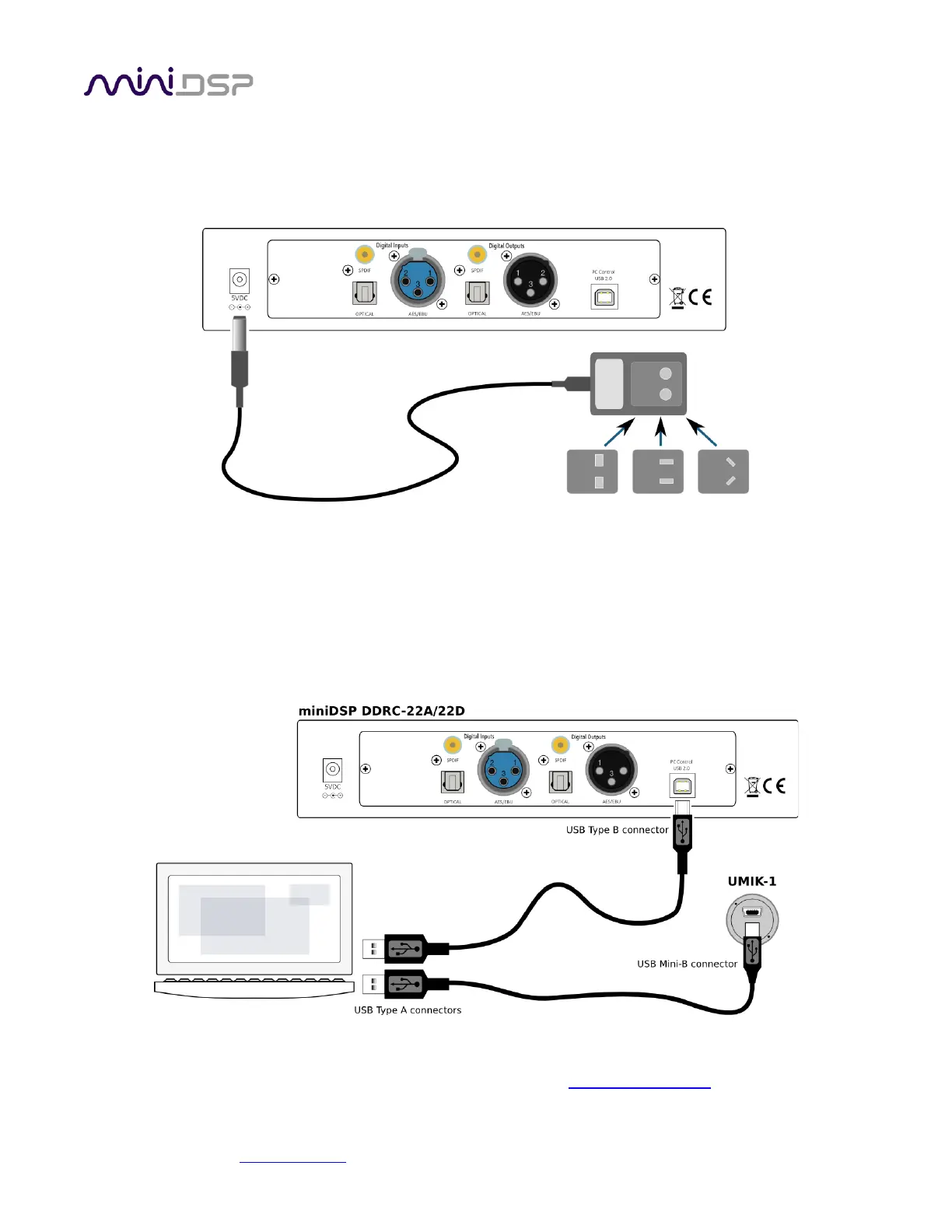
The supplied 5 VDC power supply includes a set of interchangeable power pins. Fit the correct pins for your
country. Connect the DC plug to the 5 VDC power socket.
2.3 USB
Computer connectivity is required to perform acoustic measurements in your listening room and to generate
and download the digital room correction filters to the DDRC-22D. To configure the processor, connect the USB
port of the processor to a USB 2.0 port on your computer using the supplied cable. For measurements, connect
the UMIK-1 to a second USB port.
Once calibration and configuration is complete, the computer can be disconnected. The processor can then be
controlled from the front panel or via remote control – see Section 6, Using the DDRC-22D.



 To Next Page