miniDSP Ltd – Hong Kong / www.minidsp.com / Features and specifications subject to change without prior notice 17
6 USING THE DDRC-22D
Once the desired correction filters have been downloaded into the DDRC-22D, the computer is not required and
can be disconnected. The front panel and/or an infrared remote can be used to control master volume, preset
selection, mute (remote only), input source, and Dirac Live filtering.
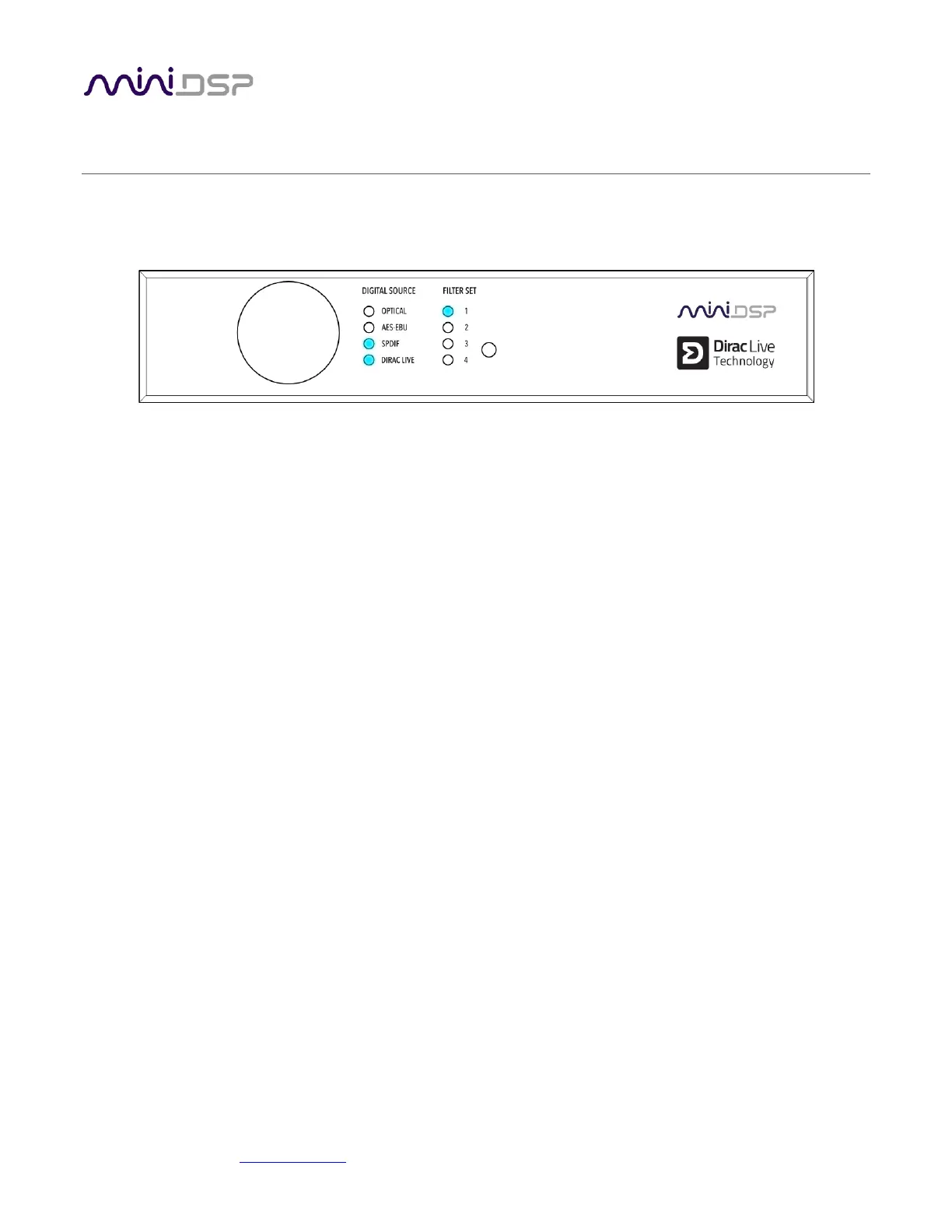
6.1 STATUS INDICATORS
The current status of the processor is indicated by a set of LEDs:
Filter Set Indicates the currently selected filter set (1 through 4).
Digital Source Indicates the currently selected digital input.
Dirac Live Indicates that Dirac Live® filtering is turned on.
6.2 FRONT PANEL CONTROLS
The DDRC-22D uses a minimalist physical control design with a single control knob.
To change the volume
Rotate the control knob clockwise to increase the volume, and counter-clockwise to decrease it.
To change the selected filter set
Briefly press the control knob. The Filter Set LED blinks quickly. Rotate the control knob until the
desired filter set LED is blinking. Press the control knob again twice, and the selected LED will
remain steady.
To change the selected digital input
Briefly press the control button twice. The Digital Source LED blinks quickly. Rotate the control
knob until the desired source LED is blinking. Press the control knob again, and the selected LED
will remain steady.



 To Next Page