miniDSP Ltd, Hong Kong / www.minidsp.com / Features and specifications subject to change without prior notice 12
3.2 CONFIGURATION IN AUDIO MIDI SETUP
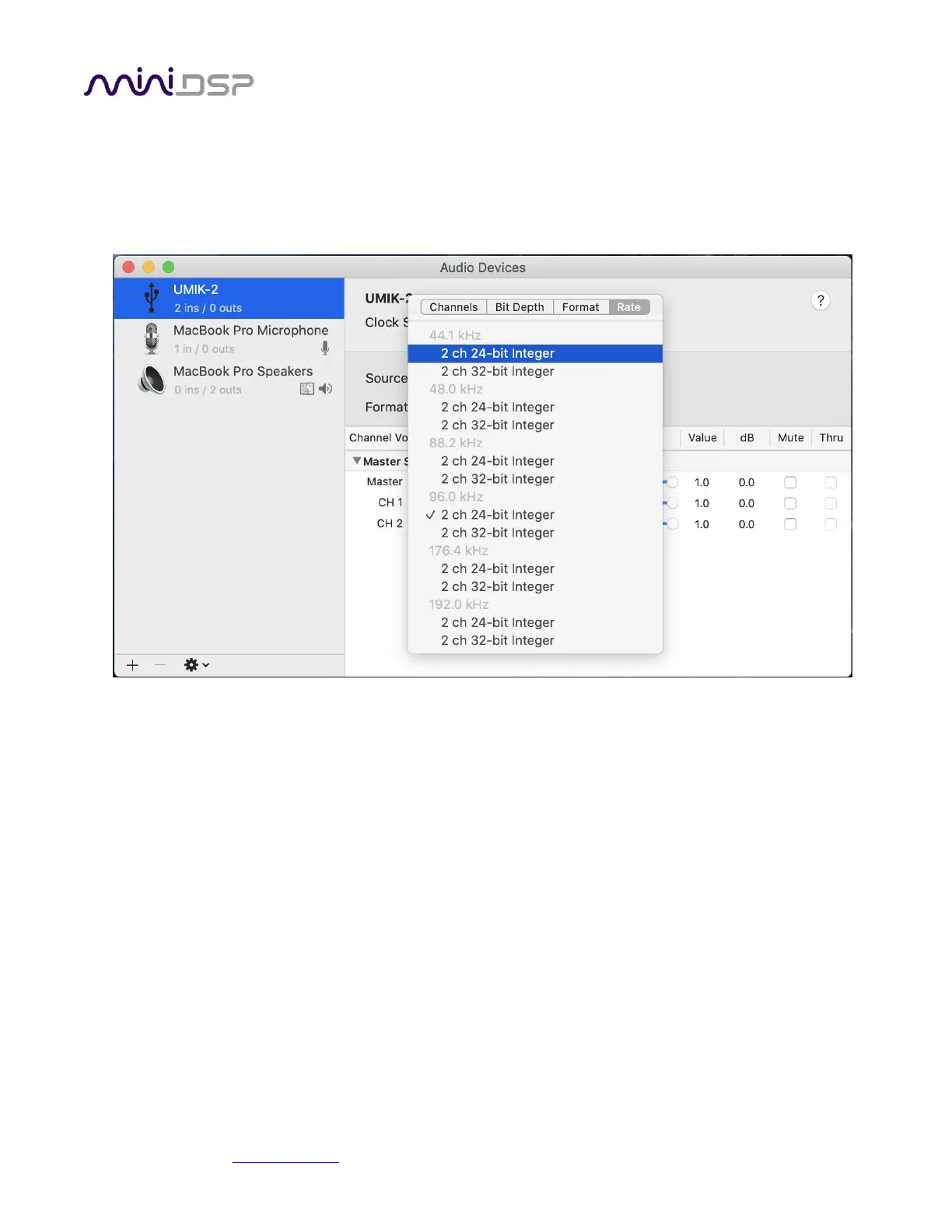
Open the program Audio MIDI Setup (in Applications->Utilities). Click on the device UMIK-2 that appears in the
list on the left. This will display the input and output channels. The Format drop-down menu will show the
supported sample rates:
Note that many recording and measurement programs will set the sample rate themselves, overriding the
setting made manually in Audio MIDI Setup.


 To Next Page