miniDSP Ltd, Hong Kong / www.minidsp.com / Features and specifications subject to change without prior notice 8
2.3 CONTROL PANEL
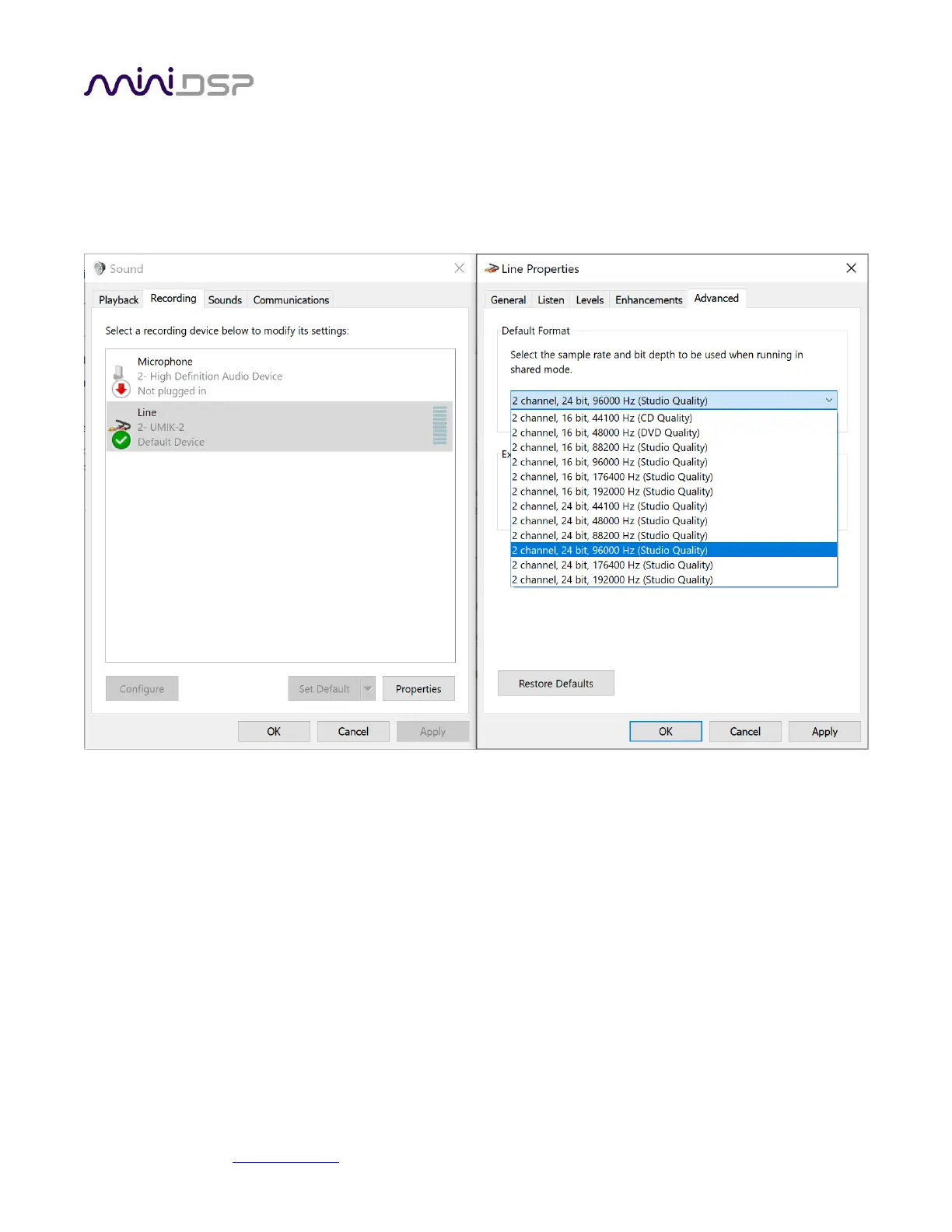
In Windows 10, open the Control Panel, then go to Hardware and Sound, then Manage Audio Devices. Here you
can set the UMIK-2 as the default audio input device, and set its sample rate and bit depth (click on the
Properties button).
Note that many recording and measurement programs will set the sample rate themselves, overriding the
setting made manually in the Control Panel.


 To Next Page