miniDSP Ltd, Hong Kong / www.minidsp.com / Features and specifications subject to change without prior notice 20
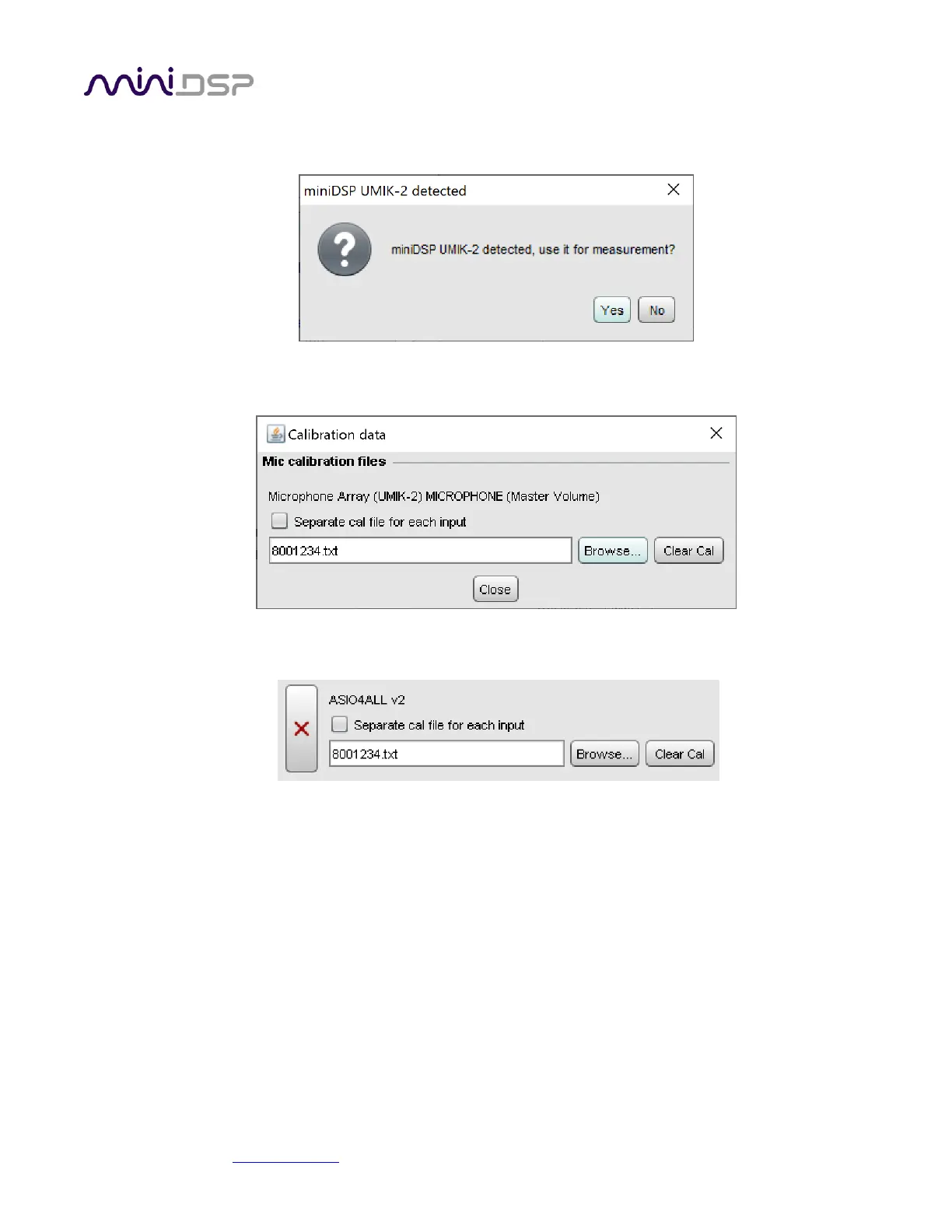
5. When you select the UMIK-2 for input, the dialog asking you if you want to use the UMIK-2 for
calibration will again appear:
6. Click Yes, and select the calibration file to be used for ASIO4ALL:
7. Click on the Cal Files tab and verify that the calibration file is shown for ASIO4ALL:


 To Next Page