miniDSP Ltd, Hong Kong / www.minidsp.com / Features and specifications subject to change without prior notice 14
3.4 USBSTREAMER CONTROL PANEL
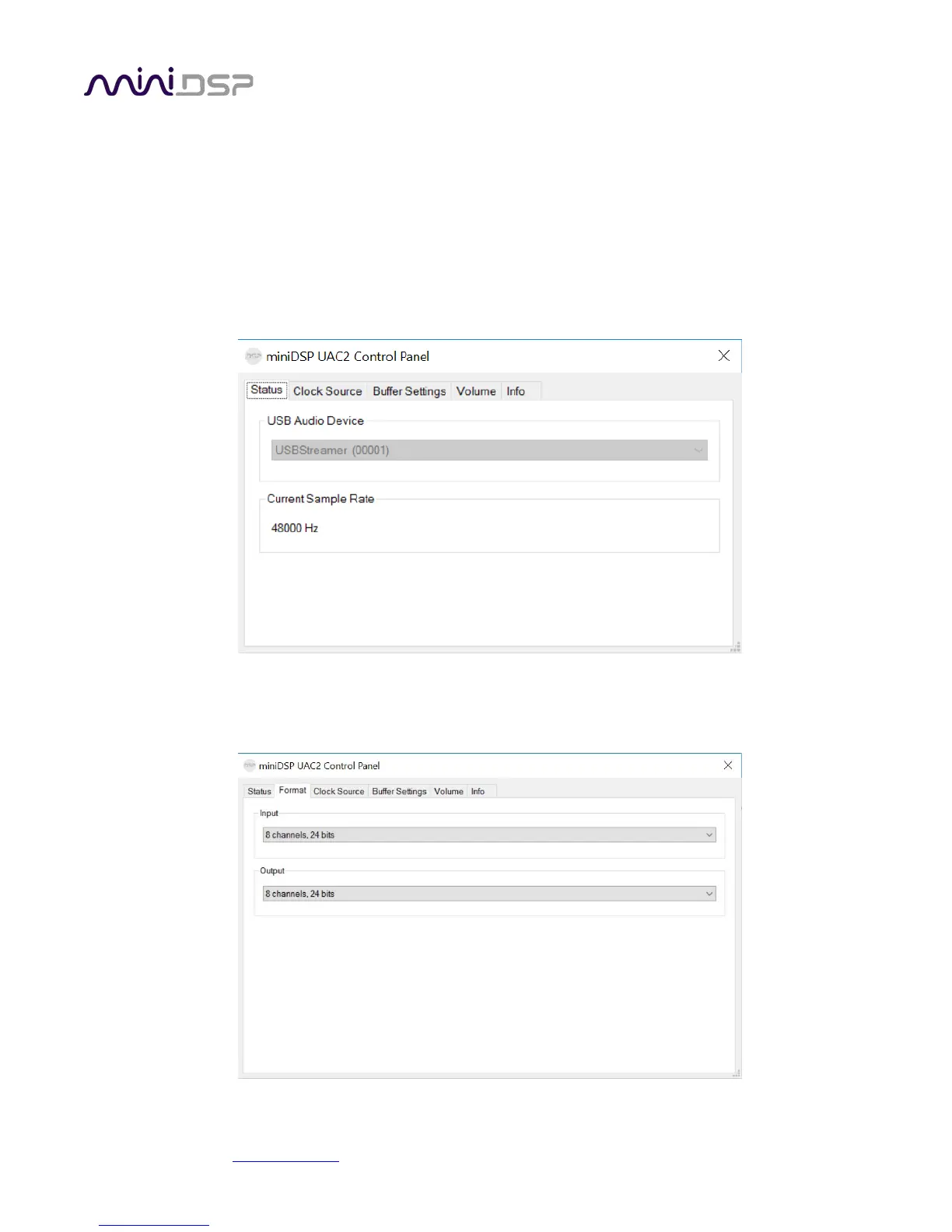
To configure the USBStreamer, open the miniDSP UAC2 Control Panel (from Start Menu -> miniDSP Ltd). It has
several panes, described below.
3.4.1 Status
This panel shows the current sample rate of the USBStreamer. This setting cannot be changed in the Control panel,
but simply reflects the current sample rate of the USBStreamer.
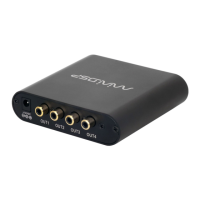
3.4.2 Format
This panel is present only if the ADAT firmware is loaded. Be sure to always have 8-channel input and output
selected here.


 To Next Page