miniDSP Ltd, Hong Kong / www.minidsp.com / Features and specifications subject to change without prior notice 15
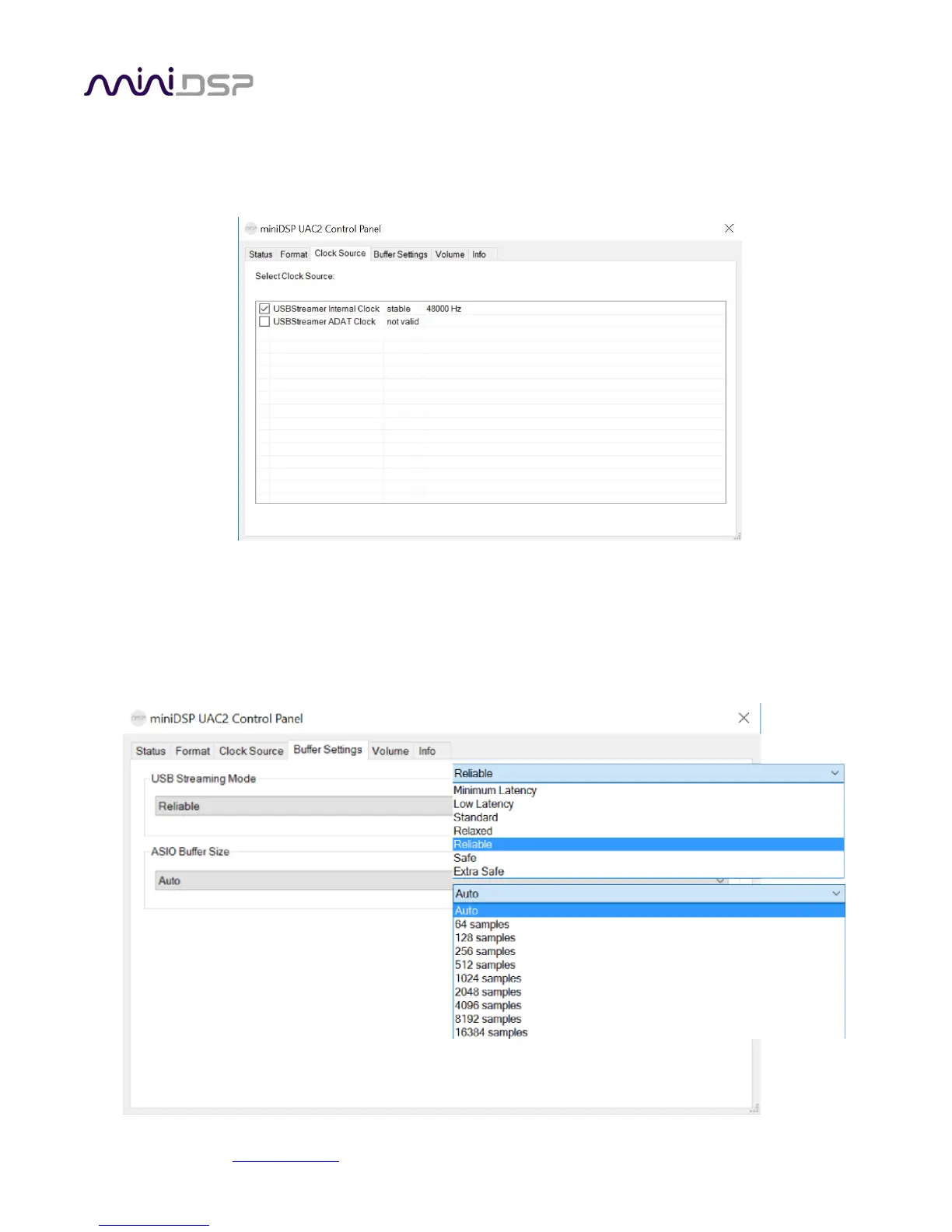
3.4.3 Clock source
This panel allows you to select the clock source: internally generated by the USBStreamer and selected by the
computer, or generated from the TOSLINK (or ADAT) input.
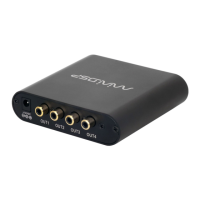
3.4.4 Buffer settings
The buffer settings are for those looking to optimize the buffering and latency settings of the interface. Note that
changing these settings may result in unstable operation since such changes are dependent on the resources of the
PC. For example, the lowest latency settings require high amounts of CPU and memory, and may not work on some
machines. If you do not require lowest latency, we recommend that you do not depart from the default safe
settings.


 To Next Page