miniDSP Ltd, Hong Kong / www.minidsp.com / Features and specifications subject to change without prior notice 16
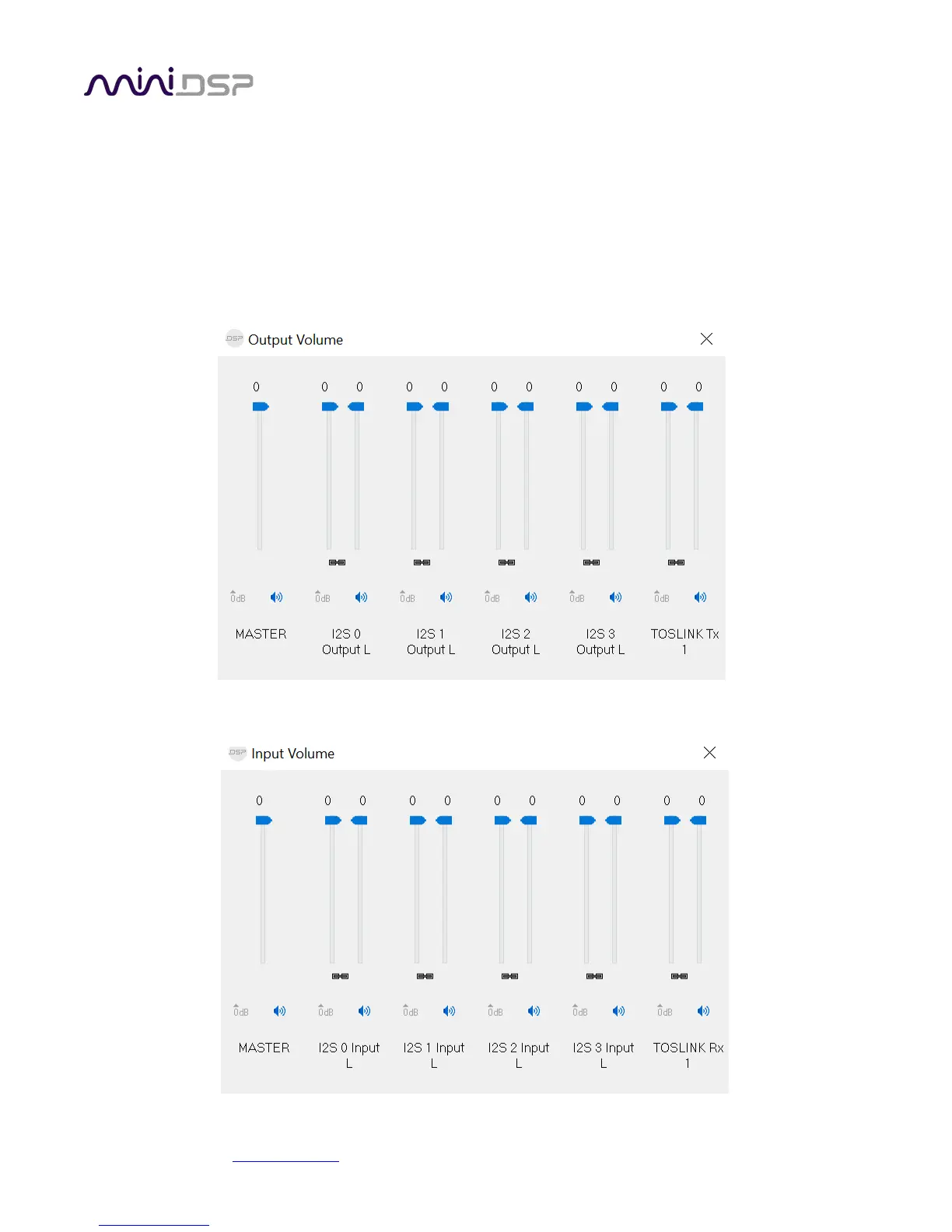
3.4.5 Volume
This panel contains a master volume control for all eight output channels, and individual level controls for each
channel or pair of channels.
o To reset the master volume control or a pair of channels to 0 dB (no attenuation), click the 0dB button.
o To mute all channels, click the speaker icon above “MASTER”.
o To mute a pair of channels, click the speaker icon above the label.
o To control volume separately for each channel, click on the “Link” icon to turn it off.
There is a similar set of controls for the input channels:


 To Next Page