minifinder
pico
www.mininder.com 11 of 20
Alarm via Panic Button (SOS)Alarm via Panic Button (SOS)
Press and hold the panic / emergency button for 3 seconds. There will be a beep sound and
the unit’s green light starts blinking. A SOS message is sent to the MiniFinder GO APP and is displayed
as an alarm notication on the mobile device’s screen.
When the SOS alarm is activated, the unit starts dialing authorized telephone numbers according to
chronological order. If MiniFinder fails to connect the call to the rst phone number, dialing rings the
next authorized phone number.
The dialing cycle is interrupted if the device does not connect to any alarm receiver. The process
resumes after 5 minutes and continues until someone receives the alarm.
To end the call, press the panic / emergency button.
Speeding AlarmSpeeding Alarm
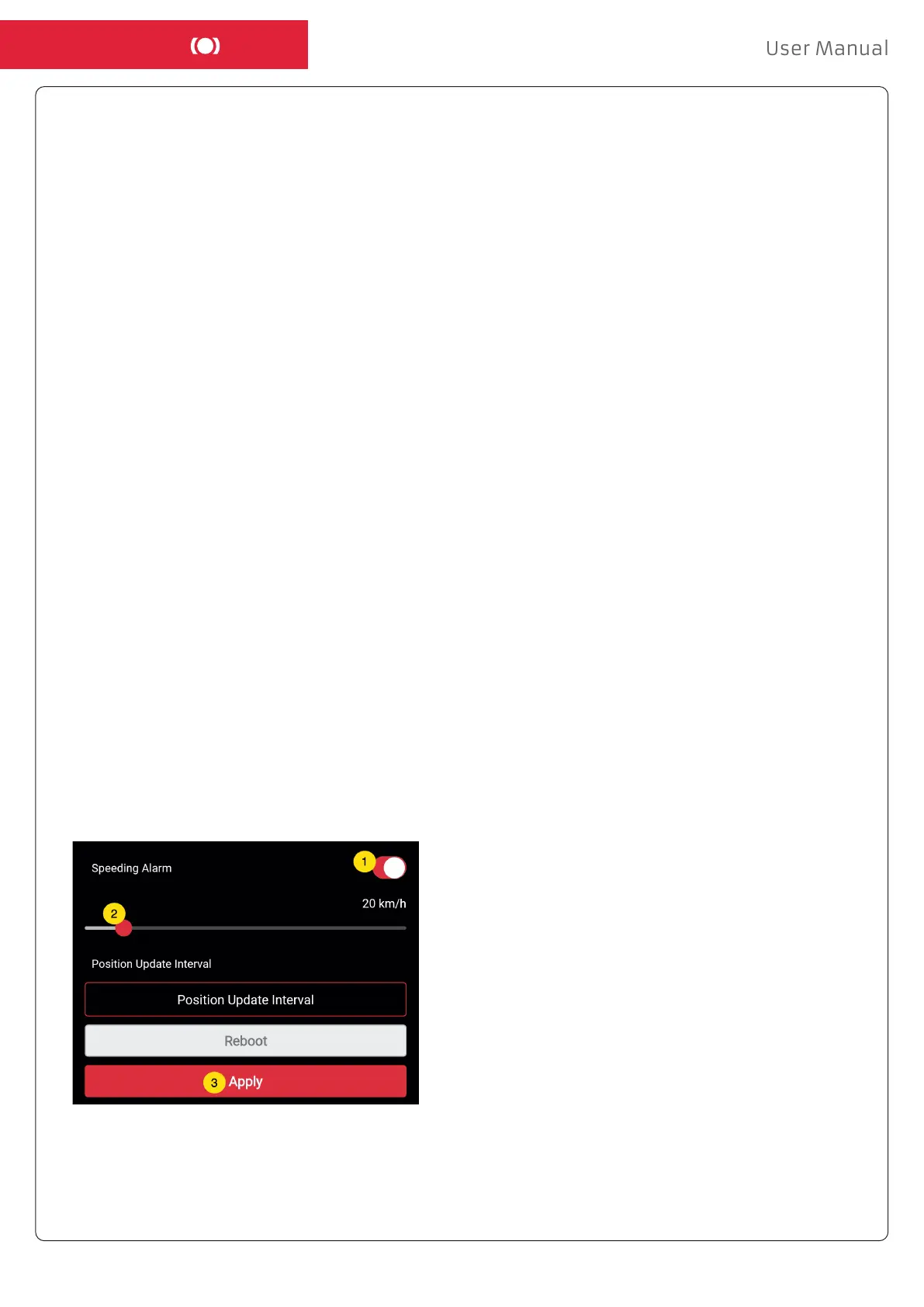
Click Action Menu (1) of the device that you want to set Speeding Alarm to, and then click “Setup” (2).
Activate ”Speeding Alarm” (1). Drag the circle to a desired speed (2). Finally, click “Apply” (3) to
set the alarm for speeding.
MiniFinder Pico rings the phone for 20 seconds. If the alarm is not answered, the call is forwarded to
the next telephone number. Keep in mind that the voicemail can aect how long the MiniFinder rings
the phone before the alarm is switched on. It is therefore important to check the settings before acti-
vating the voicemail.
Adjustments can be performed by MiniFinder if necessary.


 To Next Page