minifinder
pico
www.mininder.com 5 of 20
Action MenuAction Menu
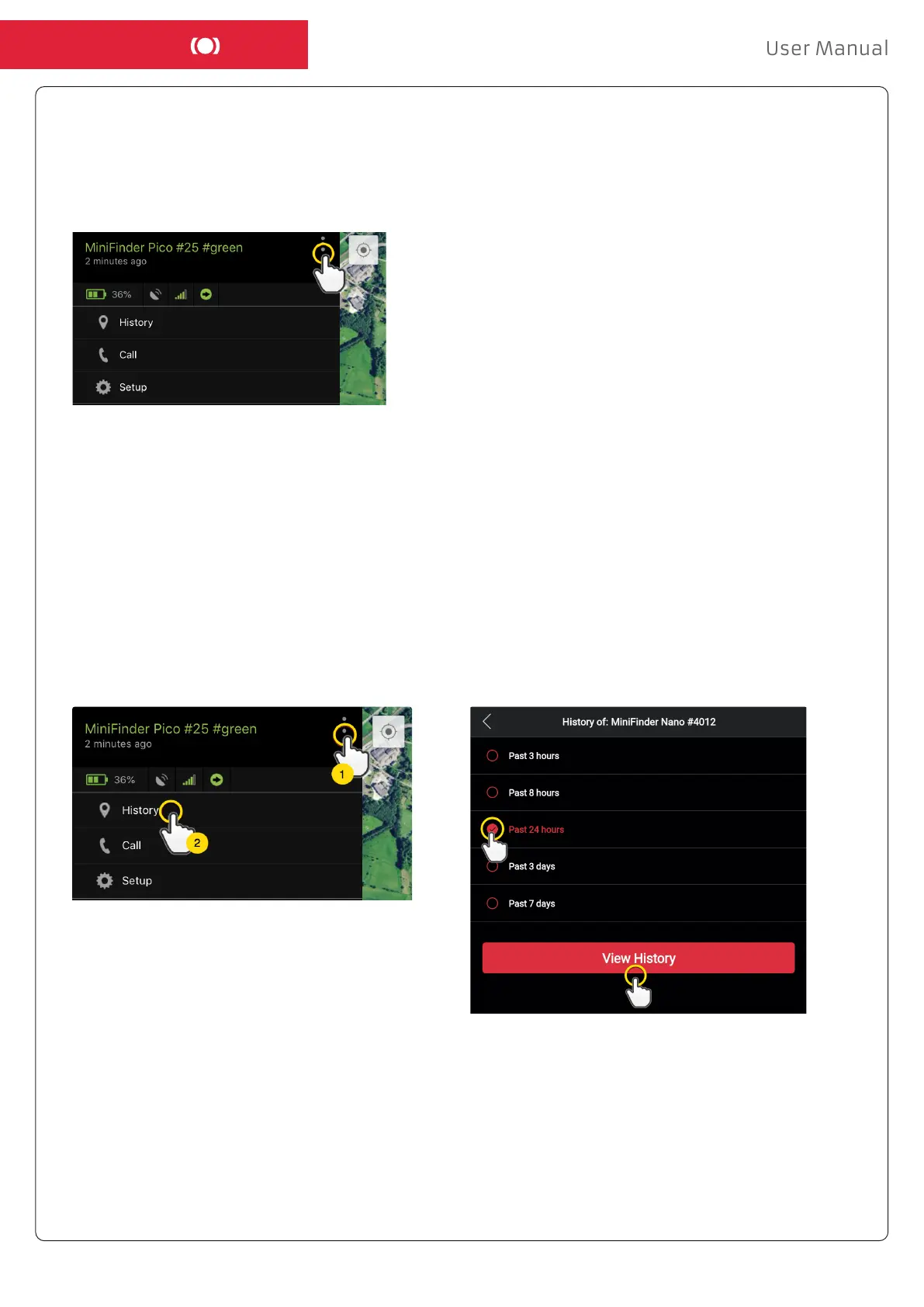
At the far right of the row of units is an Action Menu (three vertical points). In the Action Menu you
can see history (History), call (Call) and settings (Setup).
HistoryHistory
See positioning history on the map based on date and time.
- Start by clicking the Action Menu (1), then click “History” (2).
- Select a time period and then click “View History” to display the device’s positioning history.


 To Next Page