minifinder
pico
www.mininder.com 6 of 20
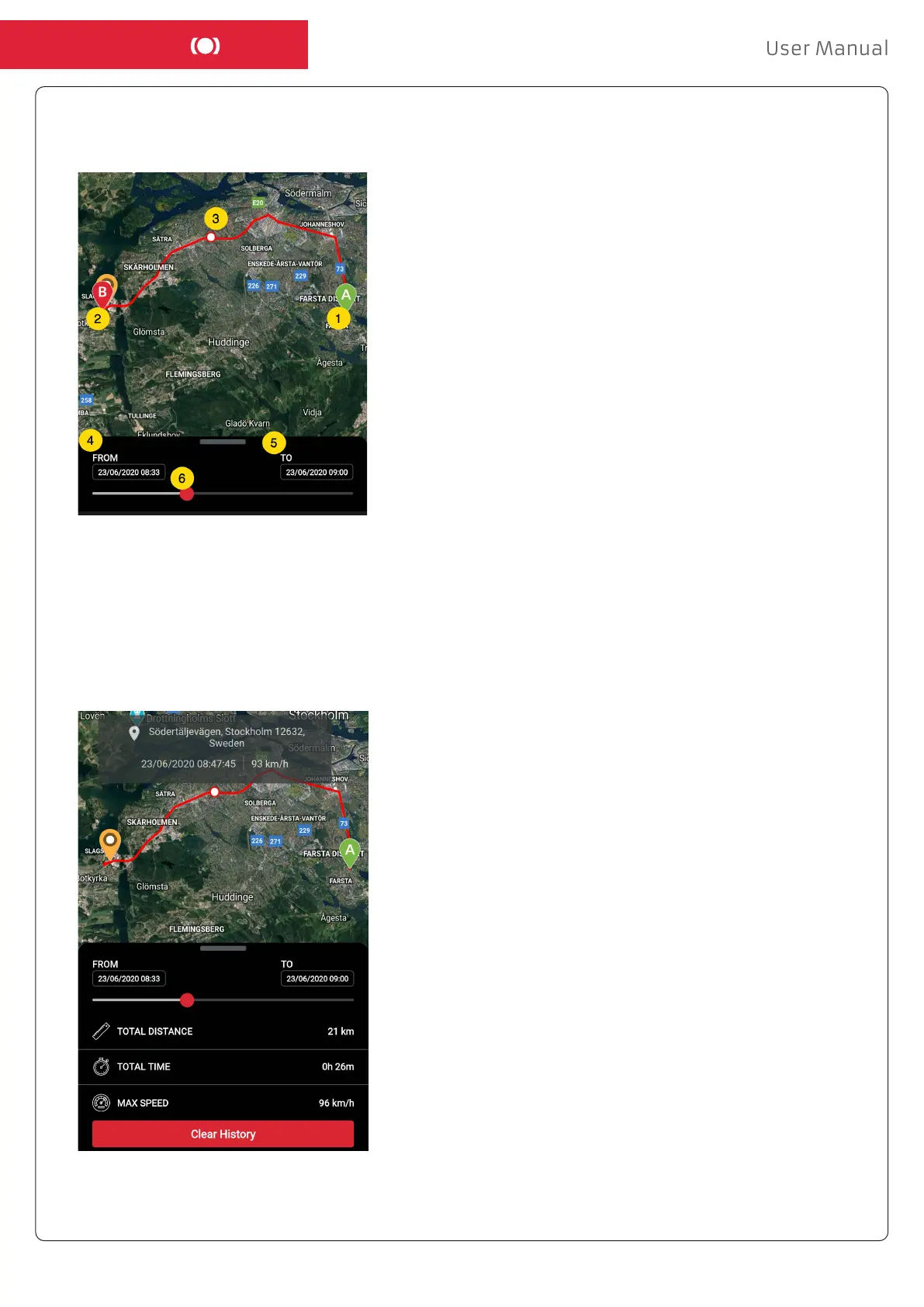
- The following information is displayed for positioning history:
1. A is the start position
2. B is the end position
3. Indicates a particularly selected position
4. The start date and time
5. The end date and time
6. Drag the blue dot to see a particular
position (3) on the map.
- When bringing up the sub screen, the detailed statistics are shown, including total distance,
total time and max speed. To clear the selected history, simply click “Clear History”


 To Next Page