minifinder
pico
www.mininder.com 7 of 20
Rename DeviceRename Device
Edit device name through Device Setting.
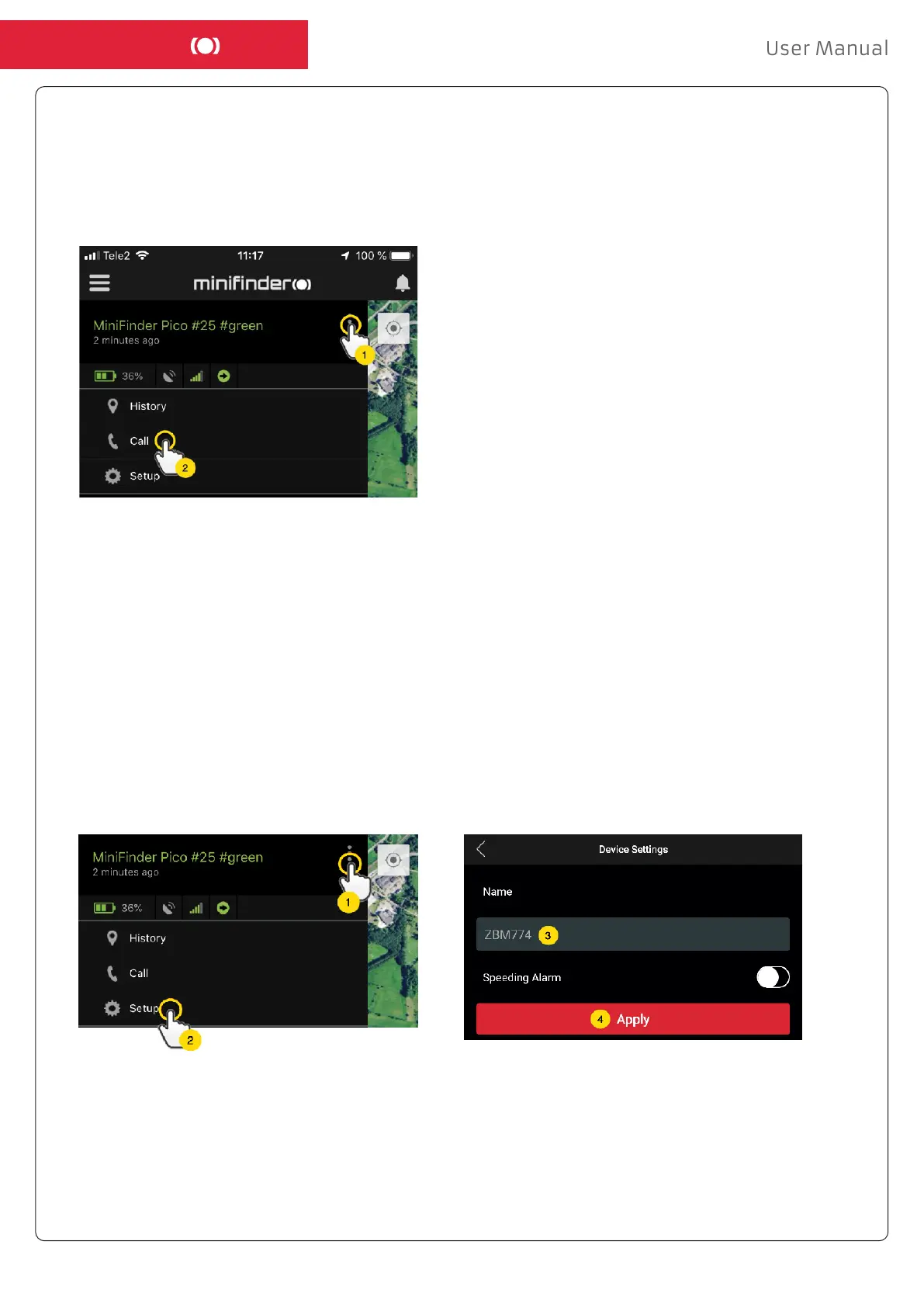
Click the Action Menu (1) and then click on the “Setup” (2). Edit device name (3) with your preference.
Then click “Apply” (4) to save the changes.
Call the DeviceCall the Device
To ring your device from your telephone, simply click on Action Menu (1) and then click on “Call” (2)
to start calling.


 To Next Page