minifinder
pico
www.mininder.com 12 of 20
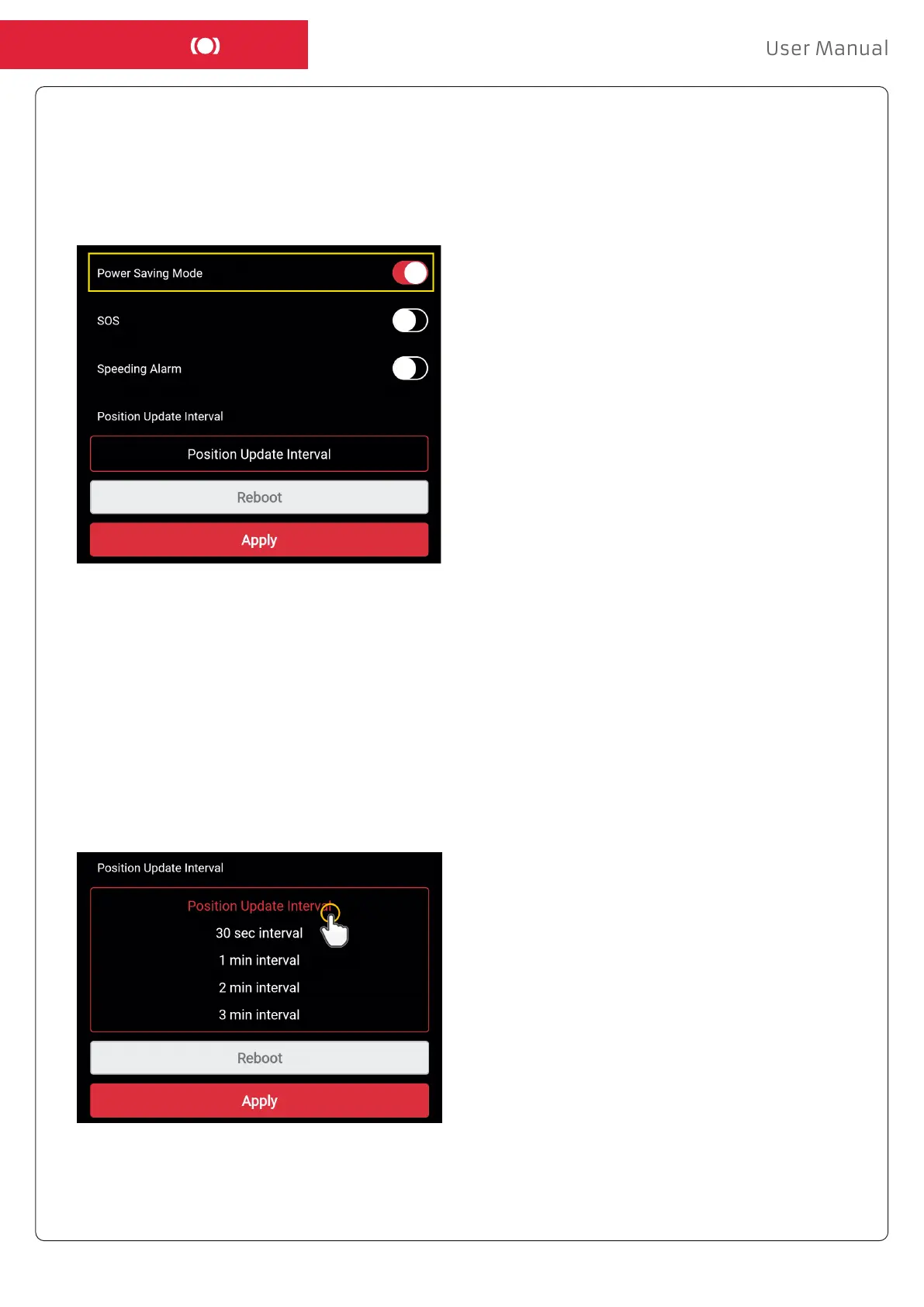
Position Update IntervalPosition Update Interval
The device can be tracked by dierent time interval depending on dierent requirements. Longer time
interval consumes less battery usage.
To change the update interval, click on the Action Menu and select “Setup”. Then click “Position Update
Interval”, select a desired interval and click “Apply” to save the settings.
Power Saving ModePower Saving Mode
Power Saving Mode is an eective way to optimize battery life. GPS and GSM modules will only be
activated in case of an alarm or event occurs, otherwise, stay deactivated.
Enable deep sleep mode by clicking on the Action Menu and then selecting “Setup”. Turn on “Power
Saving Mode” and then click “Apply” to save the settings.


 To Next Page