minifinder
pico
www.mininder.com 9 of 20
Make A CallMake A Call
To make a call, please press and hold the on / o / call button for 3 seconds. The unit emits an indi-
cation, the green LED starts blinking, and begins dialing to the authorized phone number 2. To end the
call, press the SOS button.
Fall AlarmFall Alarm
An accidental fall can cause devastating consequences. When an accidental fall occurs, the MiniFinder
®
remote sensor sends an alarm to the APP in the form of an alarm notication on the mobile device’s
screen and an alarm bell in the APP.
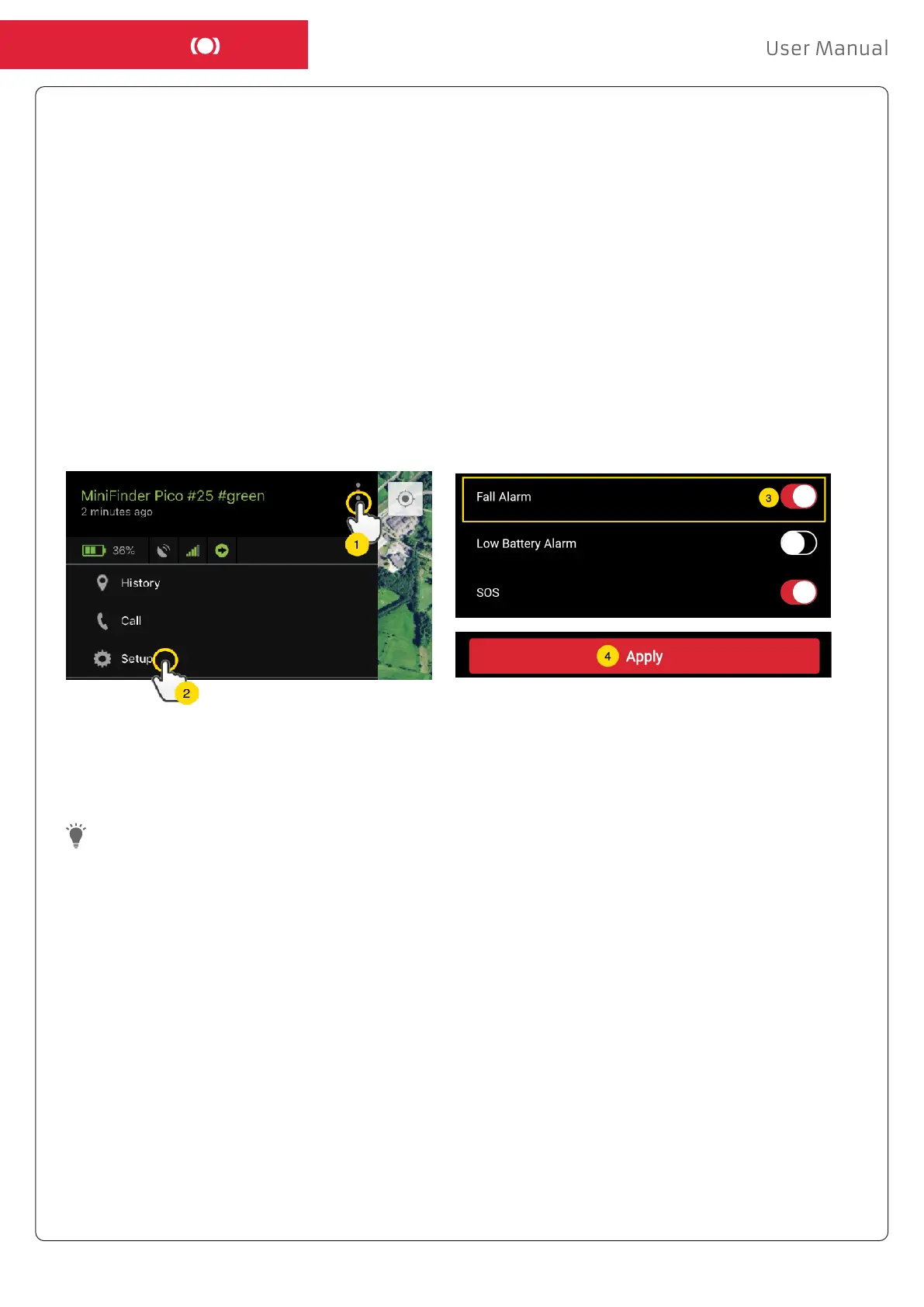
- To enable the Fall Alarm, click the Action Menu (1) and then select “Setup” (2).
- Activate “Fall Alarm” (3) as shown below and click ”Apply” (4) to save the settings.
To end an ongoing fall alarm, press SOS button once.


 To Next Page