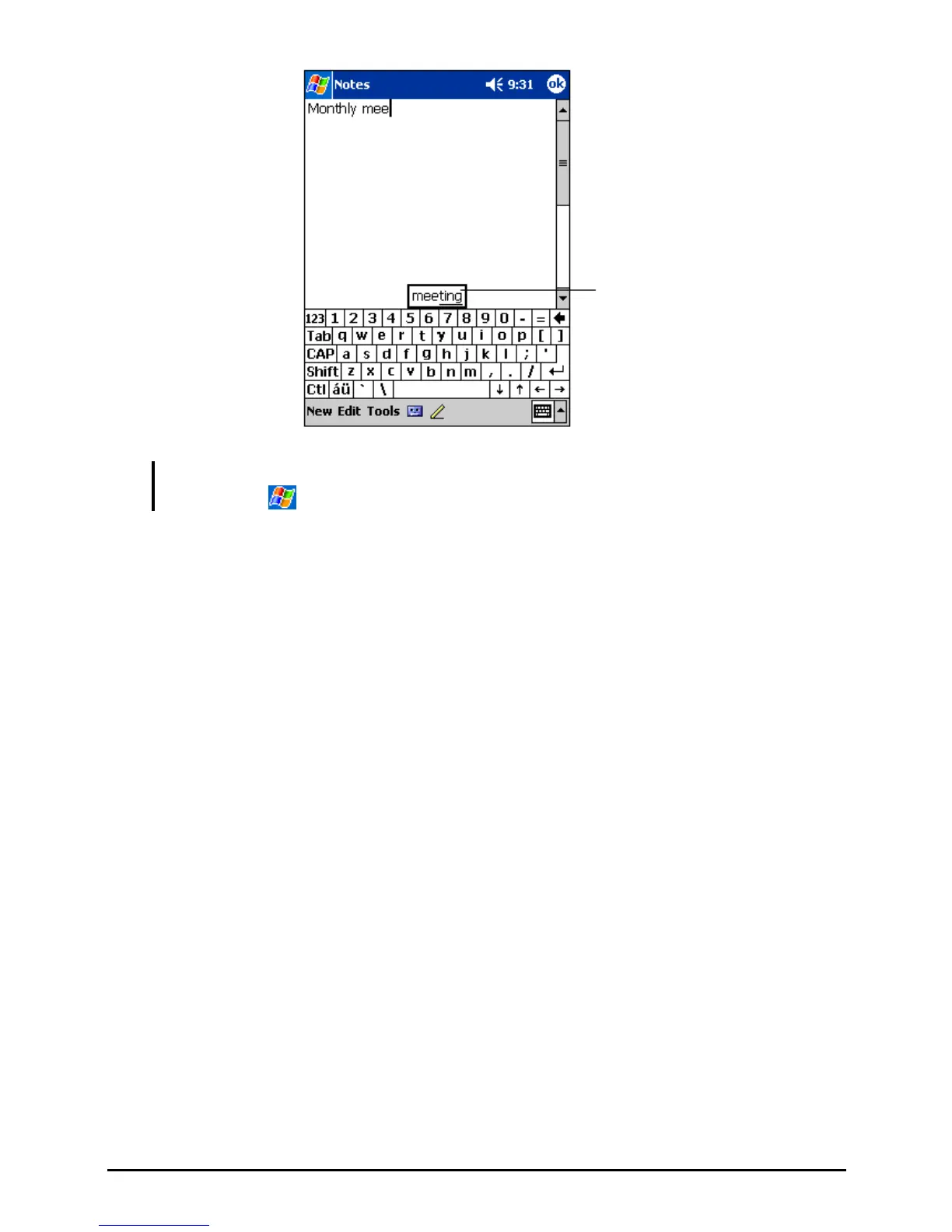
Tap here if this is
the right word.
NOTE: To change word suggestion options, such as the number of words suggested at
one time, tap
Settings Personal tab Input icon Word Completion tab.
Block Recognizer
With Block Recognizer, you can use the stylus to input characters using strokes
that are similar to the Palm™ Graffiti® method.
To type with Block Recognizer:
1. Tap the arrow next to the Input panel button and then tap
Block Recognizer.
2. Write a letter in the box.
When you write a letter, it is converted to typed text that appears on the screen.
For specific instructions on using Block Recognizer, open Block Recognizer
and then tap the question mark next to the writing area.
Letter Recognizer
With Letter Recognizer, you can write letters using the stylus just as you would
use a pen on paper.
To type with Letter Recognizer:
1. Tap the arrow next to the Input panel button and then tap
Letter Recognizer.
2. Write a letter in the box.
19


 To Next Page