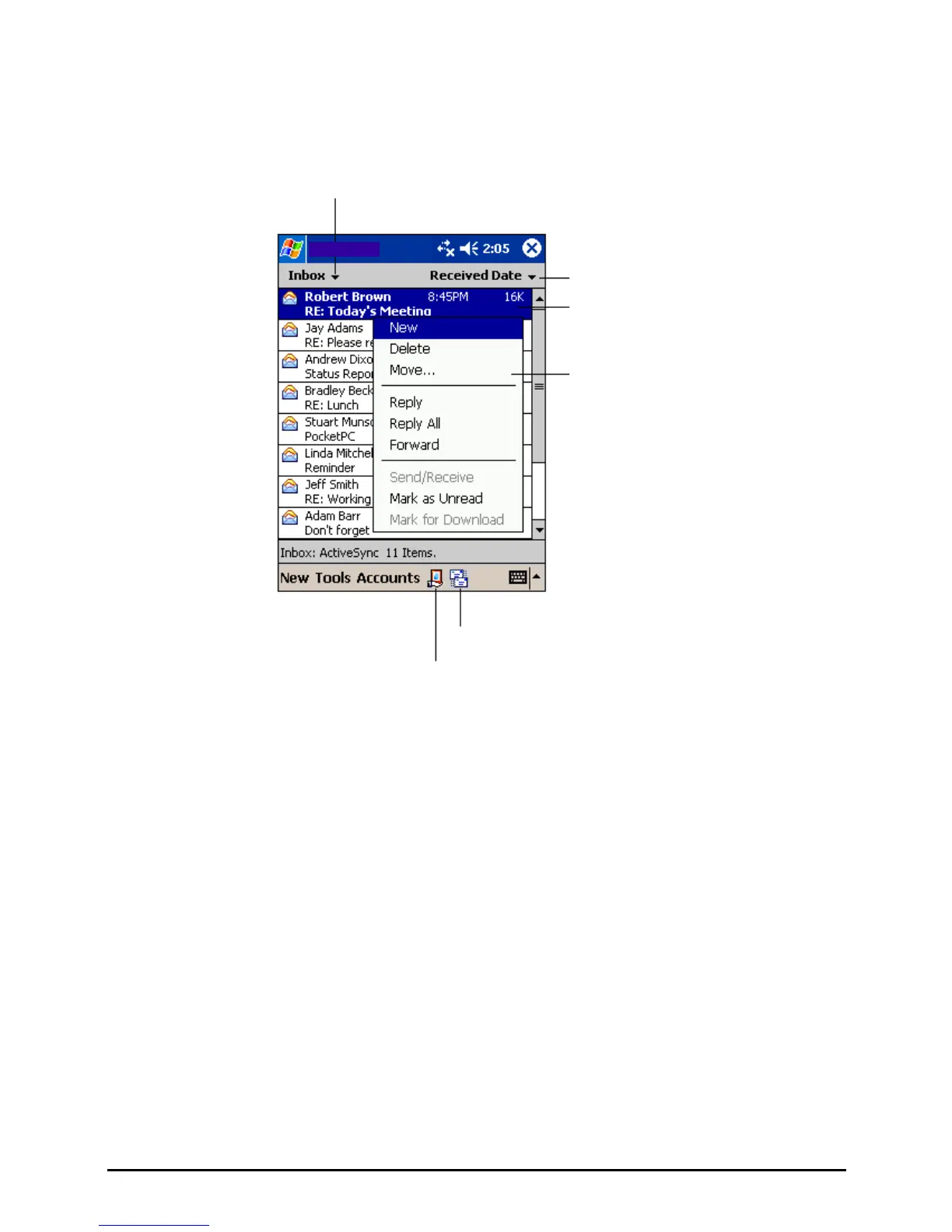
Using the Message List
Messages you receive are displayed in the message list. By default, the most
recently received messages are displayed first in the list.
Select the service and folde
you want to display.
Messaging
Select the sort order for messages.
Tap to open a message.
Tap and hold to display a pop-up
menu of actions.
Tap to connect and to send and receive e-mail.
Tap to connect to the selected service.
When you receive a message, tap it to open it. Unread messages are displayed in
bold.
54


 To Next Page