Setting Up to Use MSN Messenger
Before you can connect, you must enter Passport or Exchange account
information. Set up an account and sign in as follows:
1. In MSN Messenger, tap
Tools Options.
2. On the
Accounts tab, enter your Passport or Exchange account information.
3. To sign in, tap the sign-in screen and enter your email address and
password.
NOTE: If you already use MSN Messenger on your desktop computer, your contacts show
up on your Pocket PC without being added again.
Working with Contacts
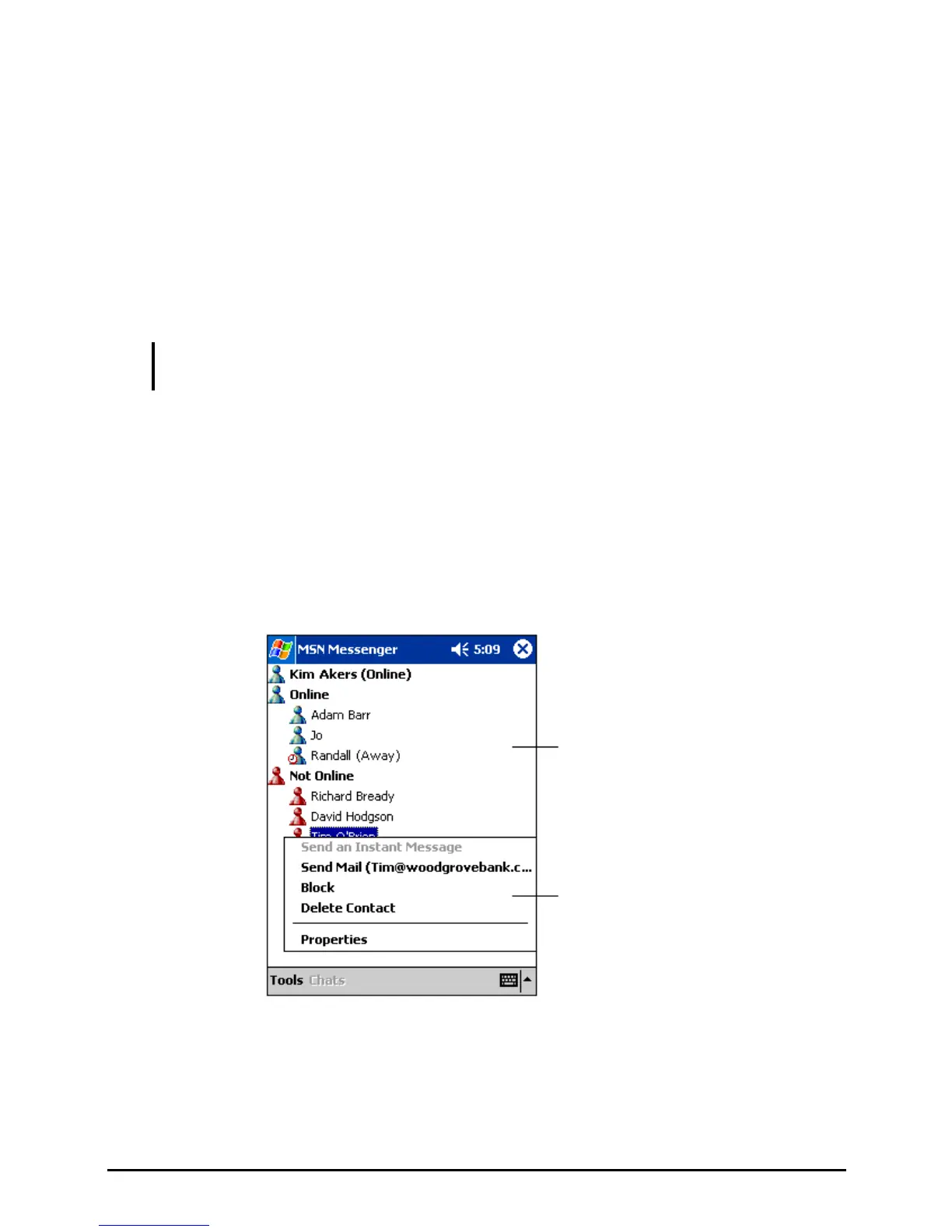
The MSN Messenger window shows all of your messenger contacts at a glance
and are divided into Online and Not Online categories. From this view, while
connected, you can chat, send email, block the contact from chatting with you or
delete contacts from your list using the pop-up menu.
Tap a contact to start a chat.
Tap and hold to display a
pop-up menu of actions.
70


 To Next Page