Preface
Welcome
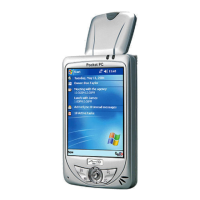
Congratulations on purchasing this Windows® Mobile ™ for Pocket PC with
built-in GPS function. Due to the size and capabilities of the device, you can
keep your most important business and personal information up-to-date and
close at hand. Microsoft
ActiveSync
increases the power of your Pocket PC
by allowing you to synchronize the information on your desktop or Microsoft
Exchange Server with your Pocket PC. Picture yourself in the following
situations:
While walking with a colleague, your cell phone rings and your boss asks if
you two are free this afternoon for an emergency meeting. While your
colleague fumbles through his paper organizer, you press a button on your
Pocket PC and instantly see a list of today’s appointments and meetings.
You are quickly able to tell the boss your available times. For more
information on scheduling appointments and meetings, see Chapter 4.
You are meeting your friends tonight for dinner and a movie. You download
the latest movie information from the Internet to your desktop computer and
then synchronize it with your Pocket PC. At dinner, you pull out your
Pocket PC and review your movie options with your friends. For more
information on downloading Web pages to your device, see Chapter 6.
A Calendar reminder alerts you that it is time to catch the bus. You grab
your Pocket PC and catch the bus just in time. Because ActiveSync keeps
the information on your Pocket PC up-to-date, you leisurely review your
task list, make notes about the new books and CDs you want to buy and read
and respond to e-mail messages. When you get back to the office,
ActiveSync transfers any task changes you made, your notes and your
e-mail message responses to your desktop computer. For more information
on ActiveSync, see section 5.1.
v


 To Next Page