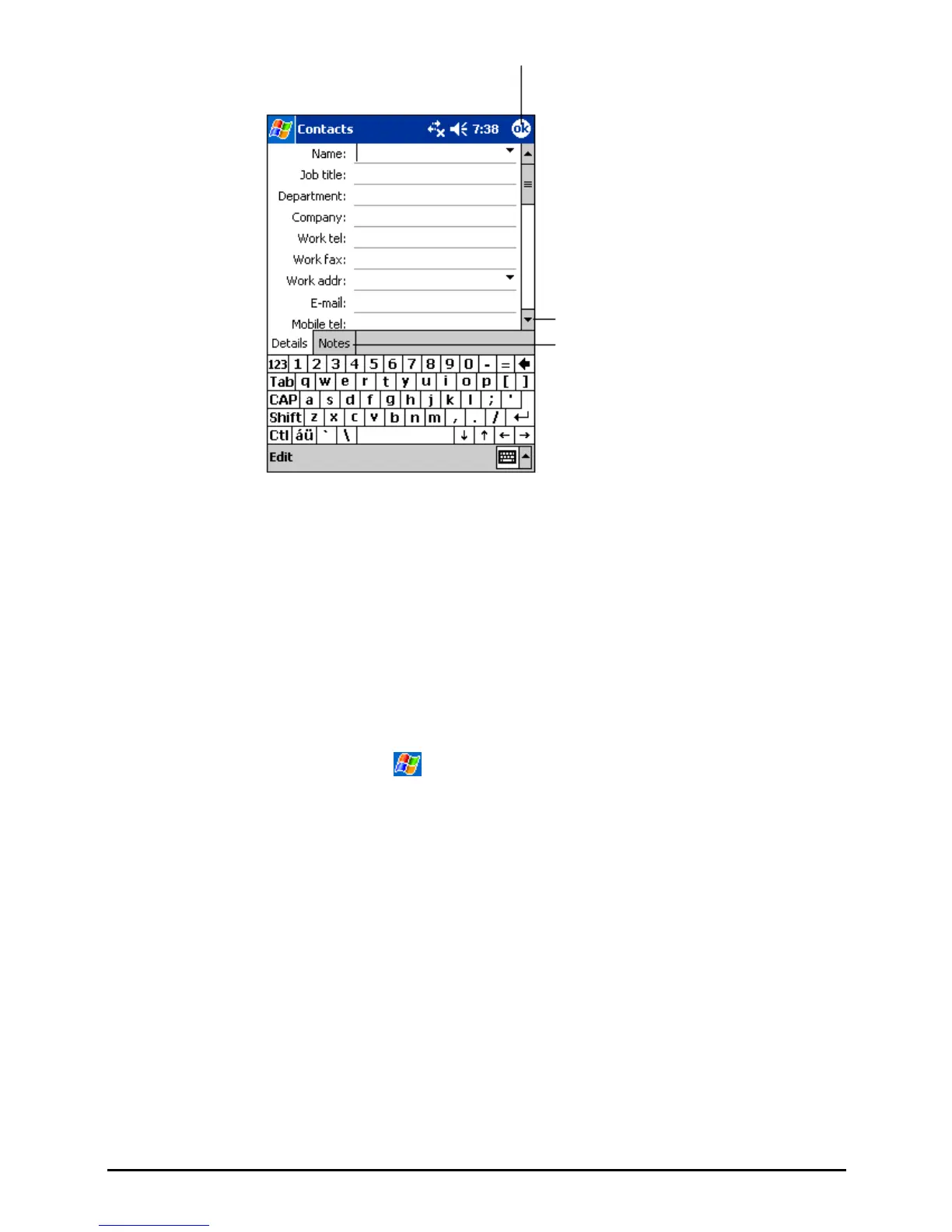
Tap to return to the contact list (the
contact is saved automatically).
Scroll to see more fields.
Notes is a good place for
maps and directions.
2. Using the Input panel, enter a name and other contact information. You will
need to scroll down to see all available fields.
3. You can also do the followings with regard to this contact:
Add a note.
Assign the contact to a category.
Send an e-mail to the contact.
Synchronize the contact.
Beam the contact.
For more information, tap
Help.
4. Tap
OK to return to the contact list.
45


 To Next Page